Enahancement:
- Added support for reading regions.json in both browser and Node environments.
Filter by
Enahancement:
Bug Fix:
Bug Fix:
Enhancement:
Enhancement:
Enhancements
Bugs & Security Fixes
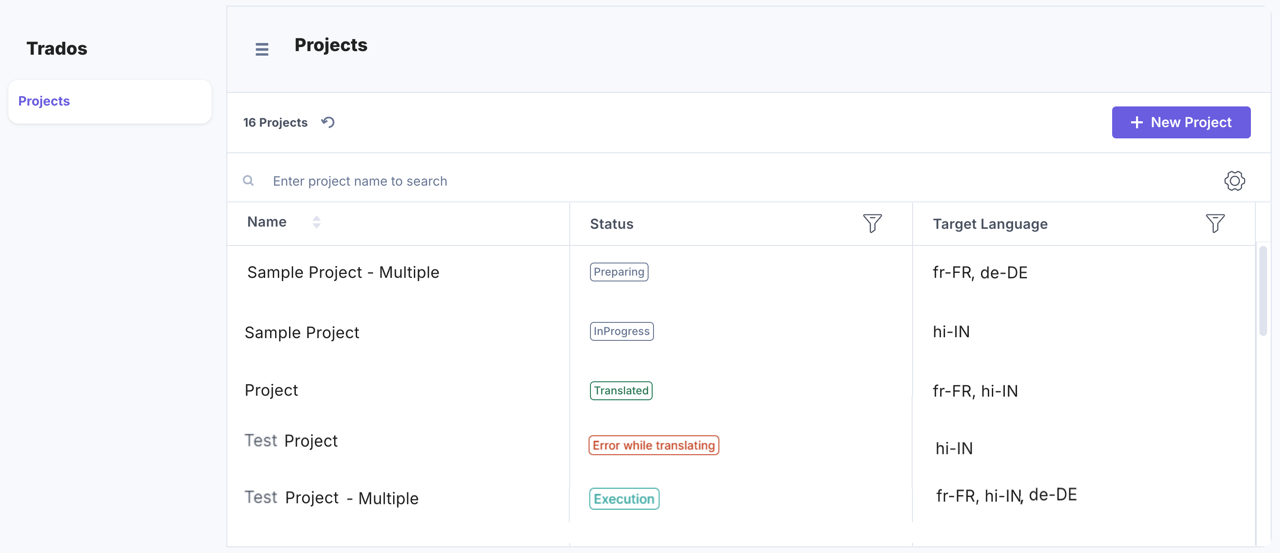
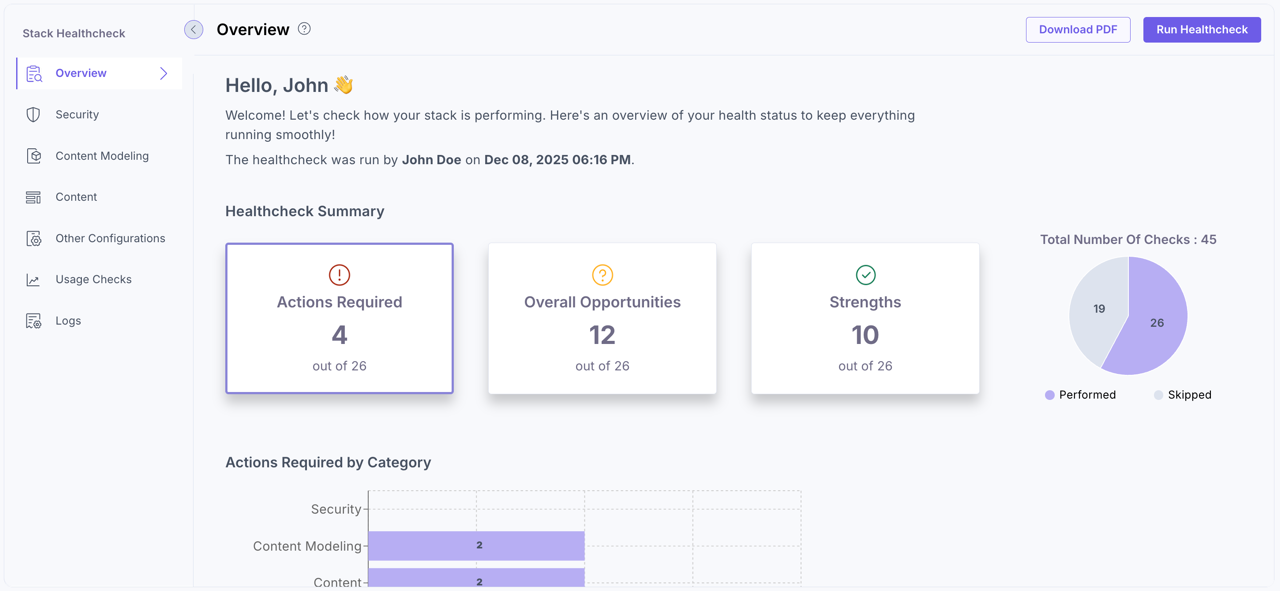
We’ve introduced major enhancements to the Healthcheck app to improve usability and provide clearer, more actionable insights:
To learn more, refer to the Healthcheck App Installation Guide.
We’ve added new enhancements to the Brandfolder app:
To learn more, refer to the Brandfolder App Installation Guide.
Here’s an overview of the latest updates in Contentstack Launch:
We’ve expanded our migration resources to make your move to Contentstack even smoother. Our new AEM to Contentstack Migration Guide is now available, offering step-by-step instructions tailored for Adobe Experience Manager users.
What’s Included:
By providing a structured, proven workflow, the guide helps reduce manual effort, minimize migration risks, and accelerate your transition to Contentstack. Whether you're planning a full migration or testing out a proof of concept, this guide ensures a streamlined experience from start to finish.
Read the AEM Migration Guide for more information.
You can now localize taxonomies and terms per locale, ensuring consistent structure across locales and branches. The new Taxonomy Localization feature allows you to display taxonomy terms in multiple languages without duplicating the hierarchy. Localizations can be applied to the entire taxonomy or specific terms directly from the Taxonomy Details page.
Each market can use localized labels for clarity, while administrators retain centralized control. Localization fallbacks ensure seamless behavior across branches and environments.
Key Benefits:
Learn how to enable and use this feature in our Taxonomy Localization documentation.
Note: Taxonomy Localization is a plan-based feature. Contact our support team to enable it for your organization. This feature is currently available for CMA use only. Publishing localized taxonomy names and terms to CDA is coming soon. You can begin preparing your localized structures now, but localized values will not appear in published content until publishing support is released.
Organization owners and admins can now reset Multi-Factor Authentication (MFA) for users—helping restore access when someone loses their authentication app or switches devices.
What’s New
Refer to Organization Users and Bulk Operations on Organization Users for more information.
Introducing Allowed Email Domains—a new security enhancement that gives organization owners and admins tighter control over who can be added to their organization. This feature lets you define which email domains are permitted, ensuring only trusted users gain access.
Key Highlights:
By implementing this feature, you reinforce your organization’s security posture and ensure that only authorized enterprise users are granted access, supporting a Zero Trust model from the very first step.
Ready to tighten your access controls? Head to Administration > Security Configuration to get started. Read our documentation for more information.
Feature:
Enhancements
Bugs & Security Fixes:
Documentation Updates
Bug Fix:
Bug Fix:
Enhancement:
Enhancement:
Enhancement:
We’re introducing Advanced Settings in Developer Hub, a powerful new way for Apps to integrate with external APIs securely and efficiently, without the need for a custom backend. With this feature, developers can now store, manage, and inject sensitive credentials directly within Contentstack Apps, enabling seamless and secure integrations.
Key Capabilities:
You can now streamline and secure your app integrations using these new configuration options in Developer Hub:
Advanced Settings eliminates the need for custom backend systems by enabling developers to manage external API interactions entirely within Contentstack. It simplifies secure integration with services like AI models, analytics platforms, and third-party SaaS APIs.
Learn more about Advanced Settings and Build an App With Advanced Settings in Developer Hub.
Bug Fixes:
As teams strive to deliver personalized digital experiences faster, traditional handoffs often slow them down. Studio is a visual experience builder that bridges the gap between design, development, and content composition. Studio integrates seamlessly with Contentstack’s CMS, empowering teams to compose dynamic experiences backed by structured content.
Key Highlights:
For example, a marketing user can update a homepage hero banner or create a campaign page using pre-approved components, all while maintaining design system guardrails and data integrity.
This results in faster iteration, reduced developer dependency, and consistent brand experiences.
Note: Studio is launching in Early Access and will be rolled out to customers in phases. Contact the support team to get access.
Read the Studio documentation to learn how to set up your first project, style components, and manage compositions
We’ve introduced the Bulk Export Entries feature to help teams manage large sets of content efficiently and maintain data consistency across the content lifecycle.
Key Benefits:
The Bulk Export Entries feature provides a structured and consistent way to handle multiple entries at once.
For more details, visit our documentation or contact our support team.
Bug Fix:
Enhancement:
We’ve rolled out three major updates to help teams improve governance, compliance, and editing efficiency in Contentstack, ensuring greater control, accountability, and ease of use across the content lifecycle.
Maintain integrity in your review process with the new Prevent Self-Advancement option. When enabled, the user who last edited or updated an entry cannot move it to the next workflow stage, even if they’re assigned to that stage.
This enforces independent validation at each stage, ensuring that no one can advance their own work without review.
Learn more about the Prevent Self-Advancement option.
Strengthen publishing governance with the Prevent Self-Approval control. When enabled, the user who last edited or updated an entry cannot approve or publish it, even if they’re listed as an approver.
This ensures that every publishing action is verified by at least two unique users, supporting dual-approval principles and reducing compliance risks.
Learn more about the Prevent Self-Approval option.
Make large entries easier to manage with Show as Tab, a new toggle for root-level fields such as Group, Modular Block, and Global fields. When enabled, these fields appear as separate tabs in the entry editor, helping editors navigate complex content types faster.
Tabs reduce scrolling, improve focus, and enhance load times without affecting your API structure.
Note: The Entry Tab is a plan-based feature and may not be accessible to all users. For more information or to request access, contact our support team.
Learn more about the Show as Tab field property and Working with Entry Tabs.
We’ve introduced new capabilities and enhancements to the Salesforce Commerce app:
To learn more, refer to the Salesforce Commerce App Installation Guide.
Bug Fix:
Enhancement:
Bug Fixes:
Bug Fixes:
The Shopify Live Preview feature enables Contentstack Live Preview within Shopify Liquid themes, allowing editors to preview real-time storefront changes without publishing or reloading the page. This integration ensures seamless synchronization between your CMS and Shopify Liquid theme, helping you validate updates instantly.
With instant previews, this feature streamlines content workflows and minimizes publishing errors. Editors and developers can confidently review storefront updates, including Product and non-Product pages, before deployment.
A new Master Metaobject setup ensures consistent data access and smooth Live Preview behavior across all page types.
Note: The Shopify Live Preview is a plan-based feature and may not be accessible to all users. For more information or to request access, contact our support team.
Learn how to Set Up Shopify Live Preview through our documentation.
Bugs & Security Fixes:
We’ve added enhancements to the XTM app:
To learn more, refer to the XTM App Installation Guide.
Features:
Bug Fixes:
Feature:
Enhancements:
Bugs & Security Fixes:
Documentation Updates:
We’ve introduced major improvements to the Algolia app to enhance your experience and make data visibility more powerful.
As part of this update, the Stack Dashboard UI location has been sunsetted.
Introduced Full Page UI Location:
The app now supports a new Full Page UI location, providing a more comprehensive interface for managing your Algolia data directly within Contentstack.
The Algolia Full Page app includes:
Note: It is no longer required to add facets for _content_type and branch_uid to perform content type and branch delete operations.
To learn more, refer to the Algolia App Installation Guide.
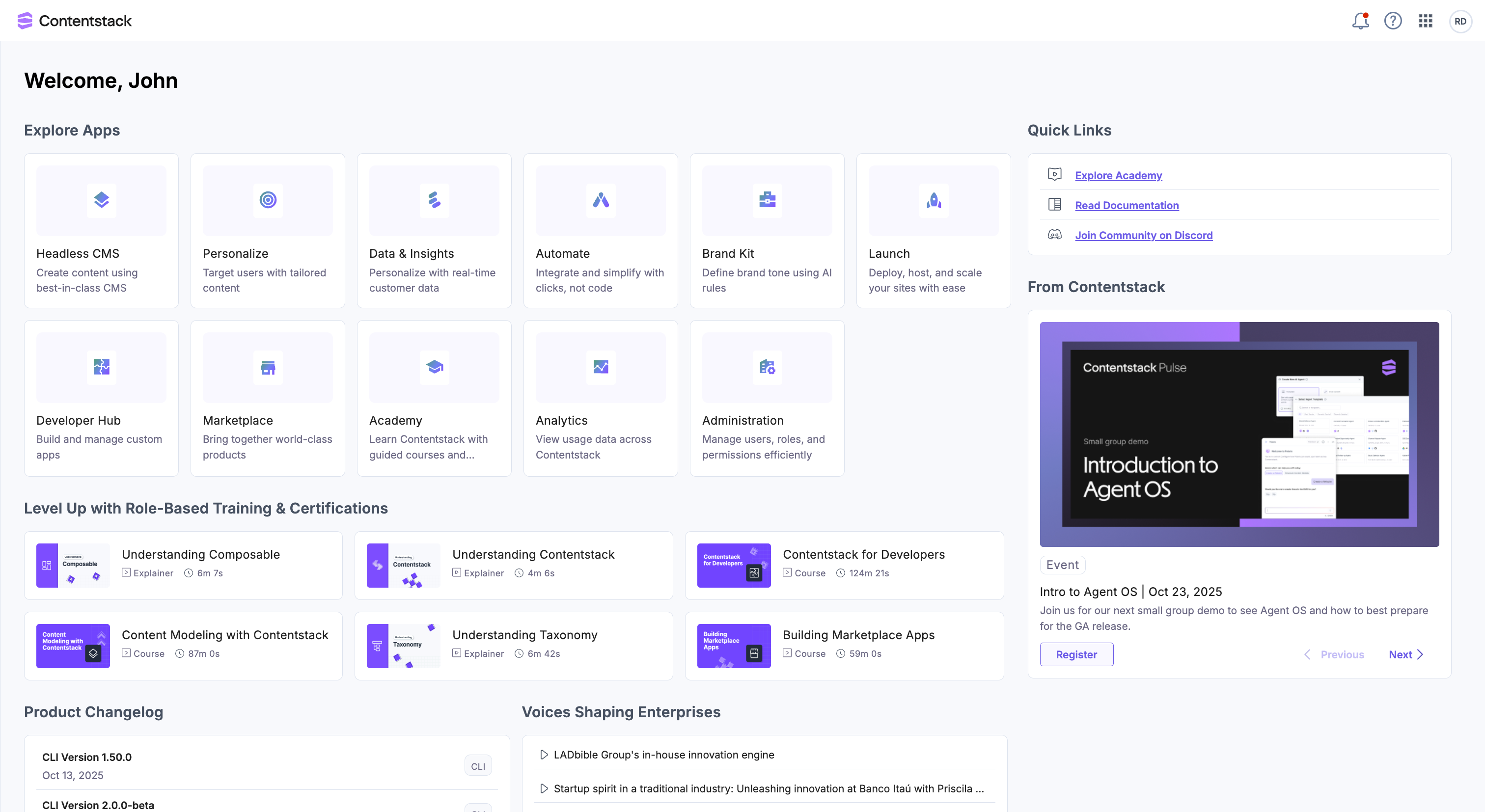
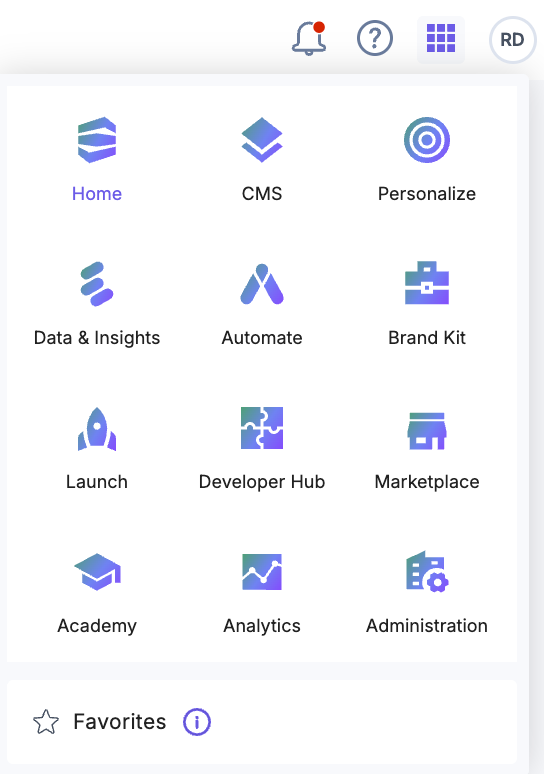
Contentstack just got a major upgrade, smarter navigation, a revamped home screen, and easier access to what matters. With a brand-new home screen and an intuitive top navigation bar, your everyday workflows are now smoother and more efficient.
What’s new?
These enhancements are now generally available to all users.
Explore the new look and feel now, just log in to Contentstack and get started. For more information, refer to our documentation.
Feature:
Introduced new methods for improved asset querying in AssetLibrary:
Improvement:
Feature:
Enhancements:
Major Changes:
TypeScript Module Support (Default)
Main Branch Export (Default)
Progress Manager UI
Package Updates:
Core CLI
Updated Plugins
Feature:
Bug Fix:
Enhancements:
You can now compare two versions of a content type schema side by side. Once a content type has at least two saved versions, a Compare Versions button appears.
The comparison view highlights schema changes with tags such as Added, Deleted, and Modified, and includes filters to quickly focus on specific types of updates.
This makes it easier to track changes to your content models over time. For example, spotting when a new field is added or a validation rule is updated, helping teams review and approve schema updates before publishing.
Learn more in our Content Type Versioning documentation.
We’ve introduced three powerful capabilities to streamline content modeling and data management:
These updates improve efficiency, ensure consistency, and give you greater precision in managing content.
Features:
Features:
Features:
Features:
Features:
Features:
Enhancements:
Bugs & Security Fixes:
Documentation Updates:
Bug Fixes:
Enhancement:
Bug Fix:
Feature:
Bug Fix:
Feature:
Enhancements:
Bugs & Security Fixes:
Documentation Updates:
We’ve added enhancements to the Constructor app:
To learn more, refer to the Constructor App Installation Guide.
You can edit and publish content faster with the new Visual Builder updates. These features give you more control, context, and flexibility so you can refine and publish directly from the webpage preview.
What’s New?
These enhancements help you refine, organize, and collaborate directly within Visual Builder, saving you time and effort.
For more details, visit our documentation or contact our support team.
We’ve added new enhancements to the SAP Commerce Cloud app:
To learn more, refer to the SAP Commerce Cloud App Installation Guide.
Enhancements:
We’ve added more flexibility to how you manage scheduled publishing of entries in Contentstack!
This update gives content managers and publishers greater control and confidence when scheduling entries across languages and environments.
Learn how to reschedule or cancel schedules.
We’re excited to unveil our refreshed brand identity! This transformation marks a pivotal moment in our journey as we evolve into a fully adaptive digital experience platform, driven by innovation, inspired by change, and designed for what’s next.
What’s New:
This rebrand goes beyond visuals, it’s a commitment to helping brands adapt faster, move smarter, and lead boldly into the future.
Cleaning up just got faster. Delete up to 100 entries or assets in one action, an increase from the previous limit of 10.
What’s new
Refer to our documentation for more details.
If this enhancement isn’t available for your organization, reach out to our support team.
We are adding the Typesense Cloud Connector to Contentstack Automate. Now you can integrate your Typesense Cloud collections with your Contentstack content workflows, ensuring your search indexes stay up to date and deliver fast results.
You can now automate the following actions in your Typesense Cloud collection using Contentstack Automations:
Learn more about Typesense Cloud Connector.
We’re excited to announce that Field Visibility Rules (FVR) are now available for Global fields in Contentstack!
You can now dynamically show or hide fields within a Global field based on conditions you define, just like you do with Content Types. This helps you create cleaner, more relevant entry forms and improve data accuracy.
What’s New
This update brings the flexibility of Field Visibility Rules to your reusable components, streamlining data entry and avoiding repetitive configuration.
Learn more about Field Visibility Rules for Global Fields.
Feature:
Bug Fix:
Bug Fix:
Enhancement:
Feature:
Enhancements:
Bugs & Security Fixes:
Documentation Updates:
Here’s an overview of the latest updates in Contentstack Launch:
With the latest SDK (v4.0.0 or later), Live Preview now offers a more flexible Open in New Tab experience.
Here’s what’s new:
Note: This is a plan-based feature. Contact our support team to enable this for your organization.
Learn more through our documentation.
We’re excited to announce new enhancements to the Wordbee app, designed to give you more flexibility and control over your translation workflows:
For more information, refer to the Wordbee App Installation Guide.
Bug Fix:
Bug Fix:
Feature:
Enhancement:
Enhancement:
Enhancements:
Bugs & Security Fixes:
Bug Fix:
Updated SDK to the latest version.
Bug Fix:
Fixed retry logic to ensure all SDK requests resume after the rate limit resets.
Feature:
Added support for Multi-Factor Authentication (MFA), enabling secure login and session handling for MFA-enabled accounts.
Enhancements:
Bugs & Security Fixes:
Documentation Updates:
You can now trigger webhooks for taxonomy-related changes, giving you better visibility and control over how taxonomies and terms evolve across your content infrastructure.
Key HighlightsFor the list of supported events and setup instructions, check out our documentation.
Enhancements:
Bugs & Security Fixes:
Enhancement:
Added the ability to search for apps by name, making it easier to quickly find the app you need.
We’ve rolled out enhancements to the Create and Update Entry Variants API endpoints—making it easier to manage localized or variant content with less effort and cleaner logic.
What’s New?
Key Benefits:
To learn more, visit our documentation.
Enhancements:
Bug Fix:
Updated the retryNetworkError method to correctly manage the running queue using shift.
Bug Fixes:
Fixed all linting issues to ensure consistent code formatting and maintain code quality.
Added a pre-commit hook to run Synk and Talisman scans before each commit, improving security and code hygiene.
Bug Fixes:
Added a pre-commit hook to run Synk and Talisman scans before each commit, improving security and code hygiene.
Bug Fix:
Added test cases for the Release feature to validate functionality and improve reliability across workflows.
Bug Fixes:
Updated dependencies to enhance security, stability, and overall performance.
Enhancements:
Bugs & Security Fixes:
We’ve rolled out four powerful updates to help you work faster, with more clarity and control:
Note: These features will be rolled out to all customers in the next few days.
We’re introducing a subtle yet impactful enhancement to the HTML Rich Text Editor in Contentstack.
Pressing the spacebar preserves spacing more reliably in your content layout. The necessary spaces are now stored as in the backend, using an optimized pattern to keep the HTML clean. This ensures spaces aren’t collapsed or lost during rendering, maintaining your intended layout across views.
Streamline your Live Preview setup and error resolution with our new step-by-step guide. Whether you're setting up Live Preview for the first time or troubleshooting errors, this guide walks you through each step smoothly.
What’s New?
To learn more, refer to our Live Preview Onboarding and Troubleshooting Guide or reach out to our support team.
Here’s an overview of the latest updates in Contentstack Launch:
We have improved how Link fields marked as mandatory are validated to ensure consistent behavior across the UI and API. This update helps maintain data accuracy and prevents incomplete content from being published.
With this change:
This behavior applies only to entries created after this release. For more information, reach out to our support team.
Bug Fixes
Removed unused dependencies to streamline the SDK package.
Enhancements
Added support for asset types in bulk operations to enhance flexibility and control.
Enhancements
Implemented comprehensive test coverage for the getReferences method across all test suites to ensure reliability and prevent regressions
Bug Fix
Updated dependencies to enhance security, stability, and overall performance.
Bug Fix
Enhancement
Enhancements:
Bugs & Security Fixes:
Documentation Updates:
While creating content types, developers can now define minimum and maximum limits for how many items can be added in Multiple Group, Global, Modular Blocks, and Reference fields, giving you better control over how content is structured and managed.
You can also mark entire Group, Global, and Modular Blocks as required, ensuring editors fill in key sections before publishing.
Learn more about setting Min/Max limits and required fields.
Feature:
Voice Profiles: Import and Export Now Available
We’ve added the ability to import and export Voice Profiles. You can now download existing profiles or upload preconfigured files directly in CMS. This enhancement helps streamline setup, especially when working across multiple stacks or migrating configurations.
Refer to Import a Voice Profile and Export a Voice Profile documentation.
Knowledge Vault: Import and Export Functionality Introduced
You can now import and export items in the Knowledge Vault. Upload a batch of FAQs, policies, or content references, or export existing items for backup or reuse across projects.
Refer to Import Item in Knowledge Vault and Export Item from Knowledge Vault documentation.
We have streamlined the Multi-Factor Authentication (MFA) workflow and refreshed the Profile settings page to enhance security and improve the user experience.
What’s new?
Note: The updates are rolling out gradually. If you don’t see them yet, they’ll be available soon!
These improvements reflect our ongoing commitment to delivering a secure, user-friendly platform. Visit your Profile and Security tabs to explore the enhanced experience.
For more information, refer to our documentation.
Enhancements:
Added support for Taxonomy, allowing users to classify and organize content using structured, hierarchical terms.
Bug Fixes:
Fixed an issue with the FileUpload method to ensure consistent and reliable file handling during uploads.
Enhancements:
Added support for nested Global Fields, enabling deeper content reuse and improved content modeling flexibility.
We are excited to introduce the Global Full Page UI Location, a powerful new addition for app developers.
With this new UI location, you can now build full-page applications at the Organization level, giving your apps access to APIs and data across multiple stacks. This is perfect for creating robust, cross-stack tools like:
Apps configured with this UI location will appear in the left-hand navigation panel, providing seamless access throughout the organization.
Learn how to configure and deploy your app using the Global Full Page UI Location documentation.
Bugs & Security Fixes:
We’re excited to announce new enhancements to the Brightcove app:
To learn more, refer to the Brightcove App Installation Guide.
Bug Fixes:
Fixed a token-related issue that affected Live Preview functionality.
Enhancement:
Introduced support for Variants, allowing tailored content delivery to specific audiences or based on defined conditions.
Enhancements:
Bugs & Security Fixes:
Documentation Updates:
We are thrilled to introduce the integration of the Automate app into Contentstack’s Visual Builder.
This enhancement allows you to trigger and manage automation workflows directly within the page editing interface, bringing the convenience of automation to where you create and manage content.
With the Automate App now accessible in the Visual Builder, you can:
This update simplifies repetitive tasks and enhances productivity, especially when managing dynamic, high-volume content across multiple entries.
For more details, visit our documentation or contact our support team.
The Aprimo app now allows you to define target languages while mapping content types and meta fields in Mapper during app configuration.
This enhancement gives you greater control over your Aprimo meta fields data by allowing language-specific metadata for each asset.
To learn more, refer to the Aprimo App Installation Guide.
Enhancement:
Added support for AWS-AU region.
Enhancement:
Added support for AWS-AU region.
Enhancement:
Added support for AWS-AU region.
Bug Fixes:
Resolved conflicts related to branch headers.
Bug Fixes:
Resolved Single Publish issue by updating entry version type from String to Int.
Enhancements:
Bugs & Security Fixes:
Documentation Updates:
Contentstack just got a major upgrade—smarter navigation, a revamped home screen, and easier access to what matters. With a brand-new home screen and an intuitive top navigation bar, your everyday workflows are now smoother and more efficient.
What’s new?
Note: These updates are rolling out gradually. If you don’t see them yet, they’re on the way!
Explore the new look and feel now—just log in to Contentstack and get started. For more information, refer to our documentation.
The XTM app now supports Content Types Bulk Translate, allowing you to send all entries across multiple content types for translation in just a few clicks.
This update streamlines localization workflows by enabling bulk translation of entire websites, reducing manual effort and improving scalability. It also includes enhanced error handling and validation for large translation requests.
To learn more, refer to the XTM App Installation Guide.
We’ve enhanced how the system handles variant names within a variant group to ensure uniqueness and data integrity.
What’s changed:
These changes ensure consistent and conflict-free variant naming for existing and future data.
Bug Fix:
Resolved a “Request-URI Too Large” error for requests with long URLs.
Here’s an overview of the latest updates in Contentstack Launch:
Launch now supports Cache Priming—a performance boost that preloads key pages and endpoints to the CDN after each deployment. This minimizes latency, lightens the load on your origin server, and ensures consistently fast experiences for end users.
Learn more in the Cache Priming Guide.
For additional insights, explore our blog post and pulse live video.
We’ve increased the file size limit for launch.json from 200KB to 5MB, making it easier to manage larger sets of redirects and rewrites.
We’re excited to announce new enhancements to the Healthcheck app:
Healthcheck Cancellation Support: You can now cancel a running health check using the Cancel button on the progress screen. A confirmation pop-up allows you to cancel or continue the check.
To learn more, refer to the Healthcheck App Installation Guide.
We’ve introduced a new “Open in editor” button next to the page title in the Visual Builder’s Form panel. Clicking it opens the current entry in the full entry editor in a new tab, so you can:
No more switching or retracing your steps. Just click and edit seamlessly. Try it out the next time you’re editing in Visual Builder!
Bug Fix:
Addressed Snyk-reported vulnerabilities and fixed multiple bugs to enhance security and stability.
We’re excited to announce new enhancements to the Trados app:
To learn more, refer to the Trados App Installation Guide.
Bug Fix:
Added encode option to the find method to support query parameter encoding.
Bug Fix:
Reverted retry logic based on the x-ratelimit-remaining header.
Bug Fix:
Fixed an issue where entry updates were not reflected in the timeline.
Enhancements:
The Add to Release workflow has been enhanced to improve visibility. The Add References to Release modal now displays nested references—entries and assets—linked to the selected item up to the organization's configured Nested Reference Publishing (NRP) depth. This enhancement provides transparency into what gets included in the release.
What’s New:
Note: The Add References to Release modal appears only when a single entry with references is added to a release.
This functionality is being introduced gradually into the Add to Release workflow.
Refer to the documentation for more details.
We’ve added new enhancements to the Wordbee app:
To learn more, refer to the Wordbee App Installation Guide.
We are excited to introduce the Show Localized Only toggle—a new feature in the Entries list view that simplifies multilingual content management.
What’s New:
With this toggle, you can filter and view only those entries that are explicitly localized in the selected language.
Key Benefits:
To learn more, visit our Get Localized Entries documentation.
Move content into Contentstack faster with our all-new migration tool—built for seamless, secure migrations from platforms like WordPress, Sitecore, Contentful, and even older Contentstack environments.
Key Features:
Set up the migration tool and launch your first migration project in minutes.
Watch the tutorial video to get a complete walkthrough of the tool:
Refer to our documentation to get started. Need more help? Reach out to our support team anytime!
Bugs & Security Fixes:
Documentation Updates
Enhancement:
Enhancement:
Bug Fix:
Bug Fixes:
Bug Fix:
Enhancement:
Implemented features from Release 2.0
Enhancements:
Enhancement:
Added support for preview tokens
Enhancements:
Enhancement:
Added support for Global Fields
Enhancements:
You can now customize list view columns for Products and Categories in the commercetools app configuration. You can now select which fields to display using the new multi-select dropdowns, helping you focus on the most relevant data. This enhancement improves content visibility and streamlines product and category management.
To learn more, refer to the commercetools App Installation Guide.
Gain a deeper understanding of your audience and make smarter content decisions with the new Audience Insights app. This new experience surfaces real-time behavioral data to help you uncover who’s engaging with your content, identify high-impact opportunities, and align your strategy with audience needs.
The app includes three key components:
To learn more, refer to the Audience Insights App Installation Guide.
Here’s an overview of the latest updates in Contentstack Launch:
Launch supports the Real-time Events Tag to capture real-time user behavior & insights. Connect your project using the Data Activation Layer (DAL), enable tracking with a simple toggle, and manage user consent using jstag.optIn() and optOut().
Learn more in the Event Tracking (Lytics) in Contentstack Launch Guide.
Launch supports fine-grained caching controls and on-demand revalidation using Automate, allowing you to improve site performance without redeploying the entire site.
Learn more in the Caching Guide for Contentstack Launch.
Encountering hydration errors or streaming issues with React Server Components? The new Handling Next.js RSC Issues on Launch guide provides solutions to ensure smooth performance for your Next.js applications.
Support for Node.js version 18 will be discontinued for Launch on August 1, 2025.
To keep your Launch projects running smoothly, update to a supported Node.js version and avoid any disruptions.
The Releases experience now respects your organization's Nested Reference Publishing (NRP) limit. When adding items to a release—individually or in bulk—the system automatically checks the configured NRP depth to ensure it’s not exceeded.
Refer to the documentation for more details.
Enhancements:
Improved retry logic by incorporating the x-ratelimit-remaining header, enabling more efficient request handling during rate-limited conditions.
When embedding entries or assets in HTML or JSON Rich Text Editors, the Inline option is now selected by default. This streamlines common workflows and keeps embedded content flowing naturally within text. You can still manually switch to the Block option as needed.
We’re introducing Contentstack Kickstarts, a faster way to build with pre-configured templates, starter code, and guided setup. Kickstarts help developers hit the ground running with best practices and ready-to-use integrations.
Start building smarter with Contentstack Kickstarts today!
Bug Fixes:
Fixed case sensitivity issues with contentType and locale to ensure consistent behavior across environments.
Bug Fixes:
Updated the addSettings method to support generic updates to stack settings.
Enhancement:
Introduced support for Global Fields, allowing you to create and reuse field structures across multiple content types.
Bugs & Security Fixes:
Enhancement:
Added support for preview token generation, allowing secure access to unpublished content through the Preview API.
Bug Fixes:
Fixed item processing in SyncStack to correctly handle JSONObject instances, preventing runtime crashes due to type mismatches.
Bugs & Security Fixes:
We’ve added Audit Logs to the XTM Full Page app to help you track and monitor Error logs, XTM logs, and Entry logs. Quickly identify errors or successes for each entry, making it easier to troubleshoot and maintain transparency across your translation workflows.
To learn more, refer to the XTM App Installation Guide.
Bug Fixes:
Fixed an issue in contentstackClient where the base URL path was not correctly set when both region and host were undefine
Features:
Added support for Node.js version 18 and later.
Bug Fixes:
Resolved security issues and upgraded packages to ensure stability and compliance.
Features:
Updated project structure and dependencies for improved organization and compatibility.
Bug Fixes:
Updated setuptools package version to maintain compatibility
Bug Fixes:
Updated setuptools package version to maintain compatibility
Bug Fixes:
Updated setuptools package version to maintain compatibility
Bug Fixes:
Resolved unexpected fallback_locale behavior during direct locale updates to ensure consistent and accurate localization handling.
Bugs & Security Fixes:
We’re introducing two powerful updates to make content modeling more dynamic, scalable, and editor-friendly:
Nested Global Fields
You can now nest Global Fields within other Global Fields or inside Modular Blocks for added flexibility and less duplication across your content structures.
Key Benefits:
Learn more about Nested Global Fields.
Non-localizable Fields in Modular Blocks and Groups
You can now mark individual fields within Groups (Multiple), Global fields, and Modular Blocks as non-localizable, giving you more control over localization.
Key Benefits:
Learn more about the non-localizable exception for developers and content managers.
These enhancements are part of our ongoing mission to support developer-first architecture and an editor-first experience. Whether you’re designing scalable models or managing localized content across markets, these tools give you the flexibility to do more—with less friction.
Note: These new enhancements are being rolled out to all customers in phases. Reach out to our support team for more information.
Searching in Contentstack just got smarter!
You can now combine filters—like content type, status, locale, and more—with Advanced Search queries for faster, more precise results.
Try it out today to experience faster, more focused searches in Contentstack.
Refer to our documentation for more details.
Bug Fixes:
Added custom logger support to allow integration of user-defined logging mechanisms for better debugging and observability.
Enhancements:
Added support for setting region in client parameters to enable region-specific configurations.
Bug Fixes:
Bugs & Security Fixes:
We’ve introduced new updates to Contentstack Automate to expand functionality and improve localization workflows. Here’s what’s new:
New Action: Translate an Entry in Azure ChatGPT Connector
Translate CMS entry content into multiple languages using Microsoft Azure-hosted models. This action also supports prompt-based customization for tone and intent, helping teams automate localization within Automate workflows.
Learn more about the Azure ChatGPT Connector.
New Action: Translate an Entry in Gemini Connector
Use the Gemini AI model to translate CMS entries, with support for schema input, language selection, prompt customization, and token control—helping you automate localization while maintaining brand consistency.
Learn more about the Gemini Connector.
New Pause On-Demand Action in Automate App
The Pause On-Demand action is a powerful feature within the Automate app’s Entry Sidebar that allows users to manually control the flow of an automation. It introduces a pause for user confirmation, allowing you to proceed or stop the execution before continuing to subsequent steps.
For example, the system pauses after fetching new entry data in a content update automation. The user can review and confirm before the automation proceeds to update the entry title and body.
Learn more about the Pause On-Demand Action.
Here’s an overview of the latest updates in Contentstack Launch:
Get ready for a seamless, stress-free go-live experience with our all-new Go-Live Guide. It walks you through everything you need to know to launch with confidence.
You can now run the Launch CLI in CI environments. Learn how to automate your deployments in the CLI for Launch documentation.
We've introduced a quick way to repair Git provider connections for existing projects. Follow the simple steps in the Repair Git Provider Connection for Projects guide.
You now have the option to skip adding environment variables when creating a new project. For details, see the CLI for Launch documentation.
We’ve updated our Custom Domains documentation with new information about Apex domain support.
The Audit Log now supports Contentstack Personalize, giving Organization Owners and Administrators greater visibility into key activities.
This enhancement promotes operational transparency, streamlines troubleshooting, and aids in compliance by providing a detailed record of actions within Personalize.
Tracked Personalize-related activities:
To learn more, visit the related documentation article.
We’re excited to roll out a set of enhancements designed to improve your editing experience in both the HTML and JSON Rich Text Editors in Contentstack.
Let’s look at them in detail:
Enhanced List Management
HTML Code Comments Support in Code Mode (Specific to HTML RTE)
We’ve added support for HTML code comments in the editor’s code mode.
Enhancements:
Bugs & Security Fixes:
Documentation Updates:
We’re excited to introduce Preview Sharing—a game-changer for seamless collaboration!
With this feature, you can now generate shareable preview links to securely showcase your website before publishing. Whether you need internal approvals, stakeholder feedback, or a quick review, Preview Sharing makes it fast, easy, and efficient.
Key Benefits:
Say goodbye to endless screenshots and back-and-forth emails. Try Preview Sharing today and streamline your workflow like never before!
Bug Fixes:
Improved sanity test execution to handle missing environment variables (ENVs) gracefully, preventing unexpected test failures.
Bug Fixes:
Fixed a path traversal vulnerability to prevent unauthorized access to restricted files and ensure application security.
Feature:
Added top-level export of the Module type to ensure compatibility with "moduleResolution": "Bundler".
Bug Fixes:
Fixed the return type for entry-queryable methods to improve type safety and developer experience.
Bug Fixes:
We are thrilled to announce the powerful Analytics feature, designed to give you a comprehensive view of how your organization interacts with Contentstack's suite of products—CMS, Launch, Automate, and more.
You can now effortlessly monitor and manage your usage data across all the products in one place, making it more intuitive and centralized.
Key Highlights:
More on the Way: This is just the beginning. Our team is actively working on additional features such as granular API traffic and logs, deeper insights for Launch-hosted websites, and other powerful tools to help you make data-driven decisions across the board.
This enhancement empowers you with a streamlined and efficient way to oversee and optimize your organization's interactions with all Contentstack products.
Note: Analytics is currently available only to organization Owner and Admin roles. The ability to share access with additional user roles will be available soon.
For more details, visit our documentation.
Bug Fixes:
Enhancements:
Bugs & Security Fixes:
Documentation Updates:
We’re pleased to share the latest enhancements to the XTM app:
To learn more, refer to the XTM App Installation Guide.
We’ve added support for Subfolders in Knowledge Vault, giving you more control over how you organize and manage its contents.
Now, you can group related items into folders—making it easier to navigate large volumes of content and select what gets included in your AI prompts.
This is especially useful for things like translation, where teams may want to separate content by language or topic while still working from a shared kit.
To learn more, refer to the Knowledge Vault documentation.
Exciting news—your CMS just leveled up! We’ve expanded key platform limits to support larger projects, faster workflows, and smoother scaling.
What’s New?
These updates give your team more flexibility and control across large-scale content operations. Reach out to our support team for more information.
Bug Fixes:
Bug Fixes:
Bug Fixes:
Enhancements:
We’ve released the all-new Amazon S3 app in our Marketplace! This DAM app integrates Amazon S3 with Contentstack, allowing you to access and manage your S3 files directly within Contentstack entries.
With this app, you can upload new assets or select multiple assets from your Amazon S3 account and add them to Custom Fields or JSON Rich Text Editor fields. For example, you can easily insert product images stored or recently uploaded in S3 into your entries—no need to download and reupload.
To learn more, refer to the Amazon S3 App Installation Guide.
We’ve expanded our global reach! Contentstack supports AWS Australia, giving you greater flexibility and control over where your data is stored and how it's managed.
What’s New?
The data storage for AWS AU is logically and physically separated from other supported regions in Contentstack.
This region is being rolled out in phases, and some features may become available soon.
Learn more about regions in our documentation.
We’ve expanded our global reach! Contentstack now supports a new region: GCP Europe, giving you greater flexibility and control over where your data is stored and how it's managed.
What’s New?
The data storage for GCP EU is entirely remote and separated from other supported regions in Contentstack.
Learn more about regions in our documentation.
We're excited to introduce three impactful enhancements across both the HTML and JSON Rich Text Editors in Contentstack.
These updates will help you effortlessly build complex tables, manage images, and fine-tune image layouts—making your content creation faster, smarter, and more intuitive.
Let’s look at them in detail:
Smarter Table Merging for Cleaner, More Dynamic Layouts
Crafting organized tables is now simpler and more flexible:
These improvements streamline your table editing experience, helping you present data clearly with minimal effort.
Multi-Image Selection for Faster Visual Management
Easily manage visuals without repetitive uploads:
This update makes image handling quicker and more intuitive, perfect for blog posts, product pages, or galleries.
Auto-Adjust Image Dimensions for Responsive Display
With automatic resizing, images adapt seamlessly to your layout and screen.
This enhancement ensures your visuals always look polished and professional effortlessly.
Try out these enhancements today and experience smoother, smarter editing in Contentstack.
Bug Fixes:
Enhancements:
Bugs & Security Fixes:
Bug Fixes:
We are thrilled to introduce several updates to Contentstack Automate, designed to enhance its functionality and user-friendliness. Here’s a glimpse of what’s new:
New Anthropic Connector
The Anthropic connector empowers you to integrate advanced AI capabilities into your automation workflows by leveraging Claude models from Anthropic, a leading AI research company focused on safe and reliable AI systems.
This connector offers the Chat action, enabling you to generate intelligent, context-aware responses for text and image inputs. With seamless integration via the Anthropic Console, users can fine-tune prompts, choose from multiple Claude models (like Claude 3.7 Sonnet), and access advanced features such as reasoning support, sanitized outputs, and token-level control.
Learn more about the Anthropic Connector.
New Gemini Connector
The Gemini connector lets you harness the power of Google’s Gemini AI model to generate intelligent chat responses from text and image prompts directly within your Contentstack automation workflows. The connector simplifies AI integration through a single Chat action, making it ideal for content creation, support automation, or creative applications.
Learn more about the Gemini Connector.
Other Improvements
Bug Fixes:
Bug Fixes:
Enhancements:
Bug Fixes:
Enhancements:
Here’s an overview of the latest updates in Contentstack Launch:
Launch now supports hosting projects built with the Remix framework, enabling seamless deployment of modern web applications.
We've added support for the Node.js 22.x runtime, ensuring compatibility with the latest Node.js features and improvements.
You can now utilize the Launch CLI within Continuous Integration (CI) environments. For implementation details, refer to the CLI for Launch documentation.
We've introduced enhanced troubleshooting support for monorepo build failures, assisting you in diagnosing and resolving issues more efficiently.
Launch now includes Bearer Token authentication in Log Target requests, adding an extra layer of security to your logging processes.
The Launch CLI plugin now supports an --environment flag, allowing you to seamlessly redeploy projects across multiple environments.
We’re excited to announce new enhancements to the Aprimo app:
To learn more, refer to the Aprimo App Installation Guide.
Enhancements:
Bugs & Security Fixes:
Bug Fixes:
We’ve added new enhancements to the Wordbee app:
To learn more, refer to the Wordbee App Installation Guide.
Bug Fix:
Enhancements:
Enhancements:
Bug Fixes:
Bug Fixes:
Enhancements:
We’re excited to announce new enhancements to the Salesforce Commerce app:
To learn more, refer to the Salesforce Commerce App Installation Guide.
Bug Fixes:
Bug Fixes:
Enhancement:
Bug Fixes:
Bug Fixes:
New Features:
Enhancements:
Bugs & Security Fixes:
Documentation Updates:
We’re excited to introduce nested reference filtering in the Contentstack GraphQL API! This feature allows you to filter referenced entries within a reference field, ensuring you retrieve only the most relevant data and bring more precision and flexibility to your queries. By refining your queries at a deeper level, you can optimize data retrieval, reduce payload size, and improve the overall API performance.
What’s New?
This feature is plan-based. To enable it, contact our support team. Learn more in our GraphQL API documentation.
Collaboration just got easier! With shared views, you can share your saved and filtered searches with specific users or roles within your stack, ensuring your teammates always have quick access to the right content.
What’s New?
With shared views, collaboration is faster, smoother, and more organized, ensuring that everyone has access to the most relevant content exactly when they need it.
Learn more in our documentation.
Bugs & Security Fixes:
Bug Fix:
Bug Fixes:
Enhancements:
Bug Fixes:
We're thrilled to introduce several updates to Contentstack Automate, designed to enhance its functionality and user-friendliness. Here’s a glimpse of what’s new:
New Actions in the Transform Connector
Elevate your data management capabilities with new actions added to the Transform connector. These enhancements allow you to:
Learn more about the Transform Connector.
Bug Fixes:
Bug Fixes:
Bug Fixes:
Enhancements:
Bug Fixes:
Bug Fix:
We’ve introduced new features to make the Contentstack GraphQL API even more powerful, giving you greater flexibility and precision in managing your content.
Note: Sorting responses by published time and strict type checks on non-nullable fields might not be enabled by default for your organization. Reach out to our support team to enable them for your organization.
These enhancements improve efficiency and give you more control over your GraphQL queries. Try them out today!
Refer to our GraphQL API documentation for more details.
Fixes:
Bug Fixes:
We have introduced updates to the Constructor connector, including a new action. Highlights include:
New Action: Delete an Entry action
The Delete an Entry action in the Constructor connector enables you to remove product details from your e-commerce website's index. This helps ensure that outdated or irrelevant product information is no longer accessible in search results, keeping your product catalog accurate and up-to-date.
Example Use Case: Whenever an entry is unpublished from Contentstack, this action deletes the entry from the Constructor website’s index.
For more information, visit Constructor Connector documentation.
Enhancements:
Enhancements:
Enhancements:
Enhancements:
Bugs & Security Fixes:
We’ve expanded the options for setting Group field titles, giving you more control over how you organize content. In addition to the existing field options for Group titles, you can also use values of Boolean, Rich Text, JSON Rich Text, Markdown, or Reference fields.
This update makes identifying and managing Groups within your entries easier, streamlining your workflow and saving you time when handling complex content structures.
Start leveraging these additional title field options today!
For more details refer to our documentation.
We’re excited to introduce the Content Type Sidebar UI Location, a powerful feature that enhances content types with additional functionality. This location ensures consistency at the schema level, making it easier for developers to optimize content workflows. Apps using this location will appear in the right navigation panel under Apps.
For more information, refer to the Content Type Sidebar UI Location documentation.
Content Type Sidebar UI Location in Marketplace Developer Tools App
The Developer Tools app now integrates seamlessly into the Content Type Sidebar, offering deeper content analysis and intelligent suggestions. For TypeScript users, the sidebar provides instant type definitions for API responses, streamlining your development process like never before!
To learn more, refer to the Developer Tools App Installation Guide.
Enhancements:
Bugs & Security Fixes:
Documentation Updates:
We have introduced several updates to Automate this month, including new actions and enhancements. Highlights include:
New Contentstack Management Branch Alias Actions
Simplify your branch management with new Branch Alias actions in Contentstack Management. These actions help maintain an organized development workflow by enabling features like assigning new aliases to branches, reassigning existing aliases, deleting aliases, and retrieving details of a single or all branch aliases.
Learn more about Contentstack Management Branch Alias Actions.
New On-Demand Automate Connector Action: User Draft Update
Update entries in real-time with the User Draft Update action through the Automate app in the Entry Sidebar. This action dynamically updates the entry whenever an automation is executed, enhancing real-time content management.
Learn more about User Draft Action.
New Data Store Action: Clear Data
Ensure data integrity with the new Clear Data action. This action allows you to manually delete outdated, unnecessary, or sensitive information, which is particularly useful for maintaining accurate data storage when working with dynamic data updates, such as those generated through Set Data or Append Data actions.
Learn more about Clear Data Action.
New ChatGPT Action: Translate an Entry
Automatically translate content into multiple languages with the new Translate an Entry action. This action leverages ChatGPT's advanced API models for accurate and context-aware translations, reducing manual effort and ensuring consistency across multilingual content.
Learn more about Translate an Entry Action.
New Trigger: Entry Variant
Automate workflows based on changes to entry variants with the new Entry Variant trigger. This trigger is especially useful for content teams managing updates, localization, or stakeholder communications, automating notifications and other processes to enhance efficiency.
Learn more about Entry Variant Trigger.
New Feature: Export and Import Automation
Streamline your workflow deployment across projects with the new Export and Import Automation feature. This feature allows for easy backup and migration of automation setups as JSON files, which is ideal for testing or maintaining consistency across environments.
Learn more about Export and Import an Automation.
New Feature: Error Management for Action Steps
Improve workflow efficiency with enhanced Error Management for Action Steps, allowing flexible error handling to keep critical processes running smoothly.
Learn more about Error Management for Action Steps.
Other Improvements:
Enhancements:
Bug Fixes:
Enhancements:
Bug and Security Fixes:
We're excited to introduce new data-saving options for Form.io JSON keys, which will give you greater control over how form data is stored in your entries.
We've also made technical enhancements to improve app performance and flexibility.
To learn more, refer to the Form.io App Installation Guide.
We're thrilled to introduce the Contentstack Shopify Integration!
Effortlessly sync products and collections between Shopify and Contentstack CMS. With real-time, bi-directional updates, you can manage content, create custom content types, and synchronize data seamlessly using webhooks.
This integration streamlines your workflow, providing a seamless content management experience across all your digital channels.
Learn more in the Contentstack Shopify Integration Guide.
Bug Fixes:
Bug Fixes:
Enhancements:
Bug Fixes:
Bug Fixes:
Bug Fixes:
We’re excited to announce new enhancements designed to make your publishing workflow faster and more efficient!
What’s New?
Ready to experience these upgrades? Navigate to your entry list page and give it a try! If you have any questions, refer to our Bulk Publish and Bulk Unpublish documents or reach out to our support team.
Enhancements:
Bug Fixes:
Feature:
Introduced support for creating isolated SDK instances. This prevents cross-request issues caused by shared global variables, especially in edge environments.
Deprecation:
Enhancements:
Bug & Security Fixes:
Bug Fixes:
We’ve upgraded Advanced Search with a powerful enhancement to help you find exactly what you need:
Enhancements
Bug Fixes
Bug Fixes
Bug Fixes
Enhancements
Bug Fixes
Enhancements:
Bug & Security Fixes:
We’re excited to announce that you can now customize image dimensions within the HTML and JSON Rich Text Editors (RTEs), giving you greater control over your content.
You can now:
This update gives you more control over how images are displayed, making it easier to create polished and professional content.
Try it out today to elevate your content editing experience!
We’re introducing new enhancements to the Bynder app:
To learn more, refer to the Bynder App Installation Guide.
Bug Fixes:
Enhancement:
Bug Fixes:
Resolved the ContentstackException issue in Live Preview when using the contentstack-dotnet SDK.
We’re introducing new enhancements to the XTM app:
To learn more, please refer to the XTM App Installation Guide.
We have introduced several updates to Automate this month, including new actions and enhancements. Highlights include:
New Contentstack Management Content Type Action: Get a Single Content Type
This action lets you fetch details of a specific content type in Contentstack.
For example, localizing entries for a content type like Product Details. You can retrieve the schema to create language-specific workflows, ensuring consistency. Localized data can then be seamlessly added as new entries in the CMS.
Learn more about Contentstack Management Content Types - Get a Single Content Type action.
New Brand Kit Action: Get Data Chunks from Knowledge Vault
Retrieve relevant data chunks from the Knowledge Vault in your Contentstack Brand Kit. You can fetch a maximum of two relevant data chunks at a time.
For example, Efficiently retrieve specific brand assets, like introduction or guidelines, for campaigns using the Get Data Chunks of Knowledge Vault action. This ensures only relevant data is fetched, reducing bandwidth, improving performance, and maintaining brand consistency across marketing channels.
Learn more about the Brand Kit - Get Data Chunks from Knowledge Vault action.
Other Improvements:
For example, you can schedule recurring emails to remind your team about weekly meetings or set up automated weekly or monthly Slack messages to keep your team on track with specific tasks.
Learn more about the Scheduler by Automate trigger connector.
Learn more about the Automate App.
We are thrilled to unveil the Notifications panel, which is gradually rolling out to all users. The bell icon lets you keep track of essential updates like weekly summaries, app requests, and collaboration invites.
Key Features:
This exciting update will be available to your organization soon. Stay tuned! Read more.
Bug & Security Fixes:
The Healthcheck app is a personalized Full Page Location app that provides a clear overview of your stack's performance.
The app provides advanced tracking capabilities, enabling precise examining of key health metrics while providing personalized insights to empower informed decision-making regarding your stack's health.
Install the Healthcheck app now from our Marketplace and unlock a suite of tools designed to keep your stack at its absolute best.
To learn more, refer to the Healthcheck App Installation Guide.
Find what you need faster with greater precision in Advanced Search.
What’s new:
To learn more about all the ways you can use Advanced Search, check out our documentation.
We’re excited to announce new enhancement to the BigCommerce app:
To learn more, please refer to the BigCommerce App Installation Guide.
Enhancements:
Added HTTP error code integration to the findOne method for enhanced error handling and improved clarity.
Enhancements:
Fixed an issue causing unsaved changes to be incorrectly displayed by removing the updateLPContent call.
Bug Fixes:
Fixed an issue with the regex method to enhance its accuracy and reliability for validation processes.
Bug Fixes:
Corrected the parsing logic in EntriesModel to ensure accurate and reliable data processing.
Enhancements:
Enhancements:
Enhancements:
Bug & Security Fixes:
Here’s what’s new with Contentstack Launch:
A new Read-Only role is now available, enabling users to access Launch projects without the ability to make changes.
Explore the different user roles and their functionalities in Launch.
We’ve introduced a comprehensive checklist to help you conduct effective load testing on Launch.
We’re excited to announce new enhancement to the Bynder app:
To learn more, please refer to the Bynder App Installation Guide.
We’re introducing Variant support in Webhooks, allowing you to trigger webhooks for actions specific to entry variants across content types, entries, and environments.
Key Highlights
Visit the Webhooks module in your stack to set up variant-enabled webhooks. For more details, see our documentation.
Bug Fixes:
Added table cell merge functionality, providing improved content formatting and editing flexibility.
Bug Fixes:
Enhanced Live Preview to handle empty entries gracefully, ensuring seamless functionality and improved user experience.
Bug Fixes:
Fixed an issue that caused variant resets during query calls.
We’re excited to announce new enhancement to the commercetools app:
To learn more, please refer to the commercetools App Installation Guide.
Enhancement:
Enhancement:
Introduced References and ReferencesAsync methods in the Asset class for retrieving references synchronously and asynchronously.
Bug Fixes:
Enhancements:
Bug & Security Fixes:
Documentation Updates:
We have introduced several updates to Automate this month, including a new connector and enhancements. Highlights include:
Notion Connector
Easily manage and organize content in Notion with actions for creating, deleting, and retrieving Page and Database details. Use it to integrate Notion with other apps to streamline workflows, manage databases, and organize tasks.
Learn more about Notion Connector.
New Contentstack Management Variant Action: Get All Variants of a Content Type
Retrieve comprehensive details of all variants of a specific content type, making it easier to access and manage variant-specific content across multiple entries.
Learn more about the Contentstack Management Variants action.
Other Improvements:
Brand Kit API Key Credentials:
We have introduced the API Key support in Brand Kit! You can now choose between Contentstack-managed Keys and custom credentials. This gives you the flexibility to align AI-powered content seamlessly with your brand's tone, style, and voice.
To learn more, refer to the Brand Kit documentation.
Brand Kit APIs Updates:
To learn more, refer to the Brand Kit Management API, Generative AI API, and Knowledge Vault API documentation.
We’re introducing new updates to the AI Assistant:
To learn more, refer to the AI Assistant with Brand Kit documentation.
Bug Fix:
Bug Fixes:
Enhancements:
We are thrilled to announce the launch of Contentstack Visual Builder, our new authoring experience that equips marketers and content editors with a visually intuitive canvas that simplifies how you create and manage content on your website.
With Visual Builder, you can:
Contentstack’s visual building experience is designed to help bring your content to life faster, reducing dependency on developers and accelerating time-to-market.
Start using Visual Builder today and unlock a new level of creativity and flexibility in content creation!
For more details, visit our documentation or contact our support team.
Bug Fixes:
Enhancements:
Bug Fixes:
Enhanced the getData method to support both parameters and headers within the data object.
Bug Fixes:
Updated the getData function to accept both parameters and headers within the data object, improving flexibility and compatibility.
Bug Fixes:
Updated the Node.js version to v20 in the GitHub package publishing workflow to ensure compatibility and improved performance.
Bug Fixes:
Bug Fixes:
We’re excited to announce new enhancements to the Cloudinary app:
To learn more, please refer to the Cloudinary App Installation Guide.
Introducing the Coveo Automate Connector. This tool automates the process of managing content by either pushing content to a Coveo source or deleting outdated items.
Key Features:
For more information, visit Coveo Automate Connector documentation.
We have introduced exciting updates for content managers, helping them streamline the content creation process and enhance overall efficiency. Here’s a rundown of what’s new:
Note: The Create new entry button will only be visible if the Save In Progress Entry feature is enabled in your organization's plan. Please contact our support team for more information.
Note: This feature will be gradually rolled out to all customers over the coming days.
Bug & Security Fixes:
Bug Fixes:
Enhancements:
Enhancements:
Bug Fixes:
New Features:
Enhancements:
Bug & Security Fixes:
We’re excited to introduce the ability to set custom rate limits for your management tokens!
This new feature allows you to define specific read and write request limits for each management token, giving you greater control over API usage at the token-level rate limits while staying within your organization’s overall limits.
This update provides more flexibility to optimize API performance based on your stack's needs. Refer to our documentation for more details.
Note: This feature is currently available as part of an Early Access Program and may not be available to all users. For more information, you can reach out to our support team.
Bug Fixes:
Bug Fixes:
Bug Fixes:
Bug Fixes:
Bug Fixes:
Improved error handling: An error message is now logged if no host is specified when live preview is enabled.
Enhancements:
Introduced support for Live Preview 2.0, enabling seamless real-time content updates and enhanced user experiences.
Bug & Security Fixes:
Bug Fixes:
Added support for ClassName and ID selectors during JSON to HTML conversion in the JSON RTE.
Enhancements:
Introduced support for the Early Access header.
Bug Fixes:
Enhanced the addTags method to now support Variants.
Bug Fixes:
Enhancements:
Documentation Updates:
We’re excited to introduce several new updates designed to improve your content management experience. These enhancements focus on increasing efficiency in the entry editor and providing more intuitive access to your data. Here’s what’s new:
These updates are designed to make your Contentstack experience even smoother and more efficient. Keep an eye out for more enhancements coming soon!
We are thrilled to announce the launch of Audience Preview in Timeline, now available through our Early Access Program!
This new feature lets content managers preview how content variations will appear to different audience segments, such as geographic regions, customer types, or languages, directly within Timeline.
With Audience Preview, you can:
To start using Audience Preview, ensure your Personalize project is linked to your stack. Then, link variant groups to content types and begin creating entry variants.
This feature simplifies content management for personalized experiences, ensuring each audience sees the most relevant version of your content.
For more information refer to our documentation on Audience Preview.
We have several updates to Automate this month, including new connectors, actions, and other enhancements. Highlights include:
Personalize Connector
Contentstack Personalize is our built-in optimization engine designed to deliver personalized content based on target audiences. It offers two types of experiences:
Within these experiences, you can create content Variants in the CMS, linked to Variant Groups (equivalent to Experiences in Personalize). The Personalize connector allows you to fetch details of all Audiences and Experiences within your Personalize project.
Example: You can automate the creation of new variants in the CMS by fetching experience data using the "Get All Experiences" and "Create a Variant" actions.
Learn more about Personalize Connector.
Contentstack Management: Variants Action
Variants are different content versions displayed to specific audiences, known as Variant Groups in the CMS, created within Experiences in a Personalize project. The Contentstack Management Variant Action allows you to update, publish, and fetch details of all variants in a Variant Group.
Note: You can create entry variants through Automate or the CMS, but Audiences can only be created using the Contentstack Personalize platform.
Learn more about the Contentstack Management Variants action.
Contentstack Management: New Action
Get Asset Reference Action: The new Get Asset Reference Action in the Contentstack Management Connector allows you to retrieve details of all entries where an asset is referenced.
For instance, if you need to update an asset's description and want to identify all entries where the asset is referenced, this action can be used to gather the entry details, enabling you to update the description accordingly.
Learn more about the Get Asset Reference action.
Other Improvements:
Feature:
We are thrilled to announce a groundbreaking innovation – Contentstack Personalize (Early Access), the first-of-its-kind, edge-optimized personalization engine. Create customized experiences with unmatched speed at any scale. Edge-based APIs enable outstanding speed and a flicker-free experience plus it's all inside our CMS.
Deliver the right story to the right audience every time.
Key Features
Key Components
Integrations
APIs and SDK
Support in CLI:
Import and export data for the Personalize modules (Experiences, Audiences, Attributes, and Events) linked to a stack containing your Variants via the CLI.
Please note that Contentstack Personalize is currently in its Early Access phase. We appreciate your participation as early adopters. If you're interested in joining our Early Access Program, please reach out to your Customer Success Manager. Your feedback is invaluable as we refine and improve this feature. Our goal is to roll out Contentstack Personalize to all users soon, providing a polished and valuable addition to your Contentstack experience. Join the private #personalize-ea channel in Discord to meet and share knowledge with other early access participants.
To learn more about Contentstack Personalize, refer to our documentation or contact our support team.
Here’s what’s new with Contentstack Launch:
If you encounter errors while repairing your GitHub connection, refer to the Troubleshooting section in the Repair GitHub Connection for Projects document.
For GitHub integration issues, follow the steps in the Troubleshooting section in the Create a Project Using GitHub document.
Launch now supports Node.js versions 18.x and 20.x, and also provides support for the yarn package manager.
For more details, refer to the Supported Node.js Versions and Supported Package Managers documents.
We are excited to introduce powerful upgrades to the release management process that will significantly streamline your content deployment:
These enhancements are designed to simplify your content management workflow, giving you greater control and flexibility over your publishing process.
To enable this feature for your organization, contact our support team.
Bug Fix:
Bug Fixes:
Fixed an issue with the link type attribute handling.
Enhancements:
Bug & Security Fixes:
We're excited to introduce new ways to extend and enhance your Contentstack experience with Machine to Machine (M2M) applications.
These new capabilities empower developers and teams to streamline workflows and enhance platform functionality. Explore the possibilities with Standard and M2M apps in Developer Hub today!
To learn more, refer to the Introduction to Contentstack Applications documentation.
Introducing the JSON RTE Configuration in Trados, designed to streamline the translation process by converting complex JSON RTE objects into a single, easy-to-manage HTML code block. This enhancement ensures smoother content handling and improves efficiency for translators.
To learn more, refer to the Trados App Installation Guide.
You can now preview documents before adding them to your Brand Kit’s Knowledge Vault, the repository of contextual brand details used to keep AI responses consistent with your brand. Upload a document and key text details will be displayed instantly, allowing you to confirm its content before saving.
To learn more, refer to the Knowledge Vault documentation.
New Features:
Enhancements:
Bug & Security Fixes:
Bug Fixes:
We’re thrilled to announce three new features designed to enhance your experience with Brand Kit:
Learn more about these features in our documentation:
We’re excited to introduce our enhanced search functionality designed to help you find what you need quicker and easier than ever before.
Here’s what’s new:
Our updated search bar now offers options to refine your search by title, URL, and more, making it easier to find exactly what you’re looking for.
Save time by filtering search results with just a click. Whether you're looking for specific types of content or want to narrow down by categories, our quick filtering options have you covered.
Personalize your search experience! Our latest “Views” feature offers a simple method to save and retrieve your current page view. Save your preferred views for easy access, so you can pick up right where you left off.
Experience the simplicity of our new advanced search interface. The new intuitive interface provides visual representations of your set conditions and sub-conditions.
Access our new search bar directly from the header on any page. No matter where you are, searching has never been this seamless!
Start exploring these new features today and see how they can enhance your daily tasks!
Consider refreshing your browser or clearing the cache for a seamless experience. To learn more, visit our documentation.
Note: The new search experience is being rolled out to all customers in phases. So, if you don’t see the new search today, you will likely receive it in the next couple of weeks.
Enhancements:
Bug & Security Fixes:
Documentation Updates:
We have several updates to Automate this month, including new actions in the Utility and Transform Connector and other enhancements. Highlights include:
Automation Sharing
Automations can now be easily shared between organizations using shareable recipe links. This feature streamlines collaboration and knowledge transfer while offering options to include or exclude Project Variables to protect sensitive information.
Learn more about Automation Sharing.
Transform Connector: New Action
Template Action: The enhanced Transform Action offers expanded capabilities for data transformation. You can now leverage predefined functions, HTML formatting, inline CSS, and custom helper functions to manipulate and structure your data more effectively. This provides greater flexibility and customization compared to the previous Transform action.
With the new Template action, you can send customized email newsletters to enhance your brand reputation.
Learn more about the Transform Connector.
Utility Connector: New Action
Log Action: The new Log Action in the Utility Connector lets you view outputs from previous steps directly in the Execution Log. This feature provides greater visibility into automation processes, aiding in troubleshooting and optimization.
Learn more about the Utility Connector.
Bug Fixes:
Feature:
Feature:
Enhancements:
We’re excited to introduce new shortcuts designed to make working with entry editors effortless!
Whether you’re navigating between entry sections or managing tables within Rich Text Editors, these shortcuts are here to help you work smarter and faster.
| Actions | Mac OS | Windows OS |
|---|---|---|
| Entry Editor | ||
| Navigate Between Sections | “command” + “/” | “ctrl” + “windows” + “/” |
| Highlight Text | “option” + “shift” + left/right arrow | “ctrl” + “shift” + left/right arrow |
| Rich Text Editor | ||
| Inline Code | “command” + “E” | “ctrl” + “E” |
| Strikethrough | “command” + “shift” + “X” | “ctrl” + “shift” + “X” |
| Add Column (Right/Left) | “control” + “option” + right/left arrow | “ctrl” + “alt” + right/left arrow |
| Add Row (Top/Bottom) | “control” + “option” + up/down arrow | “ctrl” + “alt” + up/down arrow |
These enhancements will help streamline your editing process and help you work faster and efficiently. Try these shortcuts out and experience the difference!
Enhancements:
We’re updating our password policies to enhance security. You can now set a minimum password length of 8 characters for all users.
For users in multiple organizations, the organization with the highest minimum password length will take precedence during password resets. This policy will also apply to existing users when their passwords expire and need to be reset.
For more details on configuring password policies, refer to our documentation.
Enhancements:
Bug & Security Fixes:
Features:
Feature:
Enhancements:
Bug & Security Fixes:
Documentation Updates:
Bug Fixes:
Bug & Security Fixes:
We’re excited to introduce significant updates to Automate this month, including new actions in the Google Vertex Connector and several other enhancements. Highlights include:
Retry Execution Feature in Execution Log
The retry executions feature allows you to configure an automation to retry if it fails due to API errors or missing configurations, up to two times. You can view the retry attempts in the execution log.
Learn more about the View Execution Log of Automations.
Google Vertex Connector: New Actions
Function Calling (Beta): Function Calling (Beta): This action enables specific function calling to allow an automation to interact with external APIs, opening the door to much more powerful automations. This functionality, when incorporated with Sub Automation, mini packaged automation steps available for reuse, can act as semi-autonomous AI agents that carry out time-consuming and other complex tasks.
Function Calling Response (Beta): This Function Calling Response (Beta) lets you format the output from the Function Calling (Beta) action and the Sub Automation.
These Function Calling actions are currently in beta on the Google Gemini side, and their availability is subject to Google’s beta program.
New Field in Send Prompt: We have added a new field in the Send Prompt action: System Instruction Text, to provide specific guidance or directives to the model, helping it understand the context and generate an appropriate response based on the provided prompt text.
Learn more about the Google Vertex connector.
Nested Lookup Feature in Box Connector and Contentstack Management - Assets Actions
The Box Connector and Contentstack Management Connector now support nested lookup for folders and assets.
Contentstack Management - Assets Actions: If you have assets stored in nested folders within your Contentstack CMS, you can select these assets to update, publish or delete them from the CMS.
Box Connector: If you have nested folders created in your Box account, you can select the folders and perform related activities.
Learn more about the Box Trigger, Box Action, and Contentstack Management - Assets Actions.
Bug Fixes:
Feature
Bug Fixes:
Bug Fixes:
Bug Fixes:
Bug Fixes:
Enhancements:
Bug & Security Fixes:
Documentation Updates:
Here’s what’s new with Contentstack Launch:
We are excited to introduce new authentication methods for Webhooks, which will provide enhanced flexibility and security. You can now choose from multiple authentication options that best suit your needs.
Additionally, the Create a Webhook API request now supports these new authentication methods.
For detailed information on using the new authentication methods, please refer to the Secure Your Webhook documentation.
Reach out to our support team to have this feature enabled for your organization.
Managing future content updates can be challenging, especially in large-scale organizations where changes must be coordinated across multiple teams and regions, often conflicting with other ongoing projects and initiatives. That's why we're introducing Timeline. This new platform experience allows you to navigate through a visual timeline of your content, providing a clear view of future updates.
Timeline highlights:
Whether you're planning a new campaign, managing localized content, or coordinating updates across teams, Timeline makes it easier to ensure everything is aligned and ready to go live.
For more details, visit our Timeline documentation.
Enhancement:
Bug Fixes:
Enhancement:
Bug Fix:
Bug Fix:
Enhancement:
Bug Fix:
Enhancement:
Bug & Security Fixes:
We are excited to share the latest enhancements to the Brandfolder app:
To learn more, refer to the Brandfolder App Installation Guide.
We are excited to share that we have added the following support to the Cloudinary app:
To learn more, refer to the Cloudinary App Installation Guide.
We are excited to introduce new Job Status API requests designed to help you efficiently monitor the status of publish and unpublish operations within Contentstack.
With these new API requests, you can:
To get started with the Job Status API, refer to our API documentation.
New Features:
Enhancements:
Bug & Security Fixes:
Documentation Updates:
We’re excited to introduce significant updates this month to Automate, including a new trigger in the Contentstack Trigger Connector and several other capabilities. Highlights include:
Contentstack Trigger Connector: New Trigger
Learn more about the Contentstack Job Trigger.
AWS S3 Connector: New Action
Get All Files action: This action lets you fetch the details of all the files from your AWS S3 bucket. You can select an optional Folder Name to fetch the files associated with the folder.
Learn more about the AWS S3 connector.
Automate App: New Updates
The Automate App now allows you to view the app within the Asset editor. To view the app within the Asset editor, you can configure the Asset Sidebar action from the On Demand Automation Trigger.
Learn more about the Automate App.
Additional Updates:
We’ve made the following updates to the Audience app:
Audience Tag Scopes: We have introduced two Audience Tag Scopes: Block and Inline. These scopes help provide more precise targeting and improved content personalization.
Bug Fixes: Resolved bugs to enhance the overall performance and user experience of the Audience app.
For more information, please refer to the Audience Plugin Usage Guide.
Enhancement:
Bug Fixes:
Bug Fixes:
Enhancement:
Enhancements:
Enhancements:
Bug Fix:
Bug Fix:
We are glad to announce two major updates that will help editors search content faster and get more done in less time. Here’s a quick overview of these updates:
Enhancements:
Bug Fix:
Enhancement:
Enhancements:
Bug & Security Fixes:
We're thrilled to introduce Taxonomy-based Permissions in Contentstack! Empower your team with custom roles tailored to your needs!
With Taxonomy-based Permissions, Stack Owners, Admins, and Developers have more flexible permissions to finely tune access to entries based on specific taxonomies and terms.
Here are the key benefits:
Leverage this new addition to streamline team collaboration and workflows on content projects, safeguard sensitive information, and propel your organization toward success!
Explore Taxonomy-based Permissions in Contentstack today!
We’ve released the all new Digizuite app in our marketplace. This app integrates Digizuite with Contentstack, allowing users to access and manage their Digizuite files directly within Contentstack entries.
With the Digizuite app, you can select multiple files from your Digizuite account and add them to Contentstack's Custom or JSON Rich Text Editor fields. For example, if you have product images in Digizuite, you can easily insert them into your Contentstack entries without needing to download and reupload them.
To learn more, refer to the Digizuite App Installation Guide.
We're excited to announce the general availability of Contentstack Brand Kit – a new platform tool designed to ensure AI-generated content aligns with your brand’s intended voice across all digital touchpoints.
To learn more, explore the Brand Kit documentation.
If you have any questions or need more information, please contact our Customer Support team.
Bug Fixes:
Bug Fixes:
Bug Fixes:
This month’s update for Automate introduces a new Brand Kit connector and the Marketplace Automate app. Highlights include:
Brand Kit Connector Actions
Brand Kit lets you streamline the management of brand identity and guidelines for your content. It uses brand-specific data stored in the Knowledge Vault and defined Voice Profiles to ensure AI-generated content aligns with your brand's style and messaging.
The Brand Kit connector enables you to perform several specific actions within your automations:
Learn more about Generative AI Action.
Learn more about Knowledge Vault Actions.
Learn more about Voice Profile Actions.
Marketplace Automate App
The Marketplace Automate App integrates Automate into the CMS experience, allowing you to access and execute automations from Automate right within the content entry sidebar. This is especially useful for running automations on-demand, giving you flexibility beyond scheduled or automated triggers.
The Automate app brings all of Automate's functionalities into your CMS entry editor where you can view a list of all active automations and execute them with a single click.
Learn more about Automate App.
Enhancement:
Enhancement:
Bug Fix:
Enhancements:
Enhancement:
Here’s what’s new with Contentstack Launch:
Bug Fixes:
Bug Fixes:
Enhancements:
Bug Fixes:
Enhancements:
Bug & Security Fixes:
Enhancement:
Enhancement:
Bug Fixes:
Enhancement:
Enhancement:
Bug Fixes:
Bug Fixes:
Enhancement:
Introducing the Job-based Webhook Events! This webhook event triggers upon the completion of any specified job (Publish, Unpublish, Delete, or Create) for entries and assets across all environments. For bulk actions, it triggers once at the end, regardless of the number of items processed. The webhook provides a concise summary of the job, including the total count and counts of skipped, failed, and successful items.
Learn more about the job-based webhook events and how they differ from our existing entry/asset events.
Enhancement:
Enhancement:
Enhancement:
Enhancement:
Bug Fixes:
New Features:
Bug & Security Fixes:
We are excited to announce that a new datacenter for Google Cloud Front North America (GCP NA) is now available. The primary region for GCP NA will be Oregon, US (us-west1), with South Carolina, US (us-east1), serving as a backup region.
Contentstack customers can choose from a wider variety of regions by different providers for their Contentstack account data storage.
You can access the app and the API endpoints by adding the prefix “gcp-na” to the default URLs.
The data storage for GCP NA is entirely remote and separated from other supported regions in Contentstack. Read more about Contentstack regions.
We're adding to the list of supported AI models for the AI Assistant, now including Google Vertex AI and its Gemini Pro model.
We’ve made updates to our Audience app:
For more information, please refer to the Audience Plugin Usage Guide.
Bug Fixes:
Bug Fixes:
Bug & Security Fixes:
Introducing the all-new “Webhook Configuration” feature! Now, you can cumulatively manage the maximum connection rate limit per second for your webhook URLs.
Webhooks are custom HTTP callbacks, enabling real-time data transmission to third-party apps or services. With the Connection Rate Limit, you can define the maximum connections allowed to your webhook URLs per second. Once the rate limit is reached, connections are efficiently throttled to maintain stability.
Learn more about Webhook Configuration.
Enhancement:
Bug Fixes:
Here’s what’s new with Contentstack Launch:
New Features:
Bug & Security Fixes:
Enhancement:
We're thrilled to announce the general availability of the all-new TypeScript Delivery SDK, specially crafted to enhance your application development experience within Contentstack.
Elevate your development process to new heights for web, mobile, and beyond with the TypeScript Delivery SDK today!
Dive into our comprehensive documentation on the TypeScript Delivery SDK to kickstart your journey.
Enhancements:
Bug & Security Fixes:
Bug Fixes:
Bug Fixes:
Enhancement:
We are excited to announce that Taxonomy is now generally available on Contentstack!
Discover the transformative potential of Taxonomy through enhanced content organization, enabling you to handle vast and complex data structures with control and ease. Our latest feature introduces a seamless and intuitive interface crafted to redefine how you classify, organize, and manage your content.
New Solutions in Content Management
Seamless Export and Import
Restore with Confidence
Harness the Power of APIs
Ready to revolutionize your content management? Dive into Taxonomy today!
For more information or any queries, reach out to our dedicated Customer Support team. Start your journey to streamlined content management now!
Enhancement:
Enhancement:
Enhancements:
Bug & Security Fixes:
Documentation Updates:
We've updated our Vimeo app to include Folder support. This allows you to organize videos into folders, making it easier to manage, view, and add videos to Custom Fields or JSON Rich Text Editor fields directly from the app.
To learn more about how to use the Vimeo app, refer to the Vimeo App Installation Guide.
Bug & Security Fixes:
Bug Fixes:
Enhancement:
Bug Fixes:
Bug Fixes:
Bug Fixes:
Enhancement:
New Features:
Enhancements:
Bug & Security Fixes:
Documentation Updates:
We are thrilled to announce the availability of the following functionalities in Contentstack Launch:
Enhancement:
Enhancement:
Enhancement:
Enhancement:
Our Optimizely app now features Variations. This update simplifies managing and publishing different content variations for your experiments directly within Contentstack, enabling you to more effectively customize content for your target audience.
For more information, please refer to the Optimizely App Installation Guide.
Bug & Security Fixes:
New Features:
Bug & Security Fixes:
Documentation Updates:
Enhancement:
For Organization Owners and Administrators who need to track and monitor platform activity, the new Audit Log allows you to oversee activities across different Contentstack products. With visibility into things like app installation or creation, it provides essential insights that help you maintain control over your organization's usage.
To learn more, visit the related documentation article.
The Egnyte app simplifies file management directly within Contentstack by allowing users to access and manage their Egnyte files without leaving Contentstack's platform.
Additionally, it allows users to choose multiple files from their Egnyte account and add them to Contentstack’s Custom or JSON Rich Text Editor fields.
To learn more about the Egnyte app, refer to the Egnyte App Installation Guide.
Bug Fixes:
Enhancement:
Bug Fixes:
Bug & Security Fixes:
Enhancements:
Bug & Security Fixes:
Documentation Updates:
Bug Fixes:
Enhancement:
We are excited to announce new updates to Automation Hub, including new actions in ChatGPT Connector, Box Connector, Microsoft Azure Blob Storage Connector, and several other capabilities. Here’s what’s included:
“Automation Hub” will now be called “Automate”
We are simplifying the terminology for our visual workflow builder to align with our action-oriented product names, such as Launch, and to clearly communicate the tool's core purpose.
The update can be viewed in our product and will be reflected in the documentation and other Contentstack products very soon!
New Connectors
Learn more about Azure Blob Storage Connector.
Learn more about Box Action Connector.
New Trigger
Box Trigger: Automate file uploads from Box cloud drive to trigger actions in Contentstack. Create a Box trigger to automate file uploads from Box to Contentstack by sending file URLs for asset creation.
Learn more about Box Trigger.
New Action in ChatGPT Connector
DALL-E 3 Image Generator: This action lets you create AI-generated images based on a prompt text and provides an image URL for the image using DALL- E 3. This action can also be used in conjunction with the Chat with Vision action, where the image URL is sent to generate a text response for the prompt.
Learn more about ChatGPT Connector.
New Actions in Contentstack Connector:
We have introduced two new actions in the Contentstack Connector.
Learn more about Contentstack Connector.
Other Changes:
RTE Formatter Connector: This Connector now supports adding multiple JSON RTE content and converts them into HTML or Text formats.
Filter by Date in Execution and Audit Log: With the new Filter by Date feature, you can filter and view your execution and audit log for a specific duration.
We are excited to announce that we are extending the Launch functionality with the following releases:
We're thrilled to unveil a powerful feature designed specifically for Organization Owners and Administrators: Bulk Operations for Users.
With this feature, you can now efficiently perform bulk operations on multiple Organization users, removing users, updating their stack access, or changing their Organization roles in a single step.
Learn more about Bulk Operations for Organization Users in our documentation.
Bug & Security Fixes:
Bug Fixes:
We are pleased to introduce a new set of UI enhancements aimed at improving the overall platform experience. Here are their details:
Modified Language Selection Order in Publish Asset Modal: In the updated “Publish Asset” modal, the master locale is now consistently positioned as the initial choice, mirroring the arrangement in the existing “Publish Entry” modal. The subsequent languages are also listed alphabetically, ensuring a streamlined and organized selection process.
Persistent User Preferences for Entry Editor Right-hand Sidebar: The Entry Editor sidebar now intelligently retains user preferences (whether expanded or closed) for not only “Entry Information” and “Entry Status” but also for “Workflow Details,” “Widgets,” and “Discussions,” ensuring a consistent and personalized experience even across page refreshes.
Enhanced Workflow Icon Visibility for Intuitive User Experience: The visibility of the Workflow icon in the Entry Editor sidebar now utilizes prominent color representation to signify the current stage. This enhancement ensures that users can quickly identify and comprehend the workflow stage, providing more precise and intuitive visual cues.
More Selection Control for the Select Field: We've introduced the ability to select or deselect all options within the “Dropdown” display type of the “Select” field with just a single click. This enhancement offers users the convenience of efficient mass selection or deselection, making interactions more user-friendly than ever before.
This release also includes some bug fixes.
Stay up-to-date with alerts for crucial account events in Contentstack! Click the bell icon in the top-right corner of the Stacks list page to access notifications instantly at your fingertips.
Key Features:
With Organization Notifications [Early Access Release], you gain a comprehensive overview of the platform, ensuring you stay ahead of all activities.
Bug Fixes:
Enhancements:
Enhancements:
New Features:
Enhancements:
Bug & Security Fixes:
Documentation Updates:
Bug & Security Fixes:
Now, managing your taxonomy is simpler than ever! With Taxonomy, you can effortlessly export your taxonomy to a JSON or CSV file, enabling easy storage and access. Simply choose your preferred format, and voila – your taxonomy is ready for download and safekeeping on your local storage system.
But wait, there's more! Importing a taxonomy is just as seamless. Easily bring your JSON or CSV file into your stack, and watch as your taxonomy comes to life. Once imported, you can swiftly add terms to your taxonomy or associate it with content types, streamlining your content management process like never before.
Experience the power of simplified taxonomy management with Contentstack – your ultimate content creation companion. Try it out today and unlock a whole new level of efficiency!
It’s the January Release so we’re kickstarting the year by introducing some powerful new updates to Automation Hub, including Sub Automations, an Automation Hub Management API, and a number of other new connectors and capabilities. Here’s what’s included:
New Feature Spotlight: Sub Automations
This is a big update to Automation Hub that allows you to create reusable automation components that can be invoked across different projects and workflows.
The Sub Automation action allows you to retrieve the Sub Automation created within a project. This can be especially valuable when employed in conjunction with the ChatGPT-based Function Calling action.
Whether you're updating web content, managing digital assets, or orchestrating complex content delivery processes, Sub Automations offer a modular approach to automate repetitive tasks efficiently.
Learn more about Sub Automation Action and Trigger.
Automation Hub Management API
Next, we introduce the Automation Hub Management API, a powerful tool for managing your projects and automations with ease. This API enables you to perform create, read, update, and delete (CRUD) operations on projects and project variables directly through API calls. It's perfect for those looking to automate project setup, updates, and management tasks, offering a programmable way to maintain your automation ecosystem efficiently.
Learn more about Automation Hub Management API.
New Connectors:
New Trigger
BigCommerce Trigger: Automate eCommerce workflows with this new trigger that allows you to automate responses to events like new orders, customer creations, or product updates, streamlining operations for your online store and enhancing customer experiences.
Learn more about BigCommerce trigger.
New Actions for ChatGPT Connector
We have introduced two new actions in the ChatGPT connector.
Other Changes:
New Features:
Bug & Security Fixes:
Documentation Updates:
We are super excited to announce a power-packed release, bringing a plethora of features and enhancements for users of all types.
This release contains some exciting UI enhancements and search capabilities for all platform users, new REST support for Live Preview service with Preview token for developers, and some useful governance options for organization admins. Let’s dive deeper into these updates:
We are excited to announce the second and final phase of UI enhancements being rolled out as part of our design system update across the platform. This update focuses on enhancing user productivity and accessibility across the platform.
Earlier, in October 2023, we rolled out Venus Design System 2.0 changes for limited screens (for content managers). In this release, we extend these updates to the rest of the screens.
Here's an overview of what's new:
The list pages of all modules now feature newer, more flexible tables:
We have made some key enhancements to the input fields and forms, which significantly improves the readability of text and visibility of text area:
We have made some useful updates to the “Date” field for content managers:
Here are some updates to the date picker:
We have changed the look and feel of all the three RTEs (JSON, HTML, and Markdown) to improve their usability and make it consistent with the other fields. The RTEs now feature cleaner icons, prominent links to expand/minimize editors, and better spacing.
All the components in the user interface get a refreshing update as per the Venus Design System 2.0.
We have introduced some new search capabilities to the platform, helping you easily find that “needle in a haystack” when necessary. Here’s what’s included:
You can now search entries by their titles across all content types. This means quicker access to the content you want without scrolling through pages. To do a title-only search, click on the search bar, and use “Title” from the “Recently Used Fields” section.
We've expanded our Advanced Search capabilities to include JSON RTE and Custom fields (JSON data type). With the inclusion of these fields, utilizing the 'contains' operator, our search now fully supports all field types in entries, enhancing your search flexibility.
We’re excited to announce the expansion of our Live Preview Service capabilities with the addition of REST support, complementing our existing GraphQL services. This enhancement ensures a more streamlined and intuitive preview experience, providing a comprehensive and versatile support of development needs and preferences. The APIs for this enriched service mirror the familiar structure of our Delivery API, maintaining consistent API contracts.
Alongside this, we will introduce Preview Tokens, a new way to provide improved security and control for Live Previews within Contentstack. Enhance your security measures and mitigate unauthorized data access by upgrading from read-only management tokens to a more robust protection of Preview tokens. Preview Token can be created while creating a Delivery Token, for the same scope.
Read our documentation on Preview Tokens.
If you are an organization administrator, you get a host of new features to manage your teams. Administrators can now enforce multi-factor authentication (MFA) and password expiration interval for all users in their organization. Coming soon: Admins can also manage team-level permissions for the “Teams” that are created within Contentstack CMS. This feature is available for early access beginning February 1, and will be rolling out to all users throughout the month.
Read our documentation on Security Configuration and Teams.
We are thrilled to share that Contentstack Launch has expanded its support to include some very popular frameworks.
With this latest update, Contentstack Launch now seamlessly supports Vue, Create React App, Angular, and CSR (Client-Side Rendered) frameworks, providing a one-stop solution for hosting websites built on these frameworks.
This significant enhancement will empower more developers to effortlessly deploy and manage their web projects with unparalleled ease and efficiency!
New Features:
Enhancements:
Bug & Security Fixes:
Documentation Updates:
We are excited to announce that Developer Hub is now generally available on Contentstack! The experience provides a user-friendly interface for teams to easily create and manage custom applications, making it an ideal tool for developers and partners looking to enhance or extend the platform experience with personalized integrations and capabilities, whether for internal or public use.
Key features of Developer Hub include:
Learn more about Developer Hub.
If you have any questions or need more information, please contact our Customer Support team.
Introducing the all-new TypeScript Delivery SDK [Beta Release], designed to elevate your application development with Contentstack. Discover unparalleled simplicity and efficiency with these remarkable features:
Get the TypeScript Delivery SDK today and simplify your development process for web, mobile, and more!
Refer to our documentation on TypeScript Delivery SDK to get started.
Bug & Security Fixes:
Non-mandatory fields marked as Unique can now be saved even when empty, providing greater flexibility in data entry.
The initial response for the webhook payload in branch_alias events included solely the alias UID. With this update, the webhook payload for branch_alias events has been expanded to encompass additional data fields, offering more comprehensive information:
For Assigned Event:
{
"module": "branch_alias",
"api_key": "blte60c757c14e646be",
"data": {
"branch_alias": {
"uid": "test",
"target": "main",
"created_by": "blt221f108f46fb0fbe",
"created_at": "2023-08-24T10:18:21.048Z",
"updated_at": "2024-01-03T05:57:40.675Z",
"updated_by": "blt221f108f46fb0fbe"
}
},
"event": "assigned",
"triggered_at": "2024-01-03T05:57:40.872Z"
}For Unassigned Event:
{
"module": "branch_alias",
"api_key": "blte60c757c14e646be",
"data": {
"branch_alias": {
"uid": "test",
"target": "main",
"created_at": "2023-08-24T10:18:21.048Z",
"created_by": "blt221f108f46fb0fbe",
"updated_at": "2024-01-03T05:58:16.696Z",
"updated_by": "blt221f108f46fb0fbe"
}
},
"event": "unassigned",
"triggered_at": "2024-01-03T05:58:16.840Z"
}New Features:
Bug & Security Fixes:
Documentation Updates:
Bug & Security Fixes:
We are excited to announce the brand-new JW Player app in our Marketplace! With this app, content managers are empowered to fetch, view, and manage videos inside Contentstack entries. Additionally, it allows users to choose multiple videos from their JW Player account and add them to Contentstack’s Custom or JSON Rich Text Editor fields.
Content managers can use the app to display video content on their websites without accessing the JW Player platform independently. You can quickly build and manage playlists, upload videos, and alter player settings using the JW Player app.
To learn more about how to use the JW Player app, refer to the JW Player App Installation Guide.
We are thrilled to announce some updates to Automation Hub as part of our December Release. Here’s a quick roundup of what’s included:
New Feature: Multiple Authentication
Introducing a brand-new feature in the Contentstack and Slack action connectors – Multiple Authentication. With this multi-authentication feature, you can now authenticate your Contentstack or Slack accounts using different methods, including Contentstack OAuth, Management Token, or a Slack Bot Token.
For customers who want to ensure that actions taken by Automation Hub are specifically recorded (in audit logs, for example) as coming from Automation Hub, creating a Management Token for authentication allows this to happen (since the name of the Management Token would be recorded in the audit logs).
Learn more about the Contentstack and Slack connector.
New Action in AWS S3 Connector:
We have introduced a new action in the AWS S3 connector.
This new action will be helpful for customers who want to ensure that when assets or entries are deleted from Contentstack, that deletion is also reflected in their S3 backups.
Learn more about AWS S3 connector.
New Action in ChatGPT Connector:
We have introduced a new action in the ChatGPT connector.
Many exciting use cases can be accomplished with this new AI image capability. Firstly, customers can ask Chat with Vision to analyze and provide relevant keyword tags and descriptions for any asset they upload into the system. This can dramatically help with image SEO, accessibility for certain end users, and streamlining the image upload process.
Additionally, this process allows customers to compare two images and ask Chat with Vision to describe the differences or the similarities. Imagine asking for a comparison of the website before and after a release happens and then sending that description to Slack to keep the whole team in the loop.
Note: The Chat with Vision model is currently in preview. Users are reminded to transition to the production model upon its release for continued, enhanced functionality.
Learn more about ChatGPT connector.
Enhancements:
Bug & Security Fixes:
Documentation Updates:
We're happy to share a significant update to our Workflow management, especially when using Branches. Let’s take a closer look.
Previously, users were restricted to creating just one workflow per content type, irrespective of the branches the content types were present in.
Now, our updated system allows the creation of multiple workflows for the same content types across various branches. For instance, you can set up distinct workflows for the same content type under the "Main" and "Dev" branches, enhancing flexibility and efficiency in your workflow management.
This release also includes some minor bug fixes.
Bug & Security Fixes:
We are excited to announce some updates to Automation Hub as part of our November Release. Here’s a quick roundup of what’s included:
New Feature: Project Variables
The Project Variables section in Contentstack lets you easily add and manage key-value pairs for consistent use across various automations and projects. When creating a variable, you can choose to create them as plain text, which is useful to store email addresses, IDs, section names and so forth. Or, you can create obfuscated variables, which can be used for secret values such as client IDs or API keys, etc.
Additionally, when users clone an automation, there is a new interface which asks which variables should be brought over to the new project, or which should be re-established. This allows users to keep specific values secure by controlling access to high value projects.
For example, if you have a developer working on a development-themed project in Automation Hub, he or she would only have access to the Project Variables in that specific project. Later, when the final version of the automation is then cloned to the production project, new variables could be established for those same keys, and thus limiting access to that sensitive data.
In the Automation Hub application, we use advanced obfuscation techniques for storing these potentially sensitive values. This approach is designed to enhance security by decoupling secret information from your automation scripts. However, it is important to note that while these values are obfuscated, they still must be available inside the automations, and super admins or those with specific access to the project may still be able to create a way to retrieve them. We recommend that users exercise caution and regularly review their access controls, ensuring only trusted personnel have such elevated privileges. By following these practices, you can maintain a robust security posture within your automation environment.
Learn more about Project Variables.
New Connector: Microsoft Teams
Microsoft Teams is a cloud-based collaboration platform built for seamless communication and content sharing within and across organizations.
The integration of the Microsoft Teams connector enables users to automate message delivery throughout their organization using Automation Hub.
Learn more about Microsoft Teams connector.
New Connector: Google PubSub
Google PubSub, offered as part of the Google Cloud Platform, serves as a messaging service facilitating communication between standalone applications. The Google PubSub connector allows applications to publish messages to topics, while other applications can subscribe to receive these messages. This approach fosters asynchronous communication, empowering components to function independently.
Learn more about Google PubSub connector.
New Actions in Contentstack Connector:
We have introduced two new actions in the Contentstack connector.
Learn more about Contentstack connector.
New Action in RTE Formatter connector: Format HTML RTE Content to JSON
We have introduced a new action in the RTE Formatter Connector. This action lets you format HTML content into JSON format. You can use the JSON content in your JSON RTE field in your Contentstack entry.
Learn more about RTE Formatter connector.
Other changes:
We’re excited to introduce the new Contentstack DAM App Boilerplate, simplifying the development of custom Digital Asset Management (DAM) applications for the Contentstack platform.
Like our other Marketplace app boilerplates, it offers a streamlined start to app development, providing a framework of files, code, and configurations geared towards DAM-specific functionalities.
To get started, check out our Marketplace DAM App Boilerplate guide.
New Features:
Bug & Security Fixes:
Documentation Updates:
We are delighted to announce the following updates to Contentstack Launch:
CDN Cache Revalidation
For more information, refer to the Revalidate CDN Cache documentation.
Next JS On-Demand Revalidation for SSG
For more information, refer to the Next.js On-Demand Revalidation for Static Site Generation (SSG) pages documentation.
Increased server timeouts to 30 seconds across the board
We’re excited to share the latest updates to our Algolia app, which keeps your Algolia search indices updated when changes are made to entries in Contentstack.
What’s new:
For more information, please refer to the Algolia App Installation Guide.
Bug Fixes:
Documentation Updates:
New Features:
Enhancements:
Documentation Updates:
We are thrilled to announce a game-changing addition to our platform – Taxonomy [Early Access Release]. Taxonomy enables multiple ways to classify, organize and manage content, tailored to your specific needs. These classification methods can be structured hierarchically, relationally (may or may not be hierarchical), or as predefined lists based on metadata/attributes that can be applied across various use cases. It’s designed to simplify how you categorize and manage your entries, providing you with a seamless and efficient content organization experience.
Key Benefits:
We believe that Taxonomy will revolutionize the way you handle your content and data structures, making your experience smoother and more productive.
Please note that this feature is currently in its Early Access Phase, and we appreciate your participation as early adopters. If you’re interested in joining our Early Access Program, please reach out to your Customer Success Manager. Your feedback will be invaluable as we work to refine and improve Taxonomy. Our goal is to roll out Taxonomy to all users in the near future, delivering a polished and valuable addition to your Contentstack experience.
To learn more about Taxonomy, refer to our documentation.
We've upgraded the process for adding assets to your entries. Now, when you use the 'File' field, you’ll notice the following improvements:
This release also includes some bug fixes.
Welcome back to the Fall edition of Contentstack Pulse, your trusted source for the most recent news on platform enhancements, roadmap updates, and comprehensive answers to frequently asked questions. In the season of change, we are excited to share the advancements that have taken place within our platform. Our commitment to innovation remains unwavering, focusing on creating an increasingly efficient and user-friendly environment for marketers and developers. So, let’s dive into the details of our latest updates and provide insights into the future at Contentstack.
We are excited to announce some updates to Automation Hub as part of our October Release. Here’s a quick roundup of what’s included:
Protected Mode for “Live” Automations:
Consider a scenario where you have an active automation for publishing entries to the Algolia dashboard. If another user attempts to modify this automation while it is still operating, it may disrupt an ongoing execution. To address this concern, we will now protect “Live” automations from being changed to ensure stability. We indicate “Live” mode by showing a label at the top of the screen, and lock icons at various places throughout the automation, to indicate that it is protected from changes.
Live mode signifies that the automation is currently active. In Live mode, you can only view the automation's configuration. Adding new steps or deleting automation steps is not permitted.
If you want to make edits, you have two options: disable the automation so that it shows “Draft” mode, and then make your changes, or, you can create a clone of the automation, edit the clone, and then switch it for the previous Live version.
New Direct Queue for Unthrottled Automations:
The API rate limit feature empowers users to control the pace of executions within a designated time, ensuring adherence to their API rate limits. Users can choose to activate throttling for their automation or let them operate at their maximum speed, with the latter remaining the default setting.
Consider a scenario where an organization did not opt to throttle their automation. In that scenario, the executions for all the automations in all the organizations will go in the Direct Queue, where the rate limit has now been increased to 5000 executions per minute per organization.
Note that other rate limits (such as the Contentstack Management API “get” limit) would still apply.
Note: Execution request(s) will be sent to the direct queue only if your automation does not contain the Response connector.
The Response connector works synchronously in the background to fetch the response from any server. If an automation contains the Response connector, it will send the response based on the configuration and if it were allowed to go to the Direct Queue for execution, you might not be able to view the response. For that reason we limit automations that have a Response connector from being sent to the Direct Queue. If they are not throttled, they are effectively in another queue which is still limited to 100/executions per minute.
Clone an Automation to Another Project:
We have updated the functionality to Clone an Automation. You can select a destination project to move the cloned automation.
Other changes:
We’re excited to introduce the Contentstack Python Management SDK—engineered to simplify interactions with the Contentstack Content Management API for Python developers.
Key benefits of the SDK include:
To get started, refer to our documentation on the Python Management SDK.
Introduce greater precision to your content with the JSON Rich Text Editor's new Block and Inline Properties. Easily add class or ID properties to entire content blocks or specific text, simplifying customization or personalization for dynamic documents.
To learn more, refer to our documentation.
Introducing the new Optimizely app from our Marketplace, enabling things like A/B testing and content personalization, by allowing users to embed audiences (JSON files) into a Custom Field on a Contentstack entry.
To learn more, refer to the Optimizely App Installation Guide.
We are excited to announce some new updates to Developer Hub. Here’s a quick roundup of what’s new:
New Feature: Branch Support in Webhooks
We are thrilled to announce the latest addition to our Developer Hub section - Branch Support for Webhooks. This feature empowers users to initiate webhook events based on Branch-related activities.
Let's delve into the new options available within the Webhooks section:
To conveniently access your webhook logs, navigate to the Webhooks tab within the App Configuration screen on the Marketplace dashboard. When you need to update your branch, simply click the Branch dropdown and select the desired branch for your webhook setup.
Now available in our Marketplace, the Marketo Forms app enables users to do things like easily capture lead data through their digital experiences by embedding Marketo forms within the Custom Fields of Contentstack entries.
To learn more, refer to the Marketo Forms App Installation Guide.
We're excited to share the latest enhancements to the Contentstack AI Assistant.
Introducing Sub-action Prompts
It is now possible to group related custom prompts under a unified dropdown using the sub-action prompt feature.
Access this feature in the AI Assistant's Advanced Configuration. Once you set up a sub-action prompt, it's readily available within your content entry fields. Simply select "AI Assistant" from the hovering menu, and your customized sub-action prompt appears for use.
Here is an example of a set of prompts with instructions to create various descriptions for a hypothetical Contentstack marketing page. Download the file and import it into your AI Assistant Advanced Configuration using the import button.
Remember that if you need icons for your custom prompts, we’ve made several SVGs from our Venus 2.0 design library available for you to use so that your actions match the look and feel of the Contentstack admin.
New “Change tone” options now available
We have also implemented a new default prompt to subtly change the tone of an entry, while keeping the structure, facts and approximate length of the content the same.
Options now include:
Additionally, we’ve moved the “Make shorter” action into a new dropdown for “Change length” which includes options for “Longer” (about 25% longer) and “Shorter” (about 25% shorter).
Contentstack’s AI Assistant is now Generally Available! Install it from the Marketplace today.
New Features:
Enhancements:
Bug and Security Fixes:
Documentation Updates:
We’re thrilled to introduce the latest addition to our Marketplace – the all-new Vimeo app! This integration enables content managers to fetch, display, and manage video content directly within Contentstack entries. Additionally, it enables users to select multiple videos from their Vimeo account and add them to Custom field or JSON Rich Text Editor fields in Contentstack.
The app empowers content managers to showcase video content within their website or application without the need to access the Vimeo platform separately. Users can easily create and manage video playlists, upload videos, and customize player settings using the Vimeo integration in Contentstack.
To learn more about how to use the Vimeo app, refer to the Vimeo App Installation Guide.
We're excited to announce the release of our new JavaScript Marketplace SDK, loaded with features to elevate your marketplace integrations and aid in any app development.
Key advantages of our new SDK:
To get started, visit our JavaScript Marketplace SDK.
We're pleased to unveil Content Models — a collection of predefined content types and global fields readily available for import into your stack to accelerate the content creation process.
Pre-built Content Models available now:
For more information, please refer to How to Import a Content Model documentation.
We're excited to introduce the new contentstack-audit plugin, now available for Contentstack CLI. This plugin enables you to conduct audit tasks directly through the CLI, allowing you to identify missing references within your exported stack data.
Requirements: A Contentstack account and CLI version 1.9.0 or higher, along with locally stored exported data.
For installation and usage instructions, consult our step-by-step guide.
We’re excited to announce the release of the new Wordbee app in our Marketplace. The app allows you to translate your Entries and provide localized versions in multiple languages. It includes:
Full Page Location: Streamline the translation process within the Contentstack platform by enabling users to access the Wordbee App within the Contentstack CMS, where they can select content types for translation, add entries, configure translation settings, and more. See the Full Page Location documentation page.
Sidebar Widget: Provide users with comprehensive localization management for entries, including:
To learn more, visit the Sidebar Widget documentation page.
For more information, refer to the Wordbee App Installation Guide.
We're thrilled to announce our updated design system that focuses on improving productivity and accessibility. As a result, you will see a host of enhancements — including standardization of design components, smoother user navigation, improved spacing, icon enhancements — to the content managers’ screens.
We've given a fresh look to various UI elements, such as input fields, tabs, buttons, dropdowns, tables, tooltips, modals, and icons, updating them to our new design system for a more refined experience. Let's dive into the details of what's new and improved!
Entry Editor Enhancements
Updated User Login Experience
User-friendly Stack Cards
Changes to List Pages
Advanced Table Upgrades and Customized Views
Enhanced Accessibility
Changed Alerts
Here's a blog article on the latest Venus 2.0. design updates that you can check out.
As of now, we have introduced these changes for the content managers’ screen. We will roll out similar updates for the rest of the screens within the app in the coming weeks. Stay tuned for more updates!
We are excited to announce some actions and updates to Automation Hub as part of our September Release. Here’s a quick roundup of what’s included:
Throttle Execution:
The API rate limit protection allows users to throttle the rate at which executions take place within a specified time frame in order to help stay within their API rate limits. Users have the option to enable throttling for their automations or to leave them to run as fast as possible, which will continue to be the default.
Consider a scenario where an organization has a rate limit of 100 executions per minute, and their automation is set to run every time an entry is published. If they attempt to publish hundreds of items at once (such as several articles that may have dozens of locales each), the execution process may not perform as expected, potentially resulting in errors.
To address this challenge, users can opt to implement throttling for their executions. When an automation is triggered multiple times, these executions are systematically queued, and the executions occur in a sequential manner at a precise pace in order to try to stay within rate limits.
If an organization has multiple throttled automations running at once, the system will merge the requests so they process one item from each automation process at a time in a Round-Robin Scheduling fashion.
New Update in CS Connector:
Set Entry Workflow Action:
We have introduced two new fields, Assignee Name and Assignee Role, to keep users informed about workflow updates. You can add comments and notify the user via email based on the assigned name and role.
Other changes:
We're delighted to share that AI Assistant has now transitioned to General Availability. This tool, powered by Artificial Intelligence (AI), comes equipped with a range of features tailored to improve and enhance the content creation experience.
Key features of AI Assistant:
In addition, our AI Assistant toolbar is now integrated into the JSON Rich Text Editor. This means even more tailored commands to fit your specific needs.
Getting started with AI Assistant is now easier than ever. Available in the Contentstack Marketplace, it can be added to your Contentstack interface with a simple one-click install. No lengthy sign-ups or setups.
Note: Once installed, AI Assistant is ready to use across every Content Type in your stack.
We are excited to share the addition of a new connector to Automation Hub; AWS Bedrock.
AWS Bedrock is an AI-powered solution provided by Amazon Web Services, designed to empower developers in harnessing AI to meet their specific needs. Utilizing the AWS Bedrock connector, you gain the ability to seamlessly incorporate foundational models from AI21 Labs, Anthropic, and Amazon Web Services to generate prompt responses.
For enterprises and businesses looking to deploy customized ChatGPT versions on the Azure cloud, the Azure ChatGPT connector is the solution of choice. It enables the integration of their Azure accounts, facilitating the generation of responses within the Azure ChatGPT environment.
Benefits of the Amazon Bedrock integration include:
The collaboration between AI Assistant and AWS Bedrock offers businesses greater versatility and additional resources for seamlessly incorporating AI into their operational workflows.
Contentstack's AI Assistant, which can be found in the Contentstack Marketplace, simplifies content generation through the utilization of advanced Large Language Models (LLMs) powered by artificial intelligence.
We're excited to announce our new Java Marketplace SDK, loaded with features to elevate your marketplace integrations and aid in any app development.
Here are some noteworthy features of our new SDK:
Ready to dive in? Head over to our Java Marketplace SDK documentation to kickstart your journey!
Bug & Security Fixes:
Vulnerability Fixes:
Documentation Updates:
We’ve made some improvements to our search to help you find relevant content more easily:
We’re happy to announce a significant update to the Contentstack AI Assistant based on your feedback. This release introduces a new interface that allows you to interact with AI at a granular level within the JSON Rich Text Editor to edit and brainstorm more easily.
New to the AI Assistant App?
The Contentstack AI Assistant is available at no extra cost for our customers. If you'd like to join our Early Access Program, all you need to do is sign up by filling out this form. After agreeing to some additional terms, we'll send you a link so you can install the app.
JSON Rich Text Editor Enhancements
To improve our users' content editing experience in the JSON Rich Text Editor, we are introducing a new AI Assistant variant that lets you harness the power of AI at the granularity of paragraphs, sub-paragraphs, sentences, and even individual words.
Set up the AI Assistant in your JSON Rich Text Editor
If AI Assistant is already installed on your site and you have custom prompts, you’ll need to update them.
Configure the AI Assistant to be available in the JSON RTE
Once you have your configuration set up as described above, now you’re able to go to the Content Type editor, and install this as you would any other JSON RTE app. From here, you’ll find the ability to turn on or off the JSON Rich Text Editor app so you can decide when and how the AI Assistant is implemented.
Now, go to your entry, and you can interact with your content within the JSON Rich Text Editor by highlighting the text and selecting AI Assistant from the hovering menu.
We are thrilled to announce the latest update to our Bulk Operations app, designed to simplify content management through bulk modifications to entries and assets.
New in this update:
For more information, please refer to the Bulk Operations App Installation Guide.
Introducing Contentstack Launch Edge URL Features!
Redirect & Rewrite with Ease:
Contentstack Launch now offers static & dynamic options for both redirects and rewrites at the CDN edge.
Read more about the Edge URL Redirects and the Edge URL Rewrites features.
Stay ahead of the game with Contentstack Launch!
We are thrilled to announce the launch of our cutting-edge Ecommerce App Boilerplate, designed to supercharge your online store development process. This powerful tool is your gateway to creating seamless, feature-rich ecommerce websites with ease.
This solution, based on the robust foundation provided by Contentstack's Developer Hub, empowers you with unparalleled flexibility and efficiency.
Why choose our Ecommerce App Boilerplate?
Whether you're a seasoned developer or just starting your ecommerce journey, our boilerplate empowers you to create stunning online stores. Get started today and take your ecommerce game to the next level!
To learn more about the boilerplate explore it here: Marketplace Ecommerce App Boilerplate
New Features:
Bug and Security Fixes:
We’re excited to announce the release of Live Preview for GraphQL projects!
You can now access real-time previews of your content with our new API endpoints at https://graphql-preview.contentstack.com/stacks/:api_key
The endpoint lets you view and validate content changes in real time within your GraphQL projects, meaning less switching between tools.
To get started with Live Preview for GraphQL, refer to our documentation on Setting up Live Preview for Websites with GraphQL for more details.
In addition, we’re also releasing two new starter apps for the GraphQL framework, one using Next.js and the other React.js.
We're excited to unveil a game-changing feature, the Help Center, the singular access point to all essential resources within the platform!
Tailored Suggestions: The Help Center goes beyond providing links. It understands your location within the app and provides context-aware recommendations, directing you to relevant sections of the documentation.
Effortless Search: Can't find what you're looking for? No worries! The Help Center equips you with a powerful search feature. Type in your query, and watch as the most pertinent documentation results appear instantly.
AI-Powered Assistance: We're taking things up a notch by introducing AI-driven assistance within the Help Center. Engage with the integrated AI to receive curated responses tailored to your queries.
Additional Resources: Inside the modal, you'll discover an "Additional Resources" section featuring essential links. From Documentation and What's New to Leave Feedback, Status Page, and Community, we've got you covered every step.
With the Help Center your journey with Contentstack will become more intuitive, informed, and insightful. Click the help sign (?) within the app to open the Help Center, and get ready to revolutionize your experience.
We are thrilled to announce the updated release of the Cloudinary app, which enables content managers to fetch, display, and manage their assets directly within Contentstack entries. It also allows users to select multiple products from their Cloudinary account and add them to a Custom Field or JSON Rich Text Editor field in Contentstack.
This release enables content managers to add products seamlessly, reorder products using the drag-and-drop functionality, and view products in thumbnails and grid view, making it easier and more convenient.
To learn more, please refer to the Cloudinary App Installation Guide.
New Features:
Enhancements:
Fixes:
Doc Enhancements:
We are excited to announce some new connectors, actions, and updates to Automation Hub as part of our August Release. Here’s a quick roundup of what’s included:
New Connector: Salesforce Commerce Cloud
This new connector lets you fetch product details from your Salesforce Commerce Cloud platform. Use this connector to keep products in sync between Contentstack and Salesforce Commerce Cloud.
Learn more about the Salesforce Commerce Cloud connector.
New Connector: Asana
The new Asana connector is now available on Automation Hub. This connector allows users to create projects, update tasks, and fetch user information from their Asana dashboard and have those actions trigger content creation or updates in Contentstack.
Imagine that you use Asana to track your content creation projects. You will now be able to use a webhook event in Asana that could create a “starter assignment” entry in Contentstack, with a description of the assignment, and add the assigned user as the author. (Depending on the type of content, you could even ask ChatGPT to generate some example text, a story outline or story ideas as a start.) Then, when the entry transitions into the next workflow stage, you could use the Asana connector to make sure the status is updated in Asana as well, so your project plan remains up to date with no additional work.
Learn more about the Asana connector.
New Actions in Contentstack Connector
The Contentstack action connector now includes a new action:
Learn more about the Contentstack Action connector.
Other Changes:
Hot Fixes:
As part of enhancing the overall platform experience, we’ve made some user interface improvements. Here’s a round up of what’s new:
Skip to Content: A Skip to content link is now available while navigating the interactive elements on a page using the Tab key. As of now, this is available for the Entries and Assets list and Asset and Entry editor pages, and we plan to roll it out for other pages soon. When you land on this link while working your way around the list or editor pages, the link will help you land directly on the entry/asset details and skip all the intermediate landing points.
Resize and freeze columns: You can now resize and freeze columns for the Content Types and Assets list pages too.
Other UI updates:
Other bug fixes.
New Features:
Enhancements:
Fixes:
Hot Fixes:
We're excited to announce the release of the new contentstack-apps-cli plugin, now available in Contentstack CLI. The plugin lets you seamlessly perform CRUD operations on your apps in Developer Hub and install/uninstall them in your organization or stack as needed.
All you need is a Contentstack account and CLI version 1.7.11 or above and run the following command to install the plugin:
csdx plugins:install @contentstack/apps-cli
Follow our step-by-step guide to install and use the Contentstack Apps CLI plugin.
Hot Fixes:
Post August 8, 2023, there is an added query parameter in the Get Webhook Executions request.
We’ve added a new query param, only_events, which when set to "true," will exclusively provide events devoid of request_details in the response. Conversely, setting "only_events" to "false" will include request_details in the response.
We're happy to announce the latest update to the Contentstack AI Assistant, driven by user feedback. This release includes a blend of new features to boost usability, augment the customization process, and refine the user experience. Here is a detailed look at what’s new in the app.
New to the AI Assistant App?
The Contentstack AI Assistant is available at no extra cost for our customers. If you'd like to join our Early Access Program, all you need to do is sign up by filling out this form. After agreeing to some additional terms, we'll send you a link so you can install the app.
New Features
Multi-AI Support
In this release we are adding support for Microsoft Azure OpenAI ChatGPT. This means that organizations that are using Azure-based services will now be able to integrate seamlessly with our AI Assistant, offering more flexibility and choices. Simply navigate to the AI Assistant Configuration options in the app Marketplace, and update the configuration with your Azure credentials.
Custom Icon Upload
We've enhanced customization by allowing users to upload their custom icons directly from the "upload icon" overlay menu. This ensures that it is easy to add new icons so the UI aligns more with your brand identity, providing a more tailored experience for your users.
Enhanced Icon Visibility
With the increased font size of the icons, users can now have a clearer and more comfortable view of the available options, enhancing the overall user experience.
Improved Message Prompt Interaction
Clicking outside the toolbar will no longer auto-accept the message prompt, ensuring that users have full control and intentionality when selecting options. This minimizes the chances of inadvertent selections, ensuring accuracy in your interactions.
Bug Fixes
Thank you for your continued support and trust in AI Assistant. We're committed to enhancing and improving our platform, and we appreciate your feedback that drives these updates.
We are thrilled to announce the latest release of the YouTube app, which enables content managers to fetch, display, and manage their video content directly within Contentstack entries. It also allows users to select multiple videos from their YouTube account and add them to a Custom Field or JSON Rich Text Editor fields in Contentstack.
Additionally, we’re introducing Multiple Channel Support, which now allows users to filter videos based on specific channels, making it easier to manage and view products relevant to each channel.
For more information, please refer to the YouTube App Installation Guide..
We're excited to announce that the JSON Rich Text Editor now fully supports right-to-left (RTL) content creation. This update makes adding or writing information from right to left simple and quick.
You can enable RTL support in your JSON RTE by changing the entry language or keyboard to RTL scripts.
This enhancement significantly improves the overall experience for content managers who work with RTL languages, making content management and editing more intuitive and user-friendly.
For more information, read our documentation on Right-to-Left Content Writing within the JSON RTE.
We have made some exciting enhancements to the app’s user interface and accessibility capabilities to give you a better experience. Here’s a rundown of what’s new:
Updated field icons: We have updated icons for some of the fields—Group, Modular Blocks, Extensions, and Global Fields—to make them more relevant and representative of the fields’ purpose.
Pagination on content type list: Navigate through content types faster with paginated results (instead of infinite scroll previously).
Accessibility improvements: The order of interactive elements that can be navigated using the “Tab” key now follows the visual flow of the page (left to right; top to bottom). We also added tab-navigation support for many interactive items, including items on the entry list page, apps’ main left and top navigation, content type builder, and on the entry editor screen.
Expand/collapse child fields easily: The expand/collapse icon on the parent field will now help you expand/collapse all children fields (instead of expanding/collapsing the parent field itself previously).
Other minor enhancements:
Other bug fixes.
Enhancements:
Bug Fixes:
We are delighted to announce the new Password Protection feature for your environments in the Contentstack Launch projects.
The Password Protection feature allows you to restrict your environments in Contentstack Launch with a username and password, thereby giving you the facility to control user access to your non-production environments like development and staging.
Read more about Password Protection feature.
New Feature:
Bug Fix:
We’re excited to share what we’ve been up to this summer, but first off, have you heard the news? Contentstack's Headless CMS has been recognized as a leader for 2023 by IDC MarketScape. This recognition is based on a rigorous evaluation of product and service offerings from headless CMS vendors in the space. This achievement further highlights our commitment to our users and customers in providing top-notch solutions and products.
Now back to our summer highlights: In this blog, we’ll dive into what we accomplished in Q2. Learn about our new ChatGPT features for our Contentstack AI Assistant, productivity enhancements via our Marketplace, refined automation workflows for Automation Hub, as well as Contentstack’s availability on Microsoft Azure EU. We pride ourselves on continuously innovating our products so that anyone using the platform can reap the benefits right away with maximum efficiency. Read more to find out what to expect from us in the coming quarter. Chalo!
Enhancements:
Bug Fixes:
Documentation Updates:
We are thrilled to announce the latest release of the Bulk Operations app! The app enables content managers to streamline their work and perform bulk operations to content with just a few clicks.
With this release, we’re introducing two new features:
To learn more about how to use the Bulk Operations app, please refer to the Bulk Operations App Installation Guide.
We are pleased to announce the latest enhancements of Automation Hub, designed specifically with the aim of optimizing your operational processes and driving more efficiencies within your organization.
Proactive Data Fetching for Contentstack Trigger
Designed to preemptively pull relevant data based on the Content Type when setting up a trigger, this feature gives you the ability to automatically prefetch data in the Contentstack Trigger when setting up an automation. Previously, you’d need to open another window, do something to trigger the event, and then allow Automation Hub to capture the payload.
If there is still the need to update the payload information, you can trigger the event manually and then click “retest” to re-capture the data.
We believe this feature will make the automation set up process easier and more intuitive.
Learn more about Contentstack Trigger.
Example Data Structure templates for Contentstack Actions
To facilitate a more intuitive construction of your JSON object, the Contentstack Action now has the ability to procure an example data structure corresponding to your Entry data, premised on the Entry’s Content Type schema. This functionality should significantly improve the ease of use of some actions, like Entry Update.
You must still manually configure the entry data for JSON Rich Text Editor, Custom, and Experience Container fields. This feature is now available for Create Entry and Update Entry actions.
Learn more about Contentstack Action.
New Actions in Utility Connector
The Utility action connector now includes new actions:
Learn more about the Utility connector.
New Connector: Azure ChatGPT
The ChatGPT Connector is now available for customers who want to remain in the Microsoft Azure ecosystem. This new feature allows users to authenticate to their Azure account and utilize ChatGPT deployments hosted on the Azure Cloud. This connector currently supports “Chat” and “Prompt” action types.
Learn more about the Azure ChatGPT connector.
Other changes:
Bug Fix:
We’re excited to announce the release of the new Ace Editor app, now available in our Marketplace. This app provides a user-friendly interface for editing and manipulating code within the Contentstack Custom field, and supports HTML, CSS, & JavaScript languages, syntax highlighting, auto-completion and code formatting.
The Ace Editor app allows developers to conveniently write and edit code snippets, templates, and scripts directly within Contentstack, enhancing productivity and streamlining development workflows.
For more information, refer to the Ace Editor App Installation Guide.
New Feature:
Bug Fix:
We're excited to announce the release of the new Calendar app, now available in our Marketplace. This app enables content managers to view their tasks, scheduled entries, and releases in an intuitive Calendar interface.
This Full Page UI Location app allows users to easily view scheduled events by the Month, Timeline, Week and display additional details. It provides greater visibility for assigned Workflow tasks, publishing entries, and deploying releases all in one place, helping increase productivity and efficiency for content managers.
Once installed, the Calendar app appears in your stack's left navigation panel, providing easy and direct access.
For more information, refer to the Calendar App Installation Guide.
Enhancements:
Bug Fixes:
Documentation Updates:
Post July 12, 2023, you will be able to omit the color and background-color attributes while copying content from vendors (Google Document, Microsoft Document) and pasting it into HTML and JSON Rich Text Editors by executing the Add stack settings API request.
You can pass the sys_rte_skip_format_on_paste key within the stack_variables section in the request body as follows:
While executing the API request, add the color or background-color attributes only if you want to retain the source formatting.
Note: We are currently supporting four attributes (GD:font-size, GD:color, GD:background-color, and MW:color) for this key. This is applicable for both HTML and JSON Rich Text Editors.
Here’s a sample of the Request Body:
{
"stack_settings":{
"stack_variables":{
"enforce_unique_urls":true,
"sys_rte_allowed_tags":"style,figure,script",
"sys_rte_skip_format_on_paste":"GD:font-size", "GD:color", "GD:background-color", "MW:color"
},
"rte":{
"cs_only_breakline":true
}
}
}The digital landscape is rapidly evolving, and businesses must adapt to stay ahead. One key aspect of this composable transformation is the shift toward cloud-based infrastructure. Companies are leveraging platforms like Amazon Web Services (AWS) and Microsoft Azure to develop applications, store data, and provide a range of online services. In this blog post , we'll explore how to harness the potential of AWS Marketplace and the expansion of Microsoft Azure EU while simplifying integration using a composable Digital Experience Platform (DXP) like Contentstack.
We're delighted to announce the latest update to the Contentstack AI Assistant, featuring an exciting new feature that enables organizations to create custom stored actions. We've expanded the capabilities of our AI Assistant to offer an even more tailored content creation experience for your unique organizational needs.
New to the AI Assistant App?
The Contentstack AI Assistant is available at no extra cost for our customers. If you'd like to join our Early Access Program, all you need to do is sign up by filling out this form. After agreeing to some additional terms, we'll send you a link so you can install the app.
Configure Custom Actions
Now you can configure custom actions specifically for your organization. Navigate to Marketplace -> Manage Apps -> AI Assistant and configure the app for your Stack.
Here you can create new actions, name them, add an icon, and create a custom prompt, enabling your team to further streamline and personalize your content creation process.
Default Icons
To facilitate ease of use and aesthetic consistency, we've created a selection of icons you can use for your custom actions. These icons will blend seamlessly with the existing interface actions, maintaining a clean and consistent user interface.
Download this file containing several SVG icons, and upload them to your asset folder. We recommend creating an “icons” folder to keep them together. Then, when adding your custom actions, you can use the newly-added matching icons.
Example Actions & Export/Import Functionality
To help you get started, we've included starter actions and icons you can import.
Additionally, we've added the ability to export and import sets of custom actions. This feature is handy for users supporting multiple stacks as it allows for the easy transfer of actions from one stack to another.
To use the starter actions, upload the SVG icons to your assets and import the sample action pack. Then, add the icons of your choice and save. Next, use the “Import” button and upload this JSON configuration file.
Our default starter actions are specialized for Contentstack, so you’ll need to customize them for your organization, using our examples as idea starters.
You're now all set to use your new custom actions!
Include Variables
This release allows you to include data from the field directly in your prompts. By adding {{field_data}} to the prompt, any copy currently in the field will be included at that point when being sent to the AI service. If you do not include {{field_data}} at some point in the prompt, it will be automatically included at the end.
In addition, you can include the currently selected locale name by adding {{current_locale}} to your prompt. This feature brings a greater level of customization and context-aware content creation.
More features
Re-phrase this text is now “Optimize text for SEO.”
Enhancements:
Bug Fixes:
Enhancements:
Bug Fixes:
Documentation Updates:
We are thrilled to announce the latest release of the Akeneo app! This tool enables content managers to fetch, view, and manage Akeneo products and categories within Contentstack entries. With the latest enhancements, users can now enjoy even more functionality and convenience.
In this release, we’re introducing two new features:
These additions empower content managers to add products and categories seamlessly, reorder products using drag-and-drop functionality, apply filters, and more.
For more information, please refer to the Akeneo App Installation Guide.
We are elated to unveil the ensuing advancements implemented in Launch during the preceding month:
Enjoy hassle-free browsing with Pagination, a new feature for our core CMS platform that enables users to organize large content lists into easily navigable pages. Now, instead of scrolling through long lists, you can effortlessly flip through a set number of rows per page, bringing efficiency to tasks like managing a large library of articles or products.
We’re happy to announce some exciting new updates for Automation Hub. Here’s a roundup of what’s new:
Mark a Project as Favorite
We’re introducing the ability to mark any project as a favorite. This feature can be used to display your favorite projects at the top on the projects page, making it easy to navigate through your most frequently used projects.
Learn more about Mark a Project as Favorite.
New Actions in Contentstack Connector
The Contentstack action connector now includes new actions:
Learn more about the Contentstack Action connector.
New Connector: Utility
This new connector, which will be home to a number of future useful actions, now features a Wait action which lets you put your automation on hold for a short time before any following steps run. The Wait action can be used to throttle your automation in order to meet API rate limit requirements.
Learn more about the Utility Connector.
Other changes:
We are excited to announce that a new Europe datacenter for Azure is now available. The primary region for Azure EU will be US-East-1 (N. Virginia), with EU Central 1 (Frankfurt) serving as a backup region.
This means that Contentstack customers can choose from a wider variety of regions by different providers for their Contentstack account data storage. Learn more about different regions in Contentstack.
You can access the app and the API endpoints by adding the prefix "azure-eu-" to the default URLs.
The data storage for Azure EU is entirely remote and separated from other supported regions in Contentstack.
Enhancements:
Bug Fixes:
Documentation Updates:
We are excited to announce the availability of Contentstack Launch for the AWS Europe data center. This means that Launch customers can choose between multiple regions for hosting their websites.
Contentstack Launch is now available in the following regions:
Enhancements:
Bug Fixes:
Explore the power of AI in content operations in our latest Contentstack Pulse blog post, featuring the new ChatGPT Connector for Contentstack's Automation Hub. Discover how the integration empowers developers and business users to automate tasks, quicken workflows and craft engaging digital experiences. The post provides a deep dive into six exciting use cases. Dive into the full blog post here.
If you are starting Contentstack with Ruby On Rails as your preferred framework, this starter will get you up and running in no time. You can import the resources, make configuration changes, and boom, you are ready to go. Once you set it up, you can use it as a playgroup to try out Contentstack or tweak the structure to create your own site.
The starter uses GraphQL queries to fetch content from Contentstack. Refer to our detailed guide on how to use this starter or dig into the code to get started.
We’re happy to announce some exciting new updates for Automation Hub in the month of May!
Clone an Automation
We’re introducing the ability to clone an existing automation inside of the same project, which will include all configurations made within the trigger and the related actions (including authorizations and other options). This feature can be used to backup automations, to create duplicates in order to fast-track a similar automation, or to have a stable automation version while making changes or updates to an existing automation.
Learn more about Clone an Automation.
Branch Support in Contentstack Connector
Contentstack Action and Trigger events now include branch support, so you can specify which branch should be used as part of the trigger, or which branch should be involved as part of an action.
Learn more about the Contentstack Action and Trigger.
New Connector: Airtable
This new connector enables you to create/update/delete/fetch records in Airtable. You can authenticate with your Airtable login information and use the different actions to perform operations in a table as part of an automation.
Learn more about the Airtable Connector.
New Connector: Launch Connector and Launch Trigger
The Launch Connector allows you to deploy your Contentstack-powered websites using Contentstack Launch.
Learn more about the Launch Connector.
The Launch Trigger allows you to create deployment and environment-based triggers such as create/update/delete/start/fail/complete for all projects created in Contentstack Launch.
Learn more about the Launch Trigger.
New Connector: Aprimo
This new connector allows you to automate fetching and updating asset details stored in Aprimo, such as title, ID, Name, Description, etc. This is a great way to keep Aprimo metadata in sync with your Contentstack information automatically.
Learn more about the Aprimo Connector.
New modifier for the Transform connector: truncate
A new modifier has been added to the Transform Connector to shorten a long string during an automation.
Learn more about the new Transform modifier in our documentation.
Other changes:
New Feature:
Bug Fixes:
Feature
Enhancements:
Hotfix:
We're thrilled to share the newest improvements to Contentstack's AI Assistant, a tool we've developed in partnership with OpenAI's ChatGPT. Based on feedback from our Early Access Program participants, we've made several updates that keep us focused on our mission: making creating content faster, simpler, and more tailored to your brand.
The Contentstack AI Assistant is available at no extra cost for our customers. If you’d like to join our Early Access Program, you can fill out this form to sign up. After agreeing to some additional terms, we'll send you a link to install the app.
If you're already using the app, update it to get the latest features. Here’s how: Go to Marketplace, select manage your installed apps, click on AI Assistant, and click the update icon.
JSON Rich Text Editor Integration
To further enhance its functionality, the AI Assistant can now operate within the JSON Rich Text Editor. This means when you type into ChatGPT inside the JSON editor, the AI Assistant will turn JSON data into HTML text and use it to prompt a response from ChatGPT.
To maintain the formatting and structure of your content, the AI Assistant now asks ChatGPT to retain the HTML tags in its response. When it keeps the formatting (in specific prompts, it will not be maintained), the HTML in ChatGPT's response is converted back into JSON values, preserving the design of the original content.
ChatGPT Version Selection
You now have the choice between ChatGPT-3.5 Turbo and the more advanced (but slower) ChatGPT-4 in the app configuration screen. This gives you the flexibility to choose the model that best suits your needs, as long as your account has ChatGPT-4 API access enabled.
These updates are now live for those signed up for Contentstack's Early Access technology program. We appreciate all feedback as it helps us continuously improve our product to better serve your needs. Stay tuned for more as we continue to build more AI and automation capabilities into the Contentstack platform.
We’re excited to introduce a new “actions” shortcut for all items on list pages of entries, assets, and content models. Users can access these quick actions by hovering over any item on the list page, and then clicking the vertical ellipsis icon under the Actions column.
This gives users a quick and easy way to perform common actions such as edit, copy, publish, export, and more in just a few clicks.
Features:
Issue Fixes:
Security and CI/CD updates for the following package:
Beginning May 25, 2023, we will gradually roll out our Nested References Publishing feature to all customers based on their respective plans.
This feature will introduce a few changes to the Content Management API (CMA) requests. Listed below are a few changes that are introduced in the APIs of the Bulk Operations section.
If Nested References Publishing is part of your plan, you will be able to publish nested references up to five levels deep, along with all parent entries simultaneously.
Affected endpoints
New key in the Headers of the request
If Nested References Publishing is included in your plan, you will notice an additional key called, summary, in the response body of the Get publish queue request when fetching details for a specific job. The summary key provides an overview of the status of all items within a bulk job.
To include job details, set the include_job_details parameter to true.
Affected Endpoint
For instance, here is an example of how the "summary" key appears in the response:
"summary": {
"top_level_items": 2,
"total_processed": 392,
"success": 189,
"unsuccess": 0,
"approvals": 7,
"skip": 196
}
The status indicators are explained as follows:
Within a job, if there are items that fail, you will receive details of the reasons for the failure within the publish_details key of the Get publish queue request’s response body.
Affected Endpoint
Format of the publish_details key:
"publish_details": {
"status": "failed",
"message": "message",
"error": "error_message"
},
The details are explained as follows:
Additional Resource: You can see the detailed publish status of each nested reference item (child entries sent for publishing with the parent entry) in the Status column of the Publish Queue. Refer to our documentation about monitoring the status of your bulk jobs in the publish queue.
Affected Endpoints
We have added new validations for a few of the parameters in the following requests:
Note: After this release, it is mandatory to include entry versions when scheduling a bulk publish/unpublish event. Without specifying the version, your bulk event will not be processed, and an error will be returned.
When attempting to execute the request for a job that has already been processed, an error message will be displayed with the following content:
{
"error_message": "Failed to unschedule the job.",
"error_code": 141,
"errors": {
"uid": [
"The job has already been processed."
]
}
}
Note: You cannot cancel individual items within a scheduled publish job. You can only cancel the whole publish job.
The new Brightcove app allows content managers to fetch, view, and manage videos within your Contentstack entries. It enables users to select multiple videos from your Brightcove account and add them to the Custom Field or JSON Rich Text Editor fields in Contentstack.
This helps content managers stream videos, enable easy access to video content across multiple platforms, and organize video assets efficiently.
To learn more about how to use the Brightcove app, refer to the Brightcove App Installation Guide.
Features:
Issue Fixes:
Security and CI/CD updates for the following package:
We’re excited to announce the release of the new Trados app, now available in our Marketplace. The app allows you to translate your Releases content and provide localized versions into multiple languages. The Trados app Dashboard Widget creates projects for language translations and displays the translation status of your projects. This enables a smooth translation process and aids content managers in managing and streamlining their translation projects while providing correct and consistent translations of information in all languages.
For more information, refer to the Trados Board App Installation Guide.
We are excited to announce the general availability of Contentstack Launch, a headless hosting solution that allows CMS customers to deploy and host front-end sites and middleware applications in the framework of their choice. With Launch, Contentstack provides enterprises with the first fully composable, fully automated, digital experience stack from front-end to back-end.
Launch makes it easy to connect stacks to code and deploy your starter stacks and front-end apps within minutes.
Some highlights for the release include:
We’re thrilled to be able to offer Contentstack Launch to all of our customers and look forward to seeing all the ways in which it will be used to host and deploy projects.
Learn more about Contentstack Launch.
If you have any questions or need more information, please contact our Customer Support team.
Contentstack is excited to announce an enhancement to our Live Preview feature: Locale-based Live Preview. With this upgrade, you can now view your content in a locale-based preview environment.
Setting up Locale-based Live Preview is easy. Just define a preview environment when setting up Live Preview for your stack, and all your locale-based content will appear in the Live Preview panel at the base URLs specified for each locale under the set preview environment. Switching between locales is effortless, making it a breeze to preview content for different languages.
For more information on how to use Locale-based Live Preview, check out our Live Preview documentation.
New Feature:
New Feature:
Enhancement:
Bug Fixes:
We're excited to introduce the latest Marketplace app, Bulk Operations, which enables content managers to streamline their work and perform operations to content in bulk with just a few clicks.
With the Bulk Operations app, content managers can easily identify and replace content across many entries, then publish them all at once, making it simple to fix spelling mistakes, update outdated material, or make changes across large volumes of content, all in one go.
To learn more about how to use the Bulk Operations app to increase productivity for your team, refer to the Bulk Operations App Installation Guide.
Are you a developer looking for the latest data on Contentstack’s front-end hosting solution? Then look no further. Contentstack Launch has officially entered its first quarter since announcing our product, which is now in general availability, and we’ve earned a wealth of knowledge and cultivated relationships along the way.
In this blog post, we’ll take an in-depth look at our successes over Q1, provide insights into how it all came to be and what users can expect from us moving forward. We pride ourselves on continuously innovating our products so that anyone using the platform can benefit right away with maximum efficiency. Let’s explore together!
We’re excited to announce the release of the new Workflow Board app, now available in our marketplace. This app enables content managers to view their workflows in a Kanban format, displaying workflow stages and tasks in an intuitive, easy-to-use interface.
In your Contentstack environment, this Full Page UI Location app allows users to easily drag and drop tasks from one stage to another, search for workflows and entries, and sort them using various filters. This provides greater visibility into the status of workflows, aiding in work planning, time estimation, and increasing productivity and efficiency.
Once installed, the Workflow Board app appears in the left navigation panel of your stack, providing you easy access.
For more information, refer to the Workflow Board App Installation Guide.
Welcome to Contentstack Pulse, your go-to source for the latest news on platform enhancements, roadmap updates and answers to frequently asked questions. Our mission is to keep you up-to-date on all the exciting developments at Contentstack and with our platform. Each month, we'll share the latest platform news to help you streamline your user experience. And every quarter, we'll offer a recap of everything that's happened, so you never miss a beat. Whether you're an existing customer or just curious to learn more about what we do, Contentstack Pulse has got you covered. Click here to learn more!
New Feature
Enhancements:
Bug Fixes:
Documentation Updates:
We’re happy to announce some exciting new updates for Automation Hub in the month of April!
Repeat Paths
Repeat Paths allows users to loop over a set of instructions based on specific criteria like a date range or a numerical input, enabling them to automate repetitive tasks for large and complex data sets.
Learn more about Repeat Paths.
New Connector: Code Block
This new connector enables users to input limited JavaScript into their automation steps, allowing them to perform various functions, like clean up text or check between different field values. Ultimately, it provides greater flexibility and customization for users to automate complex workflows that were previously difficult to achieve without coding.
Learn more about the Code Block connector in our documentation.
New action in Data Store connector: Append Data
Previously, the Data Store connector could Set and Get Data on different levels (i.e. Automation, Organization, and Execution Levels) but it could not append the data in an array or create a new collection of objects. This option is now available with the Append Data action.
Learn more about the new Data Store action in our documentation.
Project Delete
With Project Delete, users are now able to delete a project, its automations, and any of its connected apps in an organization.
Other improvements
Package Update:
Feature:
Enhancement:
Bug Fix:
The new ‘Release Preview’ app allows you to see the upcoming content releases in a calendar format, preview web pages before a scheduled release, compare with existing content, and view release details that are added to a release with their specific titles, content types, and versions within your environment. It helps content editors get better control and visibility over future releases. This Full Page UI Location app, once installed, appears on the left navigation panel of your stack.
For more information, refer to the Release Preview App Installation Guide.
Introducing a new app—Interstack Reference—that solves a complex problem for developers. It allows developers to add references to content types of other stacks within the same organization, without leaving the current stack. This opens up new possibilities for developers by ensuring availability of content across the entire enterprise, and saves a lot of time for content managers by reducing manual maintenance of managing duplicate data.
Read the installation guide to learn more and use the app.
Introducing Full Page UI location—a new addition to our artillery of App Framework UI locations. In fact, this one is amongst the most versatile UI locations, as it allows developers to create custom apps that function as separate, independent pages or modules (unlike other UI locations that are restricted to and are part of other modules).
Once a new app is created, it will appear on the main left navigation bar of the Contentstack app, making it easy to access again.
Note: For more information on this UI location, refer to the Full Page Location documentation.
We’ve added support for another UI location—Field Modifier—to our App Framework.
Using this type of UI location, developers can create apps that let them add custom functionalities to the entry fields, allowing content managers to do a lot more with their content.
While the possibilities are endless, some common use cases include adding AI capabilities to text fields, adding conversion capabilities to number fields, and so on.
You can use Field Modifier for various fields (such as Title, URL, Single Line Textbox, Multi-Line Textbox, HTML-based Rich Text Editor, JSON Rich Text Editor, Markdown, Select, Number, Boolean, Date, File, Reference, and Custom fields).
Note: For more information on this UI location, refer to the Field Modifier Location documentation.
We’re happy to announce some exciting new capabilities for content editors to customize their view of Entries or Assets.
Freeze columns:
Users can now freeze up to two columns on the Entries list page (not yet available on the Assets list page), it easier to pin the data you want to the left, while scrolling over to view the rest of the columns.
Remove column (up to two columns):
With this update, it is now possible for users to remove any column from the view (including the Title field). Note that at least two columns must be visible.
View options moved to ‘Table Settings’:
All settings that allow you to customize your Entries and Assets view, like “Change table view” and “Add or remove columns”, have been moved to “Table Settings”, found by accessing the gear icon at the top-right of the table view.
We're excited to announce that Contentstack now supports SCIM provisioning with Okta as well. With this, you can now leverage your Okta IdP to efficiently manage users and groups within your Contentstack organization.
For more information, refer to our Set Up SCIM Provisioning with Okta document.
New Feature
Enhancement
Bug Fixes
We're excited to announce an improved user experience for Live Preview in Server Side Rendered (SSR) websites. With this enhancement, you can now view entry changes for your SSR websites in real-time (with enhanced JavaScript support) even for delayed scripts on your website.
Note: This update does not have any impact on the fundamental working or mechanism of Live Preview.
For more information on SSR, refer to Set up Live Preview for Your Website documentation.
Feature:
Support added for Include Metadata function
Bug Fix:
We’re happy to announce some exciting new updates for Automation Hub in the month of March!
New Connector: ChatGPTThis new connector brings the power of artificial intelligence to Automation Hub. With this connector, users can use ChatGPT's features, including extracting metadata or keywords from text, optimizing search engine ranking, and producing article or text summaries. Integrating ChatGPT opens up fresh opportunities and enhances your content's overall quality.
The ChatGPT connector currently has two action types: Chat and Prompt.
Learn more about the ChatGPT connector in our documentation.
New modifiers have been added to the Transform connector to format or change text during automation.
Learn more about the new Transform modifiers in our documentation
Other changes:
Enhancements:
Vulnerability Fixes:
Bug Fixes:
Documentation Updates:
We are excited to announce the latest update to our JSON RTE Comments feature. You can now include comments for selected text within JSON RTEs, making it easier than ever to collaborate and discuss content with your team. To add a comment to a text, highlight it and click the "Add Comment" icon.
In the Discussion tab, you will find all the JSON RTE comments as well as entry comments.
Learn more about JSON RTE Comments through our documentation.
We are delighted to inform you about the release of our newest version of the Markdown editor. This upgrade introduces more HTML and Markdown syntaxes, providing you with a broader array of choices to enhance your content. Whether you need to incorporate headings, tables, or comments, the improved Markdown editor makes it effortless and easy for you to achieve your goals.
Learn more about the Markdown editor through our documentation.
Package Update
Package Update
We’re happy to announce some exciting new updates for Automation Hub in the month of February!
Project Sharing
Project Sharing, the organization owner, organization admins, and the respective project owner can now invite various users to individual projects, facilitating collaboration.
Previously, only owners/admins had the ability to access and modify all projects within Automation Hub. However, with the Project Sharing feature, members can also participate as contributors in the specific project(s) they were invited to by the owner and admins of the organization.
Learn more about Project Sharing.
Enhancement
New Features:
String locale code support added for methods sync and syncLocale.
Bug Fixes:
None
Contentstack now lets you add Comments to content blocks and images within JSON RTEs. This feature lets you collaborate and efficiently initiate discussions around the content.
You can view all JSON RTE comments under the Discussion tab along with entry comments.
Refer to our documentation on JSON RTE Comments for more information.
Features/Enhancements:
Vulnerability Fixes:
Bug Fixes:
Documentation Updates:
New Features:
Bug Fix:
Changes:
Bug Fixes
Bug Fix:
We have added some powerful enhancements to our search to make it more intuitive for you. Here’s a glance at what’s new:
This means that if you, for example, search for “like”, it will fetch results that contain “likes”, “liked”, “liking”, and other words that share the same root. This helps you find what you are looking for, even when you don’t feed in the exact query.
You can now search content without using diacritics (or accents) and still find what you are looking for. So, for example, the search query “cafe” will fetch results that contain “cafe” and “café”.
Our search algorithm now automatically ignores stop words (common articles, pronouns and prepositions such as “a”, “the”, “are”, “and” etc.) from your query to boost search relevancy.
Post January 13, 2023, when updating the content of your JSON Rich Text Editor, you do NOT need to pass the "dirty":true attribute within the request body.
Previously, when updating the content within the JSON Rich Text Editor, you had to pass the "dirty":true attribute within the request body to accommodate the changes introduced.
With this improvement, if the user doesn't supply the "dirty" attribute, the API takes care of this on its own. However, even if the user passes the dirty attribute, the entry is not affected.
The January release of Automation Hub is a game-changer. With a host of new features and improvements, this release will make it easier than ever to create and manage automated workflow processes to streamline your integrations and workflows.
What's new in this release:
This new outline will display the automation flow of steps, and a user can easily jump into any step and edit it just by clicking on the step within the step outline tool. The outline is a visual display of the full automation process and logic. This feature is designed to make it easy to build and maintain complex automations with ease.
In addition, the step outline now features a search capability that, as you’re typing a query, will automatically filter results to display the search term.
Next, after clicking on a step in the step outline, we have a step wizard on the right side of the page. This vertical step display provides easy visualization of the automation step setup. You can quickly view steps and related data and see previous steps and their configurations as needed. This feature makes it easy to understand how your automations are configured and how they fit together.
A powerful new feature called Conditional Paths allows for if/else statement support. This enables you to create more complex business processes and logic. This feature allows you to create a multi-filtered query to target specific information. It supports OR and AND operators and has several different conditional checks like "matches," "is empty," and more. Each conditional path can have multiple statements to produce robust automations. This feature allows you to build automations that handle much more complex business processes.
Learn more about Conditional Paths.
Finally, we've added a Basic Information page for each automation. This page will display an intro to the automaton, including the title, description, when it was created, and by whom. In the future, this page will incorporate additional information, such as the number of times the automation has run and if there have been errors, etc. This feature was designed to give you a quick overview of your automations and their history, making it easy to understand how they are being used and how they can be improved.
In summary, the January release of Automation Hub is packed with new features that make it easier than ever to create and manage automated processes. As always, please let us know if you have any questions or need help with this new functionality.
We have made some refreshing new visual updates to the entry editor experience, so content managers can work faster and with ease. Here is a rundown of what’s new:
This is the first of many new updates planned for making entry editor much more efficient and elegant. so, stay tuned updates.
We are excited to announce the general availability of Automation Hub, an integrated automation and streamlining tool for the Contentstack Content Experience Platform.
As we transition out of our Early Access phase, customers who were previously beta testing Automation Hub will be moved to our Explorer Plan, which offers up to 200 executions at no cost each month. Since Contentstack does not count additional usage for multi-step automations or charge extra for premium connectors, 200 executions is a generous allotment that can be used in production to help with critical but lower-frequency business tasks. Also, paid plans are available for those interested in additional usage of this valuable streamlining tool.
Some highlights for the release include:
We’re thrilled to be able to offer Automation Hub to all of our customers and look forward to seeing all of the creative ways in which it will be used to streamline and automate business processes.
If you have any questions or need more information, please contact our Customer Support team.
We are happy to announce some exciting new updates available for Automation Hub! What's new in this release:
We’ve created a new Automation Hub connector, the RTE Formatter, to help with the complex nested nature of the JSON output that may need to be supported by some external systems to create automations or integrations.
The RTE Formatter currently has two action types, “Format JSON RTE Content to HTML” and “Format JSON RTE Content to Text.”
Learn more about RTE Formatter through our documentation.
Previously, the Algolia connector could index content but could not delete an entry or do partial updates. These options are now available with the "Delete Entries" and the "Update Entries" actions.
Learn more about the new Algolia actions.
Using triggers involves raising the trigger event first, thus triggering further automation steps to capture the payload. It is unreasonable to wait hours, days, or weeks for a scheduled trigger to happen.
So, we've now added mock data to the Scheduler connector. Instead of waiting for the event to happen, testing the trigger will display default data, which can be saved and used in later steps.
Bug Fix:
Resolved bug #37
Bug Fix:
Fixes:
Documentation Updates:
Bug Fix:
Hotfix:
Contentstack OAuth now supports PKCE as a security extension to prevent malicious attacks and perform secure authorization flow.
For more information, refer to our documentation on PKCE for Contentstack OAuth.
We are glad to introduce some cool new capabilities to the entry list page, making it easier to filter and find your favorite entries. Here’s a peek at what’s new:
Features/Enhancements:
Fixes:
Introducing SCIM provisioning in Contentstack with Azure Active Directory. You can now use your Azure AD IdP to manage users and groups within your Contentstack organization.
For more information, refer to our Set Up SCIM Provisioning with Microsoft Azure AD document.
Enhancement:
Features/Enhancements:
Fixes:
Documentation Updates:
The JSON Rich Text Editor now supports Markdown syntax for formatting content. You can add headings, inline characters, or lists, as well as more complex formatting, like images, URLs, or code blocks using the Markdown Syntax.
For more information, refer to our documentation on Use Markdown to Format Content within the JSON RTE.
The Create and Edit Label modal has been enhanced with the following:
- Each parent label now has a line divider.
- Long label names are now truncated and an on-hover tooltip displays the full label name.
-
Contentstack now lets you use the “venus-components” to open a modal within apps and extensions to display additional information, collect additional inputs from users, or draw attention to a specific feature (or features) on a page, etc. You can use "cbModal" to launch a new modal using the Contentstack’s Venus Modal Component.
Note: For a comprehensive collection of Contentstack’s UI components that you can use to build UI Extensions and Contentstack-based applications, please refer to the Contentstack Venus Component Library and the App SDK documentation.
For more information, refer to our documentation on Modal Support for Apps/Extensions.
Fixes:
New Feature
Bug
New Feature:
New Feature:
Enhancements:
New Feature:
Features/Enhancements:
Fixes:
Documentation Updates:
We are launching the Contenstack command-line interface (CLI) version 1.0.3. Along with overall improvements to, and bug fixes on the product, and introduces command respecification and restructuring for achieving command standardization.
With this release, we have:
- Resolved vulnerabilities and fixed minor bugs
- Added backward compatibility for old commands and their flags
Note: All other features and plugins remain as is.
For more information, refer to our documentation on the Contentstack command-line interface (CLI).
- Core CLI scripts stability (Import, Export, and Clone)
- Branches support on CLI
New Feature:
Introducing the following UI enhancements for the search bar:
- An interactive search icon is enabled as soon as you type something.
- Option for Saved Searches.
- In the Saved Searches option, only five searches are shown. Click View All to see other saved searches.
- Reordered sections in the search bar popup.
- Recent Searches displays the searched texts instead of the whole query.
- Use the Clear All button to delete all recent searches.
- In the Recently Used Fields section, you will see only the top five most recent searches.
While hovering over an entry name in the reference field pop-up, you can now see the full title.
Content types within reference field entries modal are now alphabetized.
Post this release, i.e., August 4, 2022, you will be allowed to skip the font size attribute while pasting content from a vendor (Google Document) while executing the Add stack settings API request. You can pass the "sys_rte_skip_format_on_paste" key within the stack_variables section in the request body.
While copying content from an external app (e.g., Google Drive) into the HTML RTE field (using the Add stack settings API requests), the font-size attribute helps you copy content along with the font size used in the source.
If you wish to ignore the font size of the source and use the default or user-defined font size, you can skip this attribute while executing the API request.
To skip the font-size attribute, you can use the "sys_rte_skip_format_on_paste":"GD:font-size" key. Here, GD indicates the external app’s prefix (Google Document), while font-size signifies the attribute to skip.
Note: We are currently only supporting one attribute (GD:font-size) for this key. This is only applicable for the HTML Rich Text Editor.
Here’s a sample of the Request Body:
{
"stack_settings":{
"stack_variables":{
"enforce_unique_urls":true,
"sys_rte_allowed_tags":"style,figure,script",
"sys_rte_skip_format_on_paste":"GD:font-size"
},
"rte":{
"cs_only_breakline":true
}
}
}
While copying content from an external app (e.g., Google Drive) into the HTML RTE field (using the Add stack settings API requests), the font-size attribute helps you copy content along with the font size used in the source.
If you wish to ignore the font size of the source and use the default or user-defined font size, you can skip this attribute while executing the API request.
To skip the font-size attribute, you can use the "sys_rte_skip_format_on_paste":"GD:font-size" key. Here, GD indicates the external app’s prefix (Google Document), while font-size signifies the attribute to skip.
Note: We currently support only one attribute (GD:font-size) for this key. This is only applicable for the HTML Rich Text Editor. For more information, refer to the API Change Log for this update.
Here’s a sample of the Request Body:
{
"stack_settings":{
"stack_variables":{
"enforce_unique_urls":true,
"sys_rte_allowed_tags":"style,figure,script",
"sys_rte_skip_format_on_paste":"GD:font-size"
},
"rte":{
"cs_only_breakline":true
}
}
}
The Mission Control dashboard is a plan-based feature that helps you monitor the overall health of your organization. Additionally, you can use it to identify and track issues in your organization, helping you minimize the impact of the issues on customers.
Refer to our documentation on Mission Control for more information.
Organization Analytics is now called Product Analytics under Organization Settings. With this release, the dashboard gets enhanced UX and new capabilities to explore your organization’s usage.
In case you are unable to access the Product Analytics dashboard, please contact our support team.
Refer to our documentation on Product Analytics for more information.
Enhancement:
Post this release, i.e., July 26, 2022, we will stop supporting the ability to add multiple content deployment servers while setting up a specific publishing environment in Contentstack. We recommend that you instead make use of Webhooks to trigger deployment to multiple web servers whenever you publish content to an environment.
Once this product update goes live, all Content Management API (CMA) requests related to environments will no longer return the deploy_content and servers keys in the response. Here's a sample of an updated response body that returns environment data when you run the Get all environments API request:
{
"environments": [{
"urls": [{
"url": "http://localhost.com",
"locale": "en-us"
}],
"name": "local",
"uid": "blta1212be1fcfdfad2",
"created_by": "blt12e12121d12d1f81212a1b2f",
"updated_by": "blt12e12121d12d1f81212a1b2f",
"created_at": "2017-06-13T12:28:59.488Z",
"updated_at": "2018-11-01T13:25:00.349Z",
"ACL": [
],
"_version": 2
},
{
"urls": [{
"url": "/staging",
"locale": "en-us"
}],
"name": "staging",
"uid": "bltf66ca6a66d66cecf",
"created_by": "blt6565a6b056fc5bc6",
"updated_by": "blt6565a6b056fc5bc6",
"created_at": "2019-05-03T08:11:12.583Z",
"updated_at": "2019-05-03T08:11:12.583Z",
"ACL": [
],
"_version": 1
},
{
"urls": [{
"url": "/production",
"locale": "en-us"
}],
"name": "production",
"uid": "bltfd8888c8bd8cb8cb",
"created_by": "blt22e22222d22d2f22222a2b2f",
"updated_by": "blt22e22222d22d2f22222a2b2f",
"created_at": "2018-08-09T13:39:37.117Z",
"updated_at": "2018-08-09T13:39:37.117Z",
"ACL": [
],
"_version": 1
}
]
}
Please consider these missing parameters to avoid breaking changes in your application.
New Features:
Post July 26, 2022, we will stop supporting the ability to add multiple content deployment servers while setting up a specific publishing environment in Contentstack. We recommend that you instead make use of Webhooks to trigger deployment to multiple web servers whenever you publish content to an environment.
This update will be effective across both the new and classic Contentstack interfaces.
Breaking Changes: Once the July 26, 2022, product update is completed, all Content Management API (CMA) requests related to environments will no longer return the deploy_content and servers keys in the response. Please consider these parameters to avoid breaking changes in your application. For any inquiries, please reach out to our support team at [email protected].
For more information on this update, refer to our API Change Log documentation.
Finding assets is now easier than ever. Introducing three new filters — Code, Executable, and Archive — on the assets list page that help you find your code files, executable (.exe) files, and zip files, respectively. These filters are also available while searching for assets in the global search. Refer to our documentation on More asset filters for more information.
We have added new sorting functionality to some of the common list pages:
It is no longer possible to select a date that has passed while scheduling a release.
The search bar now has a dedicated “Advanced Search” button that lets you switch to an advanced mode where you can add complex and nested condition sets. We have also added a shortcut to our documentation site and have improved the look and feel of the “Filters” button.
When you click on the "See more" option under the Localization Status section (see screenshot), the list now opens up in a separate pop-up modal window, making it easier to see all of the languages for which that entry has been adapted.
See more - modal:
Selected localized language entry opens in a separate tab:
We have added a “Default field” tag to the fields that come by default while creating a content type.
The “Remove” icon, which appears when you hover over the reference field of an entry, has been changed to be more consistent with other icons in the interface.
You can now easily cancel the scheduled publishing of an entry from the Publish Queue by simply hovering over the entry and clicking on “Cancel Scheduling".
Publishing content is now quicker and simpler for content managers. The list of your environments on the publish/unpublish modal for entries and assets is now sorted alphabetically, making it easier to find your preferred option(s) from the list.
Earlier, an Organization could perform as many webhook executions as they wanted at any given time, without restrictions. Due to this setup, there was a huge probability that a single customer could flood the network by occupying higher positions in the queue.
To avoid this bottleneck situation, we have imposed a rate limit of 200 Webhook executions per minute for all Organizations. So, when an Organization reaches this rate limit, further webhook messages will be set to process in the next queue, without dropping any of the events beyond the rate limit. For more information, refer the documentation on Webhook Rate Limit.
Bug Fixes:
New Features:
Now, you can choose which users you want to notify when Webhook Circuit Breaker disables a particular webhook. You can specify the email addresses of the users to be notified under the Users(s) to Notify section when creating your webhook.
For more information, refer to the Create a Webhook and Webhook Circuit Breaker documentation.
New Features:
We introduced the following changes in our June 8, 2022 release:


We introduced the following changes in our June 8, 2022 release:
For more information, refer to our API Change Log documentation.
We are excited to introduce Contentstack Marketplace and our App Development Framework (in Public Beta).
Note: This plan-based feature is available only in the new Contentstack interface.
Developers can now add custom metadata to entries and assets, so content managers can easily organize, categorize, and find content. You can add new metadata without incrementing the version, using the Metadata Content Management API requests.
Refer to our documentation on Metadata for entries and assets for more information.
Note: This plan-based feature is available only in the new Contentstack interface.
Asset Sidebar Extension, a new type of Experience Extension, allows developers to create custom sidebars for assets. With this new extension, they can add powerful new capabilities for content managers to manage, transform, and optimize assets easily.
Refer to our documentation on Asset Sidebar Extensions for more information.
Note: This plan-based feature is available only in the new Contentstack interface.
Contentstack now allows you to use the "Export" option to export details of all the users on the organization users list page into a Comma Separated Values (CSV) file. You can open this CSV file using any spreadsheet application to clearly view the exported user details.
With this option, you can skim through user details in a single view instead of viewing only 30 users on a page at a time, avoiding the need to constantly scroll through long user lists.
Note: The "Export users list" feature is available only in the new Contentstack interface.
For more information, read our Export Users List documentation
Now, you can also set trigger conditions based on actions performed on entry comments and discussions. Refer to our Comments and Discussions webhook documentation to learn more about the trackable events.
Bug Fixes:
New Features:
Post this release, i.e., April 11, 2022, Contentstack will restrict you from creating or importing content types and global fields with unique IDs specified in upper case. If you try to create or import a content type or global field with an uppercase unique ID, your Content Management API (CMA) requests will return an error in the response.
For content type creation requests (with upper case UIDs), you will encounter the following error:
{
"error_message":"Content Type creation failed. Please try again.",
"error_code":118,
"errors":{
"uid":[
"is not valid."
]
}
}
For content type import requests (with upper case UIDs), you will encounter the following error:
{
"error_message":"There was a problem importing the Content Type. Please correct the Content Type and try again.",
"error_code":118,
"errors":{
"uid":[
"is not valid."
]
}
}
For global field creation requests (with upper case UIDs), you will encounter the following error:
{
"error_message":"Global Field creation failed. Please try again.",
"error_code":118,
"errors":{
"uid":[
"is not valid."
]
}
}
For global field import requests (with upper case UIDs), you will encounter the following error:
{
"error_message":"There was a problem importing the Global Field. Please try again.",
"error_code":118,
"errors":{
"uid":[
"is not valid."
]
}
}SAML attributes can now be encrypted in SSO login requests. This provides an additional layer of protection for your personal or corporate data. Once you enable encryption in your IdP and Contentstack, the IdP encrypts the SAML attributes using Contentstack's public key certificate.
Refer to our Enable SAML Encryption documentation for more information.
If the "Branches'' feature is part of your plan, all webhook-related API requests that hit the Content Management API (CMA) will return the branch key in the response body. This key specifies the unique ID of the branch on which the concerned webhook was triggered. Additionally, it also highlights the unique ID for any alias assigned to the branch and the source branch from which it inherits data.
Here's a sample of the webhook data returned along with the branch key when you run the Get webhook executions API request:
{
"webhooks":[
{
"uid":"bltf00ec3b37082288b",
"channel":[
"content_types.create"
],
"created_at":"2021-09-21T07:24:48.757Z",
"event_data":{
"module":"content_type",
"api_key":"blt29ec365eaa0c8d67",
"event":"create",
"data":{
"uid":"new_content_type",
"title":"New Content Type",
"branch":{
"alias":[
"test"
],
"uid":"development",
"source":"main"
}
}
},
"event_headers":{
"Content-Type":"application/json",
"User-Agent":"Contentstack",
"X-Contentstack-Signature":"d7b6d307f35086885f64a8a8sd7s878d7s8"
},
"org_uid":"blteac54a27425b3b0e",
"request_details":[
{
...
"body":{
"triggered_at":"2021-09-21T07:24:43.734Z",
"module":"content_type",
"api_key":"blt29ec365eaa0c8d67",
"event":"create",
"data":{
"uid":"new_content_type",
"title":"New Content Type",
"branch":{
"alias":[
"test"
],
"uid":"development",
"source":"main"
}
}
},
"headers":{
...
},
"json":true,
"resolveWithFullResponse":true,
"timeout":30000
},
"response":{
"statusCode":500,
"message":"Unable to connect to host.",
"request":{
"uri":{
"href":"https://webhook.gatsbee.com/hooks/data_source/12345"
},
"method":"POST",
"headers":{
"Content-Type":"application/json",
"User-Agent":"Contentstack",
"X-Contentstack-Signature":"d7b6d307f35086885f64a8a2a47ef2e374837"
}
}
},
"created_at":"2021-09-21T07:24:48.757Z"
}
],
"retry_count":1,
"status":500,
"updated_at":"2021-09-21T07:25:28.860Z",
"webhooks":[
"blt6b256750460b99c0"
],
"destination":{}
}
]
}
If the "Branches" feature is part of your plan, you will see additional keys named branches and branch_aliases in the API responses in some of the Contentstack modules (listed below). The branches and branch_aliases keys specify the unique IDs of the branches and aliases selected within the scope for the concerned modules.
Webhooks-related API requests that hit the Content Management API (CMA) will return a top-level branches key in the response body. This key specifies the unique ID of the branch to which the webhook is applicable.
When creating or updating a webhook, you need to specify the branch scope through the following schema in the request body:
"branches":[
"main"
]
For instance, here’s the response that you will get for the Create a webhook API request:
{
"notice":"The webhook was created successfully",
"webhook":{
"uid":"blta4c0a90071d12f38",
"channels":[
"assets.create"
],
"branches":[
"main"
],
"disabled":false,
"concise_payload":true,
"name":"Test",
"destinations":[
{
"target_url":"http://example.com",
"http_basic_auth":"basic",
"http_basic_password":"test",
"custom_header":[
{
"header_name":"Custom",
"value":"testing"
}
]
}
],
"retry_policy":"manual",
"updated_by":"blta7eaf6883dd73a0b",
"created_by":"blta7eaf6883dd73a0b",
"created_at":"2021-09-20T18:54:01.105Z",
"updated_at":"2021-09-20T18:54:01.105Z"
}
}
Workflows-related API requests that hit the Content Management API (CMA) will return a top-level branches key in the response body. This key specifies the unique IDs of the branches to which the workflow is applicable.
When creating or updating a workflow, you need to specify the branch scope through the following schema in the request body:
"branches":[
"main"
]
For instance, here’s the response that you will get for the Create a workflow API request:
{
"notice":"Workflow created successfully.",
"workflow":{
"workflow_stages":[
{
"color":"#74ba76",
"SYS_ACL":{
"others":{
"read":true,
"write":true,
"transit":false
},
"users":{
"uids":[
"$all"
],
"read":true,
"write":true,
"transit":true
},
"roles":{
"uids":[
],
"read":true,
"write":true,
"transit":true
}
},
"next_available_stages":[
"$all"
],
"allStages":true,
"allUsers":true,
"specificStages":false,
"specificUsers":false,
"name":"Review",
"uid":"blt7336c2c86ede8b9a"
},
{
"color":"#2196f3",
"SYS_ACL":{
"others":{
"read":true,
"write":true,
"transit":false
},
"users":{
"uids":[
"$all"
],
"read":true,
"write":true,
"transit":true
},
"roles":{
"uids":[
],
"read":true,
"write":true,
"transit":true
}
},
"allStages":true,
"allUsers":true,
"specificStages":false,
"specificUsers":false,
"next_available_stages":[
"$all"
],
"name":"Complete",
"uid":"bltace4f008c3156e97"
}
],
"admin_users":{
"users":[
],
"roles":[
"bltc5412bb640c8cce1"
]
},
"name":"Sample Workflow",
"enabled":true,
"branches":[
"main"
],
"content_types":[
"author",
"header"
],
"uid":"bltf502c1bf4b742857",
"api_key":"blt29ec365eaa0c8d67",
"org_uid":"blteac54a27425b3b0e",
"created_by":"blt1fd0057b90905592",
"created_at":"2021-09-22T14:05:54.454Z",
"deleted_at":false
}
}
Publish Rules-related API requests that hit the Content Management API (CMA) will return a top-level branches key in the response body. This key specifies the unique IDs of the branches for which the publishing rule is applicable.
When creating or updating a publishing rule, you need to specify the branch scope through the following schema in the request body:
"branches":[
"main"
]
For instance, here’s the response that you will get for the Create publish rules API request:
{
"notice": "Publish rule created successfully.",
"workflow": {
"status": {
"publishing_rules": true
},
"publishing_rules": [
{
"uid": "blta7e8171bdaf013cd",
"actions": [],
"environment": "blta6fa90d8fc8a35b3",
"branches": [
"main"
],
"content_types": [
"$all"
],
"locales": [
"en-us"
],
"approvers": [
"blt1fd0057b90905592"
],
"status": true
}
]
}
}
Delivery Token and Management Token-related API requests that hit the Content Management API (CMA) will return the branches and branch_aliases keys under the scope section in the response body. These keys specify the unique IDs of the branches and branch aliases for which a delivery or management token is applicable.
When creating or updating a delivery or management token, you need to specify the branch and alias scope through the following schema in the request body:
{
"module":"branch",
"branches":[
"main",
"development"
],
"acl":{
"read":true
}
},
{
"module":"branch_alias",
"branch_aliases":[
"deploy",
"release"
],
"acl":{
"read":true
}
}
For instance, here’s the response that you will get for the Create a delivery token API request:
{
"notice": "Delivery Token created successfully.",
"token": {
"name": "Sample Delivery Token",
"description": "Sample token.",
"scope": [
{
"environments": [
{
"name": "staging",
"servers": [
{
"name": "default"
}
],
"urls": [
{
"locale": "en-us",
"url": "http://example.com/"
}
],
"deploy_content": true,
"app_user_object_uid": "system",
"uid": "blta6fa90d8fc8a35b3",
"created_by": "blta7eaf6883dd73a0b",
"updated_by": "blta7eaf6883dd73a0b",
"created_at": "2021-09-16T19:27:18.898Z",
"updated_at": "2021-09-16T19:27:18.898Z",
"ACL": [],
"_version": 1,
"tags": []
}
],
"module": "environment",
"acl": {
"read": true
},
"_metadata": {
"uid": "csfa77cbd080f5afbd"
}
},
{
"module": "branch",
"acl": {
"read": true
},
"branches": [
"main",
"development"
],
"_metadata": {
"uid": "cs766df728fb56e697"
}
},
{
"module": "branch_alias",
"acl": {
"read": true
},
"branch_aliases": [
"deploy",
"release"
],
"_metadata": {
"uid": "cs27a40bf57db84414"
}
}
],
"uid": "blt9d62d10720189b2e",
"created_by": "blt1fd0057b90905592",
"updated_by": "blt1fd0057b90905592",
"created_at": "2021-09-22T16:01:34.410Z",
"updated_at": "2021-09-22T16:01:34.410Z",
"token": "cs93d9e3bb4bf8a0612d8bdb77",
"type": "delivery",
"_metadata": {
"references": []
}
}
}
User Roles-related API requests that hit the Content Management API (CMA) will return the branches and branch_aliases keys under the rules section in the response body. These keys specify the unique IDs of the branches and branch aliases of which a particular user role can access data.
When creating or updating a user role, you need to specify the branch and alias scope through the following schema in the request body:
{
"module":"branch",
"branches":[
"main"
],
"acl":{
"read":true
}
},
{
"module":"branch_alias",
"branch_aliases":[
"deploy"
],
"acl":{
"read":true
}
}
For instance, here’s the response that you will get for the Create a role API request:
{
"notice":"The role created successfully.",
"role":{
"name":"Demo role",
"description":"Demo role.",
"rules":[
{
"module":"content_type",
"content_types":[
"author"
],
"acl":{
"read":true,
"sub_acl":{
"read":true,
"create":true,
"update":true,
"publish":true,
"delete":true
}
}
},
{
"module":"asset",
"assets":[
"$all"
],
"acl":{
"read":true,
"create":true,
"update":true,
"publish":true,
"delete":true
}
},
{
"module":"environment",
"environments":[
"blta6fa90d8fc8a35b3"
],
"acl":{
"read":true
}
},
{
"module":"locale",
"locales":[
"blt37255d0c5a6d20b1"
],
"acl":{
"read":true
}
},
{
"module":"branch",
"branches":[
"main"
],
"acl":{
"read":true
}
},
{
"module":"branch_alias",
"branch_aliases":[
"deploy"
],
"acl":{
"read":true
}
}
],
"users":[
],
"uid":"bltc590a9b813590e8e",
"org_uid":"blteac54a27425b3b0e",
"api_key":"blt29ec365eaa0c8d67",
"created_by":"blt1fd0057b90905592",
"updated_by":"blt1fd0057b90905592",
"created_at":"2021-09-23T08:09:30.971Z",
"updated_at":"2021-09-23T08:09:30.971Z"
}
}
If the "Branches" feature is part of your plan, you will see an updated download URL format for all assets part of any branch, except the default main branch. The branch={branch_UID} query parameter is attached to the download URL.
For instance, if you upload an asset to the development branch, Contentstack generates the following asset download URL:
https://assets.contentstack.com/v3/assets/blt252b550c5ccdae26/bltc56f275260214c0b/61280d9625aca65092ce7f15/Sample_Image.jpg?branch=development
For any asset that you upload to the main branch, Contentstack will continue to generate asset download URLs in the earlier format:
https://assets.contentstack.com/v3/assets/blt252b550c5ccdae26/bltc56f275260214c0b/61280d9625aca65092ce7f15/Sample_Image.jpg
If the "Branches" feature is part of your plan, you can pass the include_branch query parameter while running Content Delivery API (CDA) / CDN and Content Management API (CMA) requests. Set the include_branch key to true to allow the API to return the _branch top-level key in the response. This key specifies the unique ID of the branch and helps identify where the concerned Contentstack module resides.
Here’s the list of the components that support the include_branch query parameter:
Note: For Publish Queue and Audit Log related API requests, instead of "_branch": "{branch_ID}", you will see the "branch": "{branch_ID}" top-level key in the response.
Let us look at an example to understand how the response would look when you pass the include_branch query parameter. For instance, here’s the response that you will get for the Get all content types API request:
{
"content_types": [
{
...,
"schema": [
{
"display_name": "Title",
...
},
{
"display_name": "URL",
...
},
],
"last_activity": {},
"maintain_revisions": true,
"description": "",
"DEFAULT_ACL": {
"others": {
"read": false,
"create": false
},
"users": [
{
"read": true,
"sub_acl": {
"read": true
},
"uid": "blt690a3fed2a593445"
}
],
"management_token": {
"read": true
}
},
"SYS_ACL": {
"roles": [
{
"uid": "bltdc9d89cd41565777",
"read": true,
"sub_acl": {
...
},
"update": true,
"delete": true
},
{
...
}
},
{
...
},
...
}
],
"others": {
...
}
}
},
"_branch": "development",
"options": {
"title": "title",
"publishable": true,
"is_page": true,
"singleton": false,
"sub_title": [
"url"
],
"url_pattern": "/:title",
"url_prefix": "/"
},
"abilities": {
"get_one_object": true,
"get_all_objects": true,
"create_object": true,
"update_object": true,
"delete_object": true,
"delete_all_objects": true
}
}
]
}
Note: The “branches” feature is available in Contentstack only for the new interface.
Contentstack now offers branching functionality that allows developers to experiment and innovate freely and collaborate with business teams. With Branches, developers can create copies of content type structures (schemas) to make changes and iterate without affecting deployments on the production server.
Branches can have their separate workflows to involve business users in making content modifications, enabling cross-functional innovation. Read our docs for more information.
Breaking Changes: When activating “Branches,” you will see a change in the API responses returned for several Content Delivery API (CDA) / CDN and Content Management API (CMA) requests. We have listed the changes introduced within the Breaking Changes PDF file for smooth adoption of the feature. You need to update your code with the relevant parameters to avoid breaking changes in your application.
Note: The Branches feature will be rolled out to all customers gradually over the next few weeks. It is available in Contentstack only for the new interface. For any inquiries, please reach out to our support team at [email protected].
With the latest update to Key-value choices of Select fields, you no longer need to add spaces before and after the colon (:) of your key-value pairs. For example, if you're adding key-value choices for t-shirt sizes, you need to add the choices as: Large:L, Medium:M, Small:S, and so on.
Learn more about this change in the Select field documentation.
Post this release, i.e., February 11, 2022, the Publish Queue of the stack will only maintain records of publishing/unpublishing activities performed within the last 90 days. This update ensures that constant publishing activity does not overload the queue.
For more information, refer to the Publish Queue documentation. You can also refer to the Publish Queue API documentation to understand how to fetch details using the Content Management API.
Post this release, i.e., February 11, 2022, the Audit Log of the stack will only maintain records of activities (updates, deletes, publishing/unpublishing activities, etc.) performed within the last 90 days.
For more information, refer to the Audit Log documentation.
Post this release, i.e., February 11, 2022, Contentstack will sign all webhook events sent to your endpoints with a signature. This signature appears in each event's X-Contentstack-Request-Signature header. It allows you to verify the integrity of the data and the provider's authenticity (Contentstack) from which data is coming.
For more information, refer to the Webhook Signature documentation.
We introduced the following changes in our February 11, 2022 release:
Read more about these updates in our API Change Log documentation.
Contentstack now signs all webhook events sent to your endpoints with a signature. This signature appears in each event's X-Contentstack-Request-Signature header. It allows you to verify the integrity of the data and the provider's authenticity (Contentstack) from which data is coming.
For more information, refer to the Webhook Signature documentation.
You can now restrict access to the master language and add custom exceptions for all or specific languages while creating or updating a user role. For example, you can restrict a role from being able to "Create," "Update," or "Delete" entries localized in a specific language, e.g., English (United States) or French (France).
Read our documentation for more information.
You can now type in "/" in the JSON Rich Text Editor to open a formatting menu that contains options for formatting texts and bullets, embedding entries and assets, and so on. With the slash command, you can style and edit your content efficiently at a faster pace. To select a formatting option, choose from the displayed list or type the option you need to add.
For more information, read our documentation on Slash Command.
The new Update release items to their latest versions button updates all entries and assets in a release to their latest versions. This update feature ensures publishing up-to-date content with a release.
For more information, refer to our documentation on Update Release Items to their Latest Versions.
Bug Fixes:
Post this release, i.e., January 21, 2022, whenever a webhook sends data to a specified notification URL, if any key name in the response begins with a dollar sign ($), it will be prefixed with the acronym "cs" as a wildcard. For example, the key named "$success" would be replaced with "cs$success."
Let's consider the following sample webhook data that contains a key prefixed with a dollar sign:
{
"$success": true
}
The key name will be prefixed with the "cs" acronym, as shown in the following webhook data:
{
"cs$success": true
}With this update, whenever a webhook sends data to a specified notification URL, if any key name in the response begins with a dollar sign ($), it will be prefixed with the acronym "cs" as a wildcard. For example, the key named "$success" would be replaced with "cs$success."
Let's consider the following sample webhook data that contains a key prefixed with a dollar sign:
{
"$success": true
}The key name will be prefixed with the "cs" acronym, as shown in the following sample webhook data:
{
"cs$success": true
}Read more about this feature in our API Change Log.
Bug Fixes:
Bug fix:
Live preview Query issue.
New Feature:
Entry
IncludeOnlyReference function added.
IncludeExceptReference function added.
Query
IncludeOnlyReference function added.
IncludeExceptReference function added.
Earlier, Contentstack did not impose an expiration timeframe on password reset links you generate when you forget the password. This vulnerability could expose users to information security attacks.
Post January 07, 2022, Contentstack will invalidate all password reset links within 60 minutes from when you generate them. This update maintains a robust security mechanism and prevents accounts from being hacked. Once the link expires, you can create another link using Forgot password and reset your password.
You can now extend the functionality of your JSON Rich Text Editor with our latest JSON RTE Plugins. These plugins let you inject specific functional logic directly into the JSON Rich Text Editor through third-party tools, without the need to add separate fields to perform complex content checks.
JSON RTE Plugins lets you dynamically interact with and improve the rich text content by introducing features such as auto suggestions, grammar, and terminology checks that helps enhance content quality and accelerate editorial velocity.
Note: This plan-based feature will be available only for the JSON Rich Text Editor in the new Contentstack interface.
Read our documentation on JSON Rich Text Editor Plugins to get started with this feature.
Contentstack now disables all password reset links within 60 minutes from the time you generate them. Once the link expires, you can reuse the Forgot password option to generate a new link and reset the password.
For more information on this update, refer to our Password Reset Link Expiry API Change Log documentation.
New Features:
Changes:
New Feature:
New Features:
Enhancements:
New Feature:
New Feature:
New Features:
Changes:
New Features:
Earlier, even though the Contentstack user interface did not allow the creation of multiple entries in a content type marked as "Single," users could still create them using the API. Post this release, i.e., October 19, 2021, Contentstack will restrict you from using the Content Management API (CMA) to create more than one entry in a content type that has been marked as "Single."
Note: This change will not affect existing entries created in a content type of type "Single" using the Content Management API (CMA). You will still be able to fetch those entries using the CMA.
To create multiple entries using the same content type, you need to mark that content type as "Multiple."
A webhook request may fail to retrieve data from a specific notification URL under the following scenarios:
When a webhook request repeatedly fails 10 times under any of the above scenarios, the system detects the invalid URL and automatically disables the webhook configured for that client. Contentstack then marks the faulty webhook with an Unhealthy status.
If any webhook goes into an unhealthy state, webhook-related Content Management API (CMA) requests will return the unhealthy key in the response:
{
"unhealthy":{
"state":true
}
}
We also send a notification email to the concerned client (user) whenever the Webhook Circuit Breaker disables any webhook in Contentstack. To enable the webhook again, you can refer to the webhook logs and debug the issue.
For more information, refer to our Webhook Circuit Breaker documentation.
Contentstack now deploys the Webhook Circuit Breaker (WCB) whenever any webhook uses up its allotted execution retry attempts. WCB automatically disables a webhook that repeatedly fails to retrieve data from a specific notification URL 10 times. The faulty webhook is then marked with an Unhealthy status.
If any webhook goes into an unhealthy state, webhook-related Content Management API (CMA) requests will return the unhealthy key in the response:
{
"unhealthy":{
"state":true
}
}Read more about this feature in our API Change Log.
Dependency update
Any regular expression added within the validation property of your content type should be valid. This update will restrict you from saving your content type if an invalid regex has been entered to avoid catastrophic backtracking.
The Regex Validation property helps you define a set of validation options for a given field. Initially, content types with invalid regexes were saved, and the validation check became time-consuming when executed. Regular expressions like these either freeze the browser or utilize 100% of the CPU core process.
Post this release, i.e., September 6, 2021, any regulars expression added within the validation property of your content type should be valid. This update will restrict you from saving your content type if an invalid regex has been entered to avoid catastrophic backtracking.
With this update, you will be restricted from saving a content type that contains an invalid regular expression. This update will avoid catastrophic backtracking that may end up freezing your browser or utilizing 100% of the CPU core process.
Learn more about catastrophic backtracking.
Hotfix:
Dependency update
The Get executions of a webhook API request now allows you to filter the webhook execution details based on a particular date range. To do so, you can pass from and to as query parameters within the API request. For both of these parameters, you need to provide a date in ISO format as the value. For instance, to set the start date in the from parameter to December 8, 2017, you can pass the date in ISO format as shown below:
from="2017-12-08T00:00:00.000Z"
Audit Log tracks and displays activities (events) performed in a particular stack. Initially, the API response body only contained information about the operations being performed. With multiple API requests being executed throughout the stack by various users, mapping each request was a tedious task.
After this release, you will be able to view a request_id key in the response body of the GET Audit Log and GET Audit Log Item requests. This key helps map the API requests made throughout a stack with the Audit Log.
The response schema would look as follows:
{
"logs":[
{
"uid":"blt6f02145fb8599a9757be",
"stack":"blt323b040550e614e3",
"created_at":"2021-08-16T05:51:10.378Z",
"created_by":"blt151bca2f320b01be",
"module":"content_type",
"event_type":"update",
"request_id":"21028215907fbfe454c88df49ee5352a",
"metadata":{
"title":"Audit-log Test",
"uid":"audit_log_test",
"version":2,
"scope":null
}
}
]
}{
"logs":[
{
"uid":"blt6f02145fb8599a9757be",
"stack":"blt323b040550e614e3",
"created_at":"2021-08-16T05:51:10.378Z",
"created_by":"blt151bca2f320b01be",
"module":"content_type",
"event_type":"update",
"request_id":"21028215907fbfe454c88df49ee5352a",
"metadata":{
"title":"Audit-log Test",
"uid":"audit_log_test",
"version":2,
"scope":null
}
}
]
}Learn more about the change in our API Change Log.Whenever any webhook fails to send data to the desired notification URL or a session timeout occurs, Contentstack's exponential webhook retry policy attempts to send data to the destination URL again four more times after certain intervals. Setting a resend interval avoids several requests constantly hitting the server and prevents database overload.
The resend interval time lasts for 5 seconds, by default, for the first retry attempt. It increases exponentially as the retry instance number increases. The exponential backoff formula will look as follows:
{resend_interval} + {retry_instance} ^ 4
Read our Webhook Retry Policy section to know more.
New Features:
Bug Fix:
Bug Fix:
New Features:
The new JSON RTE field provides a hassle-free content editing experience for writers and enables developers to render rich-text data across all channels seamlessly. It stores and returns field data in JSON format, allowing developers to serialize the data in any human-readable format, paving the way for a truly omnichannel experience for your customers.
You can migrate your existing content from the HTML-based RTE to the new JSON RTE field using our CLI or change JSON data of the RTE into HTML using our serializer package. For more information, read our docs.
Note: This feature is available only in the new Contentstack interface.
New Feature:
Enhancement:
Enhancement
Bug Fix
You can now assign permanent URLs to assets and create custom URLs for every asset. These URLs remain unchanged even if the assets are updated multiple times, so you don’t have to update the referring hyperlinks in entries ever and can maintain your SEO scores. Learn more about permanent asset URLs.
Good news for developers! You don’t have to reach out to our support team any more to get a language added to our list of supported languages. You can add custom languages of your choice to your stack in a click. Here’s how.
You can now add key-value pairs as choices in the Select field. For example, to specify the state code for a state while defining choices in a government website, you can specify key-value pairs such as New York : NY. Learn more about this change in the Select field documentation.
Bug Fix:
Enhancement
Enhancements:
Dependency update
Bug Fix:
Document:
Dependency:
You can now add a maximum of 10 JSON type custom fields per content type. Learn more about this change in the Limitations of Custom Fields section.
Bug fix:
New Features
Bug Fix:
New Feature:
New Feature
Enhancement
Update API:
New Features:
New Feature:
New Features
New Features:
New Feature:
Initial Release
New Feature
Sync API support added.
Enhancement
Added PSR 4 Standardized implementation.
Bug Fix:
Updated addQuery method to pass non-encoded Json to Query object.
Removed parameter-check on functions that pass default values.
New Features
New Feature:
Enhancement:
Bug Fix:
Bug Fix:
Changes:
Changes:
Changes:
API timeout:
Enhancement Typescript:
Bug Fix:
Deprecations:
Documentation Updated
Bug Fix:
Bug fix:
Error contains information like
Language Enum:
New Features:
None
Bug fix:
Bug Fix:
We have stopped supporting Access Token for all stacks created post this release, i.e., December 16, 2020. For stacks created after this release, the Access Token will no longer be generated. Instead, you need to use the value of the environment-specific Delivery Token against the ‘access_token’ key to make authorized Content Delivery API (CDA) or CDN requests. Subsequently, you can use Management Tokens to make Content Management API (CMA) requests.
For stacks created before December 16, 2020, we will continue to support Access Tokens. However, we strongly recommend switching to Delivery Tokens and Management Tokens for the respective API requests mentioned above.
Read our FAQs on Access Token Removal to know more.
Note: Though we have stopped supporting Access Tokens, we haven’t removed the usage of the ‘access_token’ key for Content Delivery API requests. To make authorized Content Delivery API requests, you need to now pass the value of the delivery token against the access_token key.
include_dimension=true query parameter while running the API request.New Features:
include_fallback support added
Timeout support included
Entry
added support for include_fallback.
Asset
added support for include_fallback.
AssetQueryable
added support for include_fallback.
Query
added support for include_fallback.
New Features:
Update API:
'includeFallback' support added
New Features:
Update API:
AssetLibrary
IncludeFallback function added
SetLocale function added
Asset
IncludeFallback function added
SetLocale function added
Entry
IncludeFallback function added
Query
IncludeFallback function added
New Feature
Entry
Added support for function 'includeFallback'.
Query
Added support for function 'includeFallback'.
Update API:
New Features
When fetching published content, if the requested entry is not available for the specified language, you can get its published fallback language content in the same API request. You no longer need to make multiple queries or write custom code to get the fallback language content. Learn how to retrieve fallback language content for published entries.
Adding support for the include_fallback query parameter for the following Content Delivery API requests: Get All Entries, Get Single Entry, Get All Assets, and Get Single Asset.
Using the include_fallback=true parameter in the above API requests, you can fetch published content from the fallback languages, if the requested entry is not available for the specified language.
You can refer to our API documentation on entries and assets to learn more about retrieving published fallback content. Additionally, you can learn more about this feature in our Retrieve Fallback Language Content for Published Entries guide.
New Feature
Package gist support added
Bug Fix:
Bug Fix:
Update API:
Enhancement Documentation
You can create discussions for each of the subfields present inside “Group,” “Modular Blocks,” or “Global” fields. However, when you mark the parent field as multiple, the discussion fails to recognize which subfield was linked to it.
To identify each instance of a field marked as “Multiple”, we send the _metadata key in the response of GET requests for draft entries. This key contains the unique ID assigned to each field instance.
This is useful in cases where “Group,” “Modular Blocks,” or “Global” fields have comments added to multiple instances of their subfields.
For example, consider an entry named “Demo Entry” that consists of the “Employee Address” Global field. If the Global field has been marked as “Multiple”, then the following response is returned for a “Get entry” API request:
{
"entries": [
{
"_version": 6,
"locale": "en-us",
"uid": "blt60e06920a98836a6",
"ACL": {},
"_in_progress": false,
"created_at": "2020-04-08T03:05:37.254Z",
"created_by": "blt42e55757d70d5f81026a2b9f",
"employee_address": [
{
"rich_text_editor": "Sample address",
"boolean": true,
"_metadata": {
"uid": "csc8c89feb26118172"
}
},
{
"rich_text_editor": "<p>Two are there.</p>",
"boolean": true,
"_metadata": {
"uid": "cs1d57fbd82e175ba7"
}
}
],
"title": "Demo Entry",
"updated_at": "2020-10-21T13:34:52.718Z",
"updated_by": "blt6563a9b067fc1bc9",
"url": "/demo",
"publish_details": [
{
"environment": "bltfd8970c7bd9cb0cb",
"locale": "en-us",
"time": "2020-10-21T13:40:35.127Z",
"user": "blt6563a9b067fc1bc9",
"version": 6
}
]
}
]
}
We have deprecated the include_workflow parameter for all Content Delivery API (CDA) or CDN requests. For stacks created post this release, i.e., August 31, 2020, users will no longer be able to fetch workflow stage details for published entries. However, for stacks created before this release, users will be able to retrieve workflow stage details for existing published entries. Read more about adding workflows and workflow stages.
Update API:
AssetLibrary
Count function added
Limit, Skip functionality added
Only, Except function added
Query
Count function added
CSJsonConverter
Added class CSJsonConverter to allow autoloading of converters
Enhancement
Stack
Sync function to allow multiple SyncType
Bug Fixes
Entry
GetContentType exception resolved
Deprecation
Stack
AccessToken deprecated with support to add DeliveryToken
Bug Fix:
Bug Fix:
Changes:
New Features:
Read more about the Trash feature.
Update API:
Following changes have been introduced to new stacks of Organizations created post this release, i.e., June 24, 2020:
Update API:
GetEnvironment issue resolved.
GetDeleted at Method addedAssetLibrary.
SyncType issue resolved.
API timeout:
Added support for Modular block with Global field
The initialization of stack has been modified
External config support moved to stack initialisation optional paramters
Added support for whereIn(String key) and whereNotIn(String key) methods in Query
Assets
Changes incorporated in Asset class.
Entry
Changes incorporated in the entry class.
Query
Changes incorporated in the Query class.
Update API:
Initial Release
Bug
Stack api key and access token moved to the header.
Bug
Added support to add host for Contentstack
Read more about Complex Global Fields.
Enhancements:
Bug Fixes:
Refer to the Image Delivery API documentation to learn how to use these parameters.
Bug
Update API:
Query
update function ‘IncludeOwner’
Entry
update function ‘IncludeOwner’
Bug
Query array passing issue resolved
Bug Fix:
Read more about these features.
New Feature
Region support added
Update API:
Enhancement
Stack
Added support for function 'getContentType'
ContentType
updated function 'fetch'
Query
Added support for function 'includeContentType'
Beta release
Update API:
Update API:
Stack
update function ‘GetContentType:’
ContentType
update function ‘Fetch:’
New Features:
New Features:
New Features:
Update API:
New Features:
New Features:
New Features:
New Features:
Config
added property attribute ‘region’.
Query
added method ‘ReferenceIn’.
added method ‘ReferenceNotIn’.
New Features:
Enhancement
New Features:
New Features
Enhancement
Query and Entry
The 'includeReferenceContentTypeUID' method includes the content type UIDs of the referenced entries returned in the response.
New Features:
Changes:
New Features and Updates:
New Features:
Query
added method ‘includeReferenceContentTypeUid’.
Entry
added method ‘includeReferenceContentTypeUid’.
New Features:
API deprecation:
API removed:
New Features:
The upgraded Reference field now allows you to add references to the entries of multiple content type. For example, the “Sample” Reference field in your “Demo” content type can refers to the “Content Type 1,” "Content Type 2", ... content types. So, while creating an entry for the “Demo” content type, the content manager can add any entry from the above mentioned content types as a reference to the “Sample” field.
This has an impact on some of the existing API Requests. They are as follows:
| OLD | NEW |
| Method: POST/PUT | Method: POST/PUT |
| URL: https://api.contentstack.io/v3/content_types | URL: https://api.contentstack.io/v3/content_types |
| Request Body
{ "content_type": { "title": "Old content type", "uid": "old_content_type", "schema": [{ "display_name": "Title", "uid": "title", "data_type": "text" "field_metadata": { "_default": true }, "unique": true, "mandatory": true, "multiple": true, }, { "data_type": "reference", "display_name": "Reference", "reference_to": "referred_content_type", "field_metadata": { "ref_multiple": true }, "uid": "reference", "mandatory": false, "multiple": false, "unique": false }], "options": { "title": "title", "publishable": true, "is_page": false, "singleton": false, "sub_title": [], "url_pattern": false, "url_prefix": "" } } } |
Request Body
{ "content_type": { "title": "Content Type With Multiple Content Type Referencing Field", "uid": "content_type_with_multiple_content_type_referencing_field", "schema": [{ "display_name": "Title", "uid": "title", "data_type": "text", "field_metadata": { "_default": true, }, "unique": true, "mandatory": true, "multiple": true }, { "data_type": "reference", "display_name": "Reference", "reference_to": ["content_type_1", "content_type_2"], "field_metadata": { "ref_multiple_content_types": true, "ref_multiple": true }, "uid": "reference", "mandatory": false, "multiple": false, "unique": false }], "options": { "title": "title", "publishable": true, "is_page": false, "singleton": false, "sub_title": [], "url_pattern": false, "url_prefix": "" } } } |
| Response Body
{ "notice": "Content Type updated successfully.", "content_type": { "title": "Old content type", "uid": "Old_content_type", "schema": [{ "display_name": "Title", "uid": "title", "data_type": "text", "field_metadata": { "_default": true }, "unique": true, "mandatory": true, "multiple": false }, { "data_type": "reference", "display_name": "Reference", "reference_to": "referred_content_type", "field_metadata": { "ref_multiple": true }, "uid": "reference", "unique": false, "mandatory": false, "multiple": false }], "options": { "title": "title", "publishable": true, "is_page": false, "singleton": false, "sub_title": [], "url_pattern": false, "url_prefix": "" } } } |
Response Body
{ "notice": "Content Type updated successfully.", "content_type": { "title": "Content Type With Multiple Content Type Referencing Field", "uid": "content_type_with_multiple_content_type_referencing_field", "schema": [{ "display_name": "Title", "uid": "title", "data_type": "text", "field_metadata": { "_default": true }, "unique": true, "mandatory": true, "multiple": false }, { "data_type": "reference", "display_name": "Reference", "reference_to": ["content_type_1", "content_type_2"], "field_metadata": { "ref_multiple_content_types": true, "ref_multiple": true }, "uid": "reference", "mandatory": false, "multiple": false, "unique": false }], "options": { "title": "title", "publishable": true, "is_page": false, "singleton": false, "sub_title": [], "url_pattern": false, "url_prefix": "" } } } |
| OLD | NEW |
| Method: POST/PUT | Method: POST/PUT |
| URL: https://api.contentstack.io/v3/content_types/:content_type_uid/entries/:entry_uid | URL: https://api.contentstack.io/v3/content_types/:content_type_uid/entries/:entry_uid |
| Request Body
{ "entry": { "title": "Old Entry", "uid": "old_entry", "reference_field": ["blt1231232123123"], "tags": [] } } |
Request Body
{ "entry": { "title": "New Entry", "uid": "new_entry", "reference_field": [{ "uid": "blt111111111111", "_content_type_uid": "footer" }, { "uid": "blt123123123123", "_content_type_uid": "author" }], "tags":[] } |
| Response Body
{ "notice": "Entry updated successfully." "entry":{ "title": "Old Entry", "uid": "old_entry", "reference_field": ["blt123123123123"], "tags": [], "locale": "en-us", "uid": "blt35a04ea07a42f95f", "created_by": "blte75599b1e529fa3a", "updated_by": "blte75599b1e529fa3a", "created_at": "2019-01-09T10:03:25.096Z", "updated_at": "2019-01-09T10:03:25.096Z", "ACL": {}, "_version": 2 } } |
Response Body
{ "notice": "Entry updated successfully." "entry":{ "title": "New Entry", "uid": "new_entry", "reference_field": [{ "uid": "blt111111111111", "_content_type_uid": "footer" }, { "uid": "blt123123123123", "_content_type_uid": "author" }], "tags": [], "locale": "en-us", "uid": "blt35a04ea07a42f95f", "created_by": "blte75599b1e529fa3a", "updated_by": "blte75599b1e529fa3a", "created_at": "2019-01-09T10:03:25.096Z", "updated_at": "2019-01-09T10:03:25.096Z", "ACL": {}, "_version": 2 } } |
| OLD | NEW |
| Method: GET | Method: GET |
| URL: https://api.contentstack.io/v3/content_types/:content_type_uid/entries | URL: https://api.contentstack.io/v3/content_types/:content_type_uid/entries |
| CDN users: https://cdn.contentstack.io/v3/content_types/:content_type_uid/entries | CDN Users: https://cdn.contentstack.io/v3/content_types/:content_type_uid/entries |
| Response Body
{ "entries": [{ "title": "Old entry", "reference_field": ["blt123123123123"], "tags": [], "locale": "en-us", "uid": "blta777c7777777d777", "created_by": "blt15adac31fdb46cd9", "updated_by": "blt15adac31fdb46cd9", "created_at": "2019-04-15T09:36:19.960Z", "updated_at": "2019-04-15T09:36:19.960Z", "ACL": {}, "_version": 1, "publish_details": [], "_rules": [] }] } |
Response Body
{ "entries":{ "title": "New Entry", "reference_field": [{ "uid": "blt111111111111", "_content_type_uid": "footer" }, { "uid": "blt123123123123", "_content_type_uid": "author" }], "tags": [], "locale": "en-us", "uid": "blta777c7777777d777", "created_by": "blte75599b1e529fa3a", "updated_by": "blte75599b1e529fa3a", "created_at": "2019-01-09T10:03:25.096Z", "updated_at": "2019-01-09T10:03:25.096Z", "ACL": {}, "_version": 2 } } |
| OLD | NEW |
| Method: GET | Method: GET |
| URL: https://api.contentstack.io/v3/content_types/:content_type_uid/entries?include[]=reference_field | URL: https://api.contentstack.io/v3/content_types/:content_type_uid/entries?include[]=reference_field |
| CDN Users: https://cdn.contentstack.io/v3/content_types/:content_type_uid/entries?include[]=reference_field | CDN Users: https://cdn.contentstack.io/v3/content_types/:content_type_uid/entries?include[]=reference_field |
| Response Body
{ "entries":[{ "title": "Old Entry", "reference_field": [{ "title": "Forbes", "about_us": { "title": "About US", "href": "/about-us" }, "tags": [], "locale": "en-us", "uid": "blt1137fe73e677645f", "ACL": {}, "_version": 1, }], "tags": [], "locale": "en-us", "uid": "blta785c1339591d092", "_version": 1 }] } |
Response Body
{ "entries":[{ "title": "Old Entry", "reference_field": [{ "title": "Forbes", "about_us": { "title": "About US", "href": "/about-us" }, "tags": [], "locale": "en-us", "uid": "blt1137fe73e677645f", "_content_type_uid": "footer", "ACL": {}, "_version": 1, }], "locale": "en-us", "uid": "blta785c1339591d092", "_version": 1 }] } |
New Features:
Query
added method ‘SetLocale’.
Entry
added method ‘SetLocale’.
Update API
Query
update method ‘Fetch’.
update method ‘FindOne’.
Entry
update method ‘Find’.
Deprecated API
Query
deprecated method ‘SetLanguage’.
Entry
deprecated method ‘SetLanguage’.
HOTFIX:
Bug
Made changes in the helper file for fetching proper data on language query
Changes:
Bug Fix:
New Features:
New Features:
ContentstackClient
added method ‘GetContentTypes’.
added method ‘SyncRecursive’.
added method ‘SyncPaginationToken’.
added method ‘SyncToken’.
CotentType
added method ‘Fetch’.
API deprecation:
New Features:
New Features:
New Features:
Changes:
Hotfix:
When a webhook is triggered for an entry or asset because it was published/unpublished via a release, the webhook data of such an event contains a source key. This key contains the JSON data of the release (type, title, and uid) through which it was deployed.
This is useful in cases where a lot depends on the webhook data. For example, in the case of static site generators, a build is generated every time an item (entry or asset) is published or unpublished. So, if a release is deployed with 200 items, it will generate a build 200 times, instead of just one time for the release. To avoid such cases, the developer can write custom code that ignores events whose response contains the source key. So, only one build will be generated for the whole release.
Here's what's added to the webhook data:
{
"event": "publish",
"source": {
"title": "March'19 Release",
"uid": "blt1111111d11cd111a",
"type": "release"
},
"data": {
...
},
"api_key": "blt2222d2ad222beedc",
"module": "entry",
"triggered_at": "2019-03-07T04:55:11.352Z"
}Our webhooks just got stronger. Here’s what’s new in our webhooks:
Customizations for Rich Text Editor (RTE): Developers can now customize the formatting options in the toolbar of the Rich Text Editor (RTE) field. This will allow you to deliver an experience that is more tailored to your content managers’ needs.
We’ve added some powerful and exciting capabilities to our workflows, giving you more flexibility and control over your content creation process. Here’s a rundown of what’s new:
Read more about Workflows.
New Features:
New Features:
The following function supports are added for sync in Stack class:
Bug
Replaced the createError method with New method contentstackcreateError.
Enhancements:
Update API:
Enhancement
Entry
'addparam' method added.
Query
'addparam' method added.
Asset
'addparam' method added.
New Features:
New Features:
New Features:
New Features:
Stack
added method ‘imageTransformWithUrl:andParams:’
Query
added method ‘includeContentType:’
QueryResult
added property ‘content_type’.
API deprecation:
Query
Deprecated property ‘includeSchema’.
New Features:
API Modifications:
API Deprecation:
Bug Fixes:
New Features:
API deprecation:
Enhancement
Image Optimisation support added.
Deprecated
Deprecated includeSchema and added includeContent.
New API:
Deprecate API
Feature:
Initial Release
New API:
Initial Release
Initial Release
Built.io Contentstack is upgrading its TLS version and is deprecating TLS 1.0 and 1.1. Support for the older versions will end on March 30, 2018.
After March 30, 2018, our CDN/API services will use the upgraded TLS version and will no longer support TLS 1.0 or TLS 1.1 over HTTPS on the api/cdn/images/assets.contentstack.io domain. We will only accept requests made by browsers or API clients that have TLS 1.2 or higher.
The TLS 1.2 protocol was defined in RFC 5246 in August 2008. It is an improvement over TLS 1.1 standard and is more secure. Among other items, it provides protection against cipher block chaining (CBC) attacks. One of the major reasons for this revision from TLS 1.1 to TLS 1.2 is to remove the protocol’s dependency on the MD5 and SHA-1 digest algorithms. TLS 1.2 supports the expansion of support for authenticated encryption ciphers with AES-GCM cipher suites that are not prone to these attacks.
Most browsers have supported TLS 1.2 for at least the last few years. So, end users are unlikely to be affected by this change. The impact is likely only going to be felt by API users with very old libraries. A comprehensive list of support is available here: https://www.ssllabs.com/ssltest/clients.html
If you have code that connects with the Built.io Contentstack API, it is important to ensure that it will continue to work after March 30, 2018. While each language and library is different, we have identified some of the popular ones as a starting reference.
Here’s the list of languages that will need significant changes/upgrades in order to continue operating uninterrupted:
Most dynamic languages such as Ruby, PHP, and Python rely on the underlying operating system’s OpenSSL version. You can check it by running openssl version. 1.0.1 is the minimum requirement.
Most browsers support TLS 1.2, and have been supporting it for several years. The following are the browser versions (including lower versions) that DO NOT support TLS 1.2:
Please let us know if you have any questions. You can reach us using the chat function in your Built.io Contentstack account or by email at [email protected].
Bug Fixes:
New Features:
API Modifications:
API Deprecations:
Bug Fixes:
API deprecation:
Entry
removed property ‘publishDetails’
Asset
removed property ‘publishDetails:’
The 'publish_details' key that was available in the response of 'Get Entry', 'Get Entries', 'Get Asset' and 'Get Assets' API requests will be no longer returned by default. To include it in the response, use the 'include_publish_details' parameter.
Get Entries:
/v3/content_types/{content_type_id}/entries
Get Entry:
/v3/content_types/{content_type_id}/entries/{entry_id}
Get Assets:
/v3/assets/
Get Asset:
/v3/assets/{asset_id}
Webhook: All entry relevant webhook channel response
Get Entries:
/v3/content_types/{content_type_id}/entries?environment={environment}
Get Entry:
/v3/content_types/{content_type_id}/entries/{entry_id}?environment={environment}
Get Assets:
/v3/assets/?environment={environment}
Get Asset:
/v3/assets/{asset_id}?environment={environment}
Webhook: All asset relevant webhook channel response
{
"uid": "blte3458e663de6bef5",
...
...
"publish_details": {
"environment": "blt381ebc884693ff29",
"locale": "en-us",
"version": 37,
"user": "blt2a4852543181169c2e36d422",
"time": "2017-05-17T19:16:26.983Z"
},
...
}
When an image URL is opened in a browser, it now renders the image in the browser, instead of downloading it (which was the case earlier).
All endpoints will return a maximum of 100 records (changed from 1000 earlier). The next batch of records can be retrieved by making the same request and changing the 'skip' parameter to 100 from 0.
Publish references in a click: When you publish an entry that has references to other unpublished (or draft) entries or assets (like images, a blog post author, or category), you will get an alert. This alert works as a reminder as well as tool to publish all the references in a single click.
We have made some changes to our APIs. However, these changes are applicable only for stacks that have been created after June 24, 2017.
This release also includes some minor changes to the user interface.
New Features:
API Modifications:
API Deprecation:
Bug Fixes:
Update API:
Bug fix:
New Features:
Group
Added New Class.
Entry
added method ‘groupForKey:’
added method ‘groupsForKey:’
added method ‘entriesForKey:withContentType:’
AssetLibrary
added method ‘sortWithKey:orderBy:’
added method ‘objectsCount’
added method ‘includeCount’
added method ‘includeRelativeUrls’
added method ‘setHeader:forKey:’
added method ‘addHeadersWithDictionary:’
added method ‘removeHeaderForKey:’
Asset
added method ‘setHeader:forKey:’
added method ‘addHeadersWithDictionary:’
added method ‘removeHeaderForKey:’
Modifications:
Asset
Class name modified from ‘Assets’ to ‘Asset’.
renamed property ’assetType’ to ‘fileType’.
New Features:
AssetLibrary:
API Modifications:
API Deprecation:
Bug Fixes:
The ‘master_locale’ key has been introduced.
| Version 3 (New) | Version 2 |
{ "stack": { "name": "My New Stack", "description": "My new test stack", "master_locale": "en-us" } } | { "stack": { "name": "My New Stack", "description": "My new test stack" } } |
The request/response format has been changed. The default value of 'unique' field under 'schema' has been changed. The position of ‘description’ and ‘singleton’ keys have been changed.
| Version 3 (New) | Version 2 |
{ "content_types": [ { “title”:”Page”, ‘uid”:”page” ... "schema": [ { "display_name": "Title", "uid": "title", "data_type": "text", "field_metadata": { "_default": true }, "unique": false, "mandatory": true, "multiple": false }], "options": { ... "singleton": false }, "description": "Content_type Description" } } | { "content_types": [ { “title”:”Page”, ‘uid”:”page” ... "schema": [ { "display_name": "Title", "uid": "title", "data_type": "text", "field_metadata": { "_default": true }, "unique": "global", "mandatory": true, "multiple": false }], "options": { ... "description": "Content_type Description" }, "singleton": false } } |
The ‘_metdata’ key has been removed from the ‘entry’ response body, and all they keys ('locale', 'uid', and 'publish_details') that were under ‘_metadata’ are now available directly under the ‘entry’ key.
| Version 3 (New) | Version 2 |
{ ... "entry": { “title”:”example”, “url”:”/example”, "locale": "en-us", "uid": "abcdefhgi123", "publish_details": [] } } | { ... "entry": { “title”:”example”, “url”:”/example” "_metadata": { "locale": "en-us", "uid": "abcdefghi12345", "publish_details": [] }, } |
The environment name is now mentioned instead of its UID. ‘locale’ and ‘version’ keys have been made independant. Finally, the ‘content_type’ key has been eliminated.
| Version 3 (New) | Version 2 |
{ "entry": { "locales": [ "en-us" ], "environments": [ "development" ] }, "locale": "en-us", "version": 1 } | { "entry": { "content_type": { “title”:”Page”, “uid’:”page” }, "entry": { "locale": "en-us", "version": "1" }, "locale": [ "en-us" ], "environment": [ "qwertyuiop123456" ] } } |
The ‘_metadata’ object has been removed from the asset body, and the response data, ‘publish_details’, is now wrapped in the ‘asset’ object instead of the ‘upload’ object. The format of the 'url' key has been changed.
| Version 3 (New) | Version 2 |
{ "asset": { ... “uid”:”blt7b6c042533cdb1eb”, “filename”:”filename.jpg”, "url":"https://images.contentstack.io/v3/assets/ "publish_details": [] } } | { "upload": { ... “uid”:”blt7b6c042533cdb1eb”, “filename”:”filename.jpg”, "url":"https://api.contentstack.io/v2/uploads/ "_metadata": { ... "publish_details": [] }, } |
The asset details are now wrapped in the ‘asset’ object instead of the ‘entry’ object. The ‘entry’ and ‘action’ keys have been eliminated.
| Version 3 (New) | Version 2 |
{ "asset": { "locales": [ "en-us" ], "environments": [ "development" ] } } | { "entry": { "locale": [ "en-us" ], "environment": [ "1234567890abcdef" ], "entry": { “title”:”filename.jpg”, “entry_uid”:”blt7b6c042533cdb1eb” }, "action": "action" } } |
The request/response format of the locale object has been changed from ‘locale_uid’ to ‘code’.
| Version 3 (New) | Version 2 |
{ "locale": { "code": "zh-cn" } } | { "locale": { "locale_uid": "zh-cn" } } |
The ‘_metadata’ object removed from the environment response body and the ‘status’ key has been brought to the top level.
| Version 3 (New) | Version 2 |
{ "environment": { “uid”:”blt7b6c042533cdb1eb”, “name”:”development”, "status": “1” }, } | { "environment": { “uid”:”blt7b6c042533cdb1eb”, “name”:”development”, "_metadata": { "status": “1” }, } |
The ‘form’ object has been replaced with ‘content_type’ and the ‘entry_uid’ key under the ‘entry’ object has been replaced with ‘uid’. The ‘_metadata’ object has been eliminated and all the keys (i.e., publish_details, user, roles, and cancelled_by) within it has become independent objects. The ‘status’ key has been included under the ‘publish_details’ object.
| Version 3 (New) | Version 2 |
{ "queue": [ { ... "content_type": { "title": "Title", "uid": "uid" }, ... "publish_details": { "status": 2, "user": "sys_bltd0f5afe8abcd", "roles": [] }, ... } ] } | { "queue": [ { “uid”:”abcd123” "form": { “title”:”form title”, “form_uid”:”uid” }, ... "entry": { “locale”:”en-us”, “title”:”title of entry” "entry_uid": "abcdefhgi1234567890" }, ... "_metadata": { "publish_details": [ { "name": "server-name", "status": "-1", "message": "" } ], "user": "abcd1234567890", "roles": [] }, ... } ] } |
The ‘_metadata’ object has been renamed to ‘metadata’ from audit log body.
| Version 3 (New) | Version 2 |
{ "logs": [{ ... “event_type”:”create”, “module”:”entry”, "metadata": { "title": "Test", "locale": { "title": "English - United States" , "code": "en-us", } "content_type": { "title": "Page", "uid": "page", } } }] } | { "logs": [{ ... “event_type”:”create”, “module”:”entry”, "_metadata": { "title": "Test", "locale": { "title": "English - United States", "uid": "en-us", } "content_type": { "title": "Page", "uid": "page", } } }] } |
The ‘rights’ object has been renamed to ‘permission’ and the ‘locales’ object has been added.
| Version 3 (New) | Version 2 |
{ “role”:{ “uid”:”abcd1323” ... "permissions": { "content_types": [{ "uid": "content_type_uid", “name”:”content_type_name”, "SYS_ACL": { "sub_acl": {} } }], "environments": [ { "uid": "environment_uid", "SYS_ACL": { "sub_acl": {} } } ], "locales": [ { "uid": "locale_uid", "SYS_ACL": { "sub_acl": {} } ... } ] } } } } | { “role”:{ “uid”:”abcd1323” ... "rights": { "content_types": [{ "uid": "content_type_uid", “name”:”content_type_name”, "SYS_ACL": { "sub_acl": {} } }], "environments": [ { "uid": "environment_uid", "SYS_ACL": { "sub_acl": {} } }] } } } |
Three new calls, ‘execution’, ‘logs’, and ‘retry’, have been incorporated in the new release.
The ‘webhook’ request object has been modified to include ‘basic_auth’ and ‘custom_header’ subkeys. The ‘url’ key has been renamed to ‘target_url’ and is now included under the ‘destinations’ key. Finally, we have added the ‘retry_policy’ key which will enable the user to manually trigger a webhook.
| Version 3 (New) | Version 2 |
{ "webhook": { "name": "Test", "destinations": [ { "target_url": "http://example.com", "http_basic_auth": "basic", "http_basic_password": "test", "custom_header": [ { "header_name": "Custom-Header", "value": "testing" }] }], "channels": [ "content_types.entries.create" ], "retry_policy": "manual" } } | { "webhook": { "name": "Test", "url": "http://example.com", "channels": [ "content_types.entries.create" ] } } |
The trigger response body has been modified. The changes are illustrated in the following examples:
Publishing Entries:
| Version 3 (New) | Version 2 |
{ "event": "publish", "data": { "content_type": { "options": { ... "singleton": false }, "schema": [{ "multiple": false, "mandatory": true, "unique": false, "field_metadata": { "_default": true }, "data_type": "text", "uid": "title", "display_name": "Title" }], "description": "Description" "uid": "content_type_uid", "title": "content_type_title" }, "entry": { "publish_details": [{ ... "locale": "en-us", "environment": "aabcdf9733d7045cde5" }], "title": "example", "url": "/example" }, "environment": { "uid": "babcd9ff9733d7045cde5", "name": "environment_name" } }, "api_key": "abcdc820784d36d152f", "module": "entry" } | { "event": "publish.success", "data": { "form": { "singleton": false, "options": { ... "description": "Description" }, "schema": [{ "multiple": false, "mandatory": true, "unique": "global", "field_metadata": { "_default": true }, "data_type": "text", "uid": "title", "display_name": "Title" }], "uid": "content_type_uid", "title": "content_type_title" }, "entry": { "_metadata": { "publish_details": [{ ... "locale": "en-us", "environment": "aabcdf9733d7045cde5" }] }, "title": "example", "url": "/example" }, "environment": { "uid": "babcd9ff9733d7045cde5", "name": "environment_name" } }, "api_key": "abcdc820784d36d152f", "module": "entry" } |
Publishing Assets:
| Version 3 (New) | Version 2 |
{ "event": "publish", "data": { "asset": { ... "publish_details": [{ ... "locale": "en-us", "environment": "bdffff9733d7045cde5" }], "filename": "test.png" }, "environment": { "uid": "bldgs733d7045cde5", "name": "environment_name" } }, "api_key": "abcd820784d36d152f", "module": "asset" } | { "event": "publish.success", "data": { "upload": { ... "_metadata": { "publish_details": [{ ... "locale": "en-us", "environment": "bdffff9733d7045cde5" }] }, "filename": "test.png" }, "environment": { "uid": "bldgs733d7045cde5", "name": "environment_name" } }, "api_key": "abcd820784d36d152f", "module": "asset" } |
New Features:
API Modifications:
API Deprecations:
Bug Fixes:
New Features:
Config
Added New Class
Assets
Added New Class
AssetLibrary
Added New Class
Contentstack
added method ‘stackWithAPIKey:accessToken:environmentName:config:’
Entry
added property ‘publishDetails’
Stack
added readonly property ‘config’
added method ‘asset’
added method ‘assetWithUID:’
added method ‘assetLibrary’
added method ‘fetchLastActivity:’
API deprecation:
Contentstack
removed method ‘stackWithAPIKey:accessToken:environmentUID:’
Entry
removed property ‘metadata’
Stack
removed property ‘isEnvironmentUID’
removed method ‘setEnvironment:isEnvironmentUID:’
Query
removed method ‘afterUID:’
removed method ‘beforeUID:’
New Features:
API Modifications:
API Deprecation:
Bug Fixes:
Bug Fixes:
Entry
Fixed fetch method which now return response as per environment.
Query
Fixed search method issue causing improper result.
New Features:
API Modifications:
API Deprecation:
Bug Fixes:
Changes:
Introduce ContentStack SDK for iOS.
Initial release: