Use Lytics for A/B Testing
How to use default settings in Lytics to create A/B audiences that can be used across channels.
Tutorial: A/B Testing
Introduction
Note: On January 10, 2023, we upgraded our UI with a new, refreshed interface. All of the underlying functionality is the same, but you will notice that things look a little different from this Academy guide. The most notable change is that the navigation menu has moved from the top of the app to the left side. We appreciate your patience as we work on updating our Academy.
In this tutorial, we will show how to split up your Lytics audiences into random partitions for A/B testing.
A/B testing is often used to:
- Compare the performance of campaigns in your marketing tools
- Create a holdout audience that does not receive marketing messages
Lytics provides an out-of-the-box custom rule so you can easily perform A/B testing without any additional development.
What are examples of how to use A/B testing to improve conversions? Test different imagery or messaging on ads Test different CTAs on modals.
Video Tutorial
In the "Use Lytics for A-B Testing" video (6.5 mins), we will show how to:
- Use custom rules to create 2 distinct audiences with identical attributes for A/B testing
- Build a holdout audience of 10% of users
If video learning is not your style, feel free to skip and continue reading on. Each step in the video is covered in the following sections.
When creating your audiences, make sure you check the API Accessible option to make it available to the Lytics personalization API and other tools. Please note the Audience Configuration Options in the Lytics UI are updated as shown below:
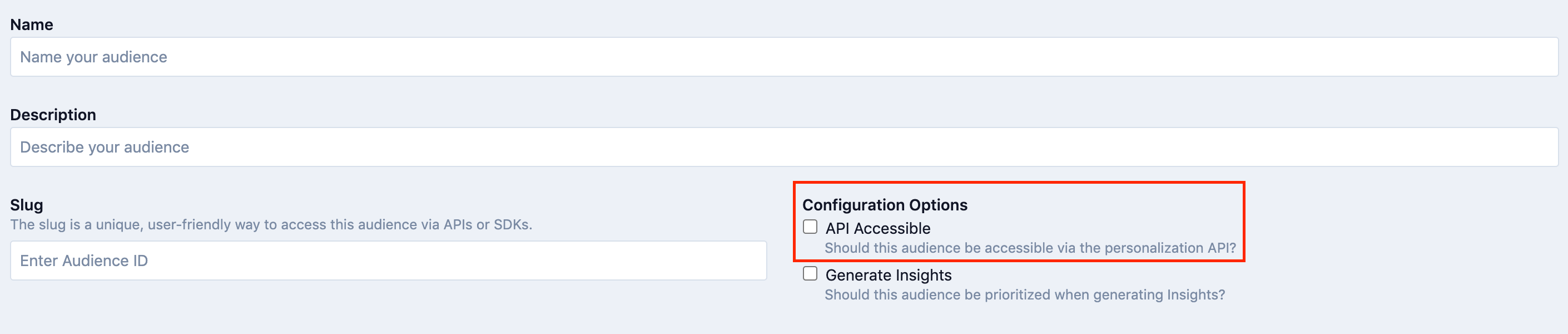
Note: Use your A/B Audiences across Tools - Once you have set up A/B audiences in Lytics, you can use these audiences in multiple marketing tools downstream.
Creating A and B Audiences
This section and the next will walk through each step in the process so you can follow along as you make your own A/B Audiences.
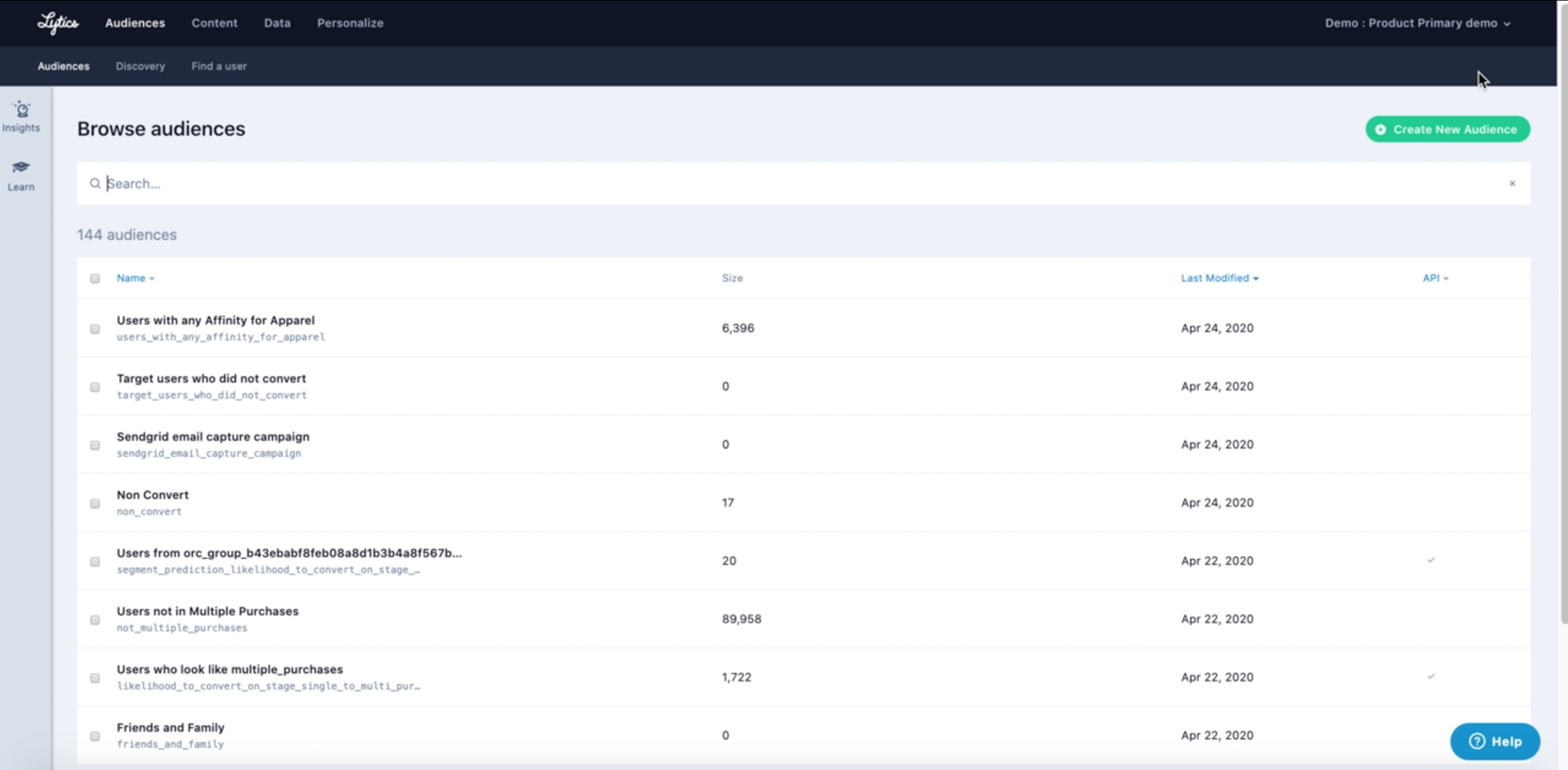
- In the Lytics UI, go to the Audiences tab and click Create New Audience.
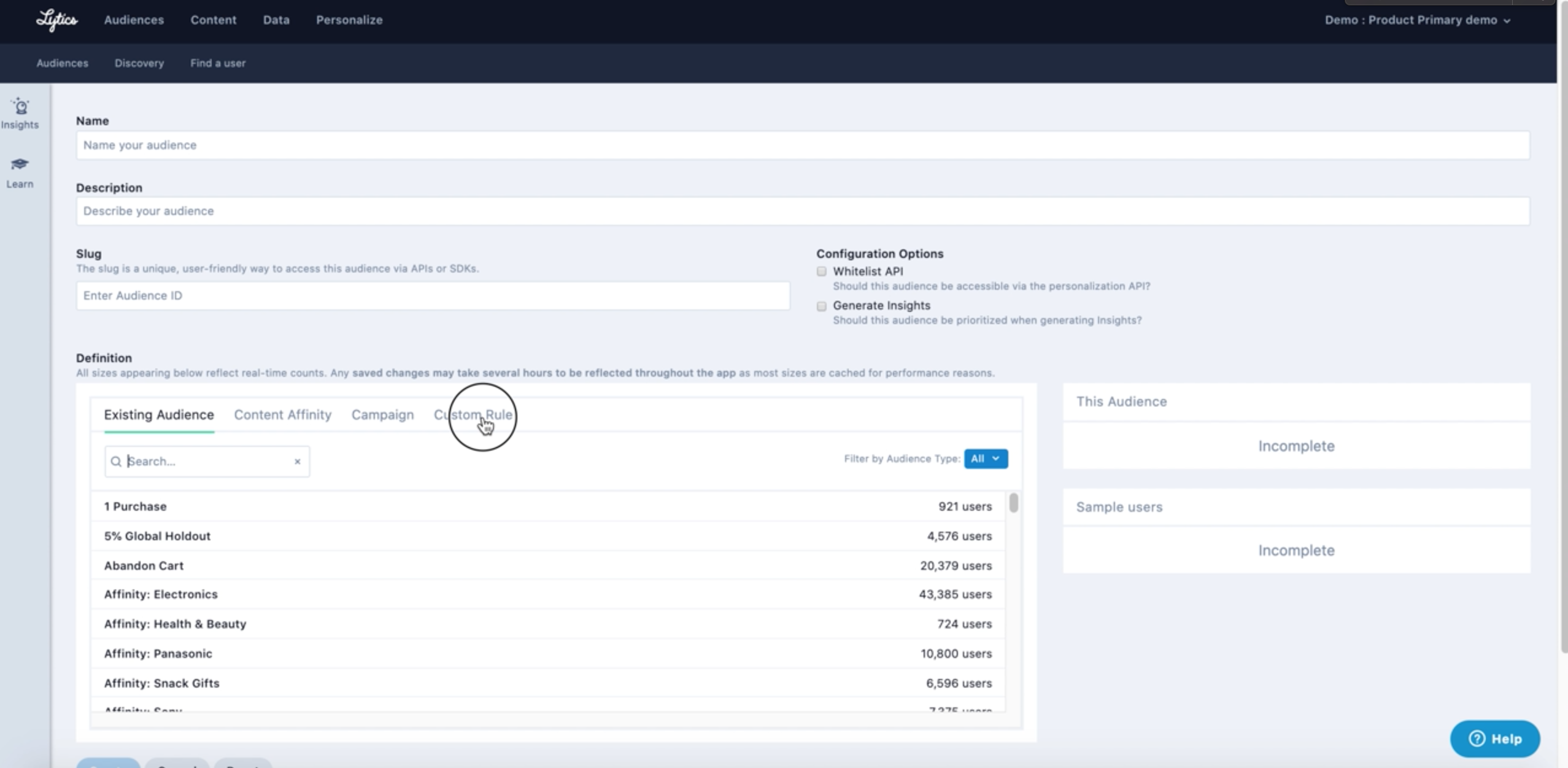
- Go to definition section and click on Custom Rule.
- In the search field start typing "random". This will pull up a custom rule called, "random, uniform partition of users".
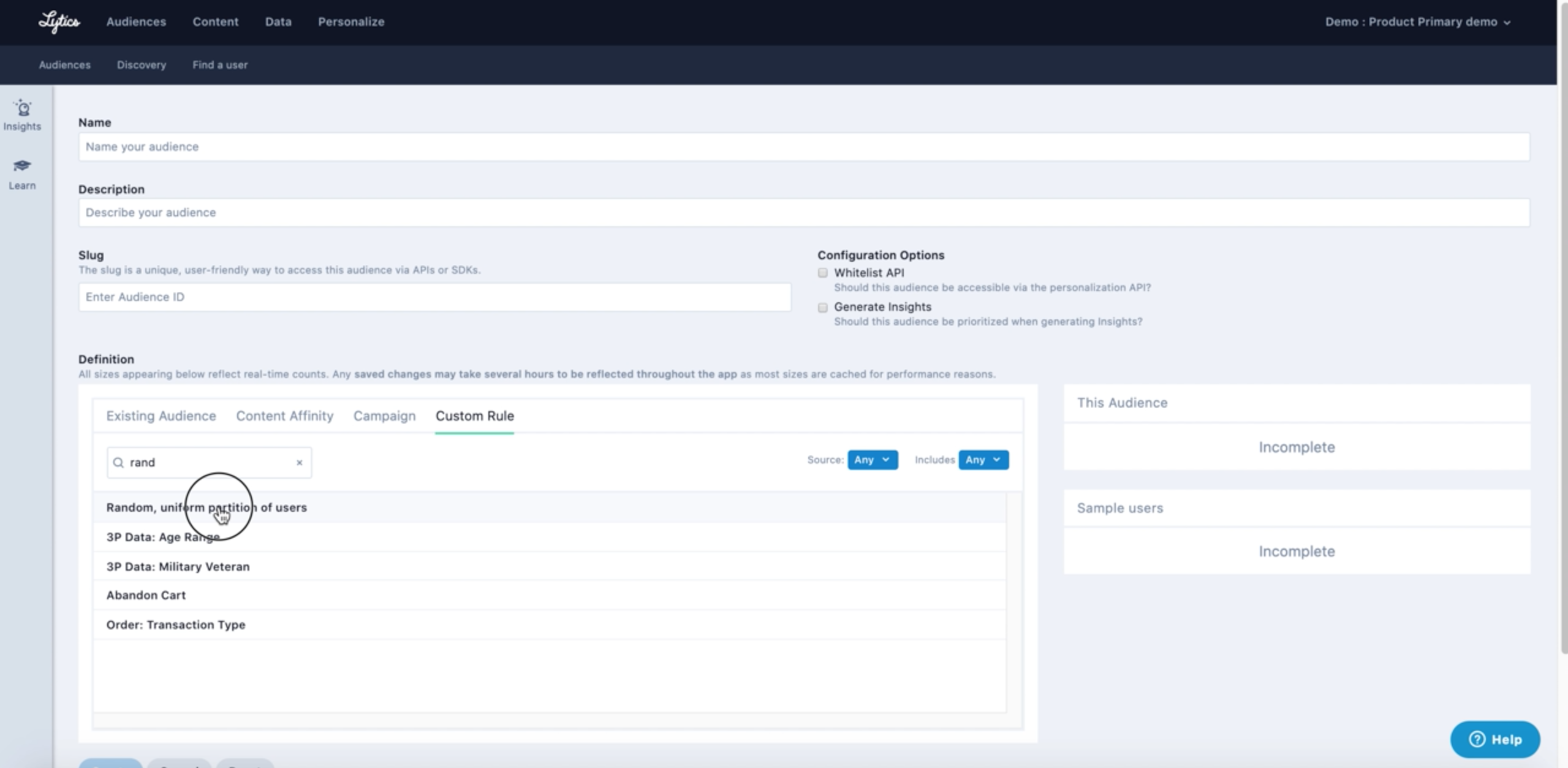
This is a default mapping in every account. The rule randomly assigns a numerical value between 1 and 100 to all of your user profiles.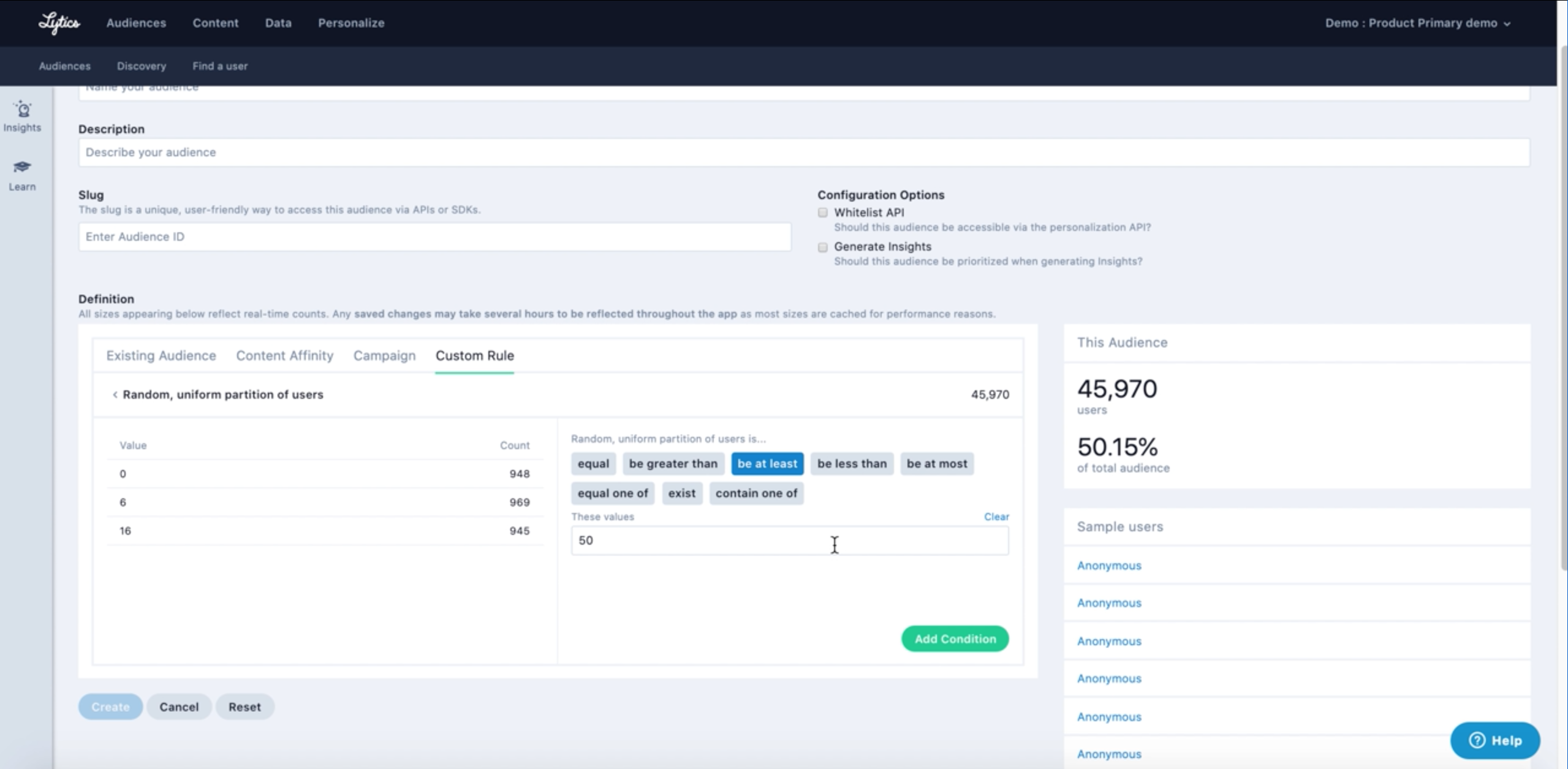
- Make your first audience with the “random, uniform partition of users” field, using the logic “be at least 50”. Set this: Title - “Split Test A” Description - “Random partition be at least 50”
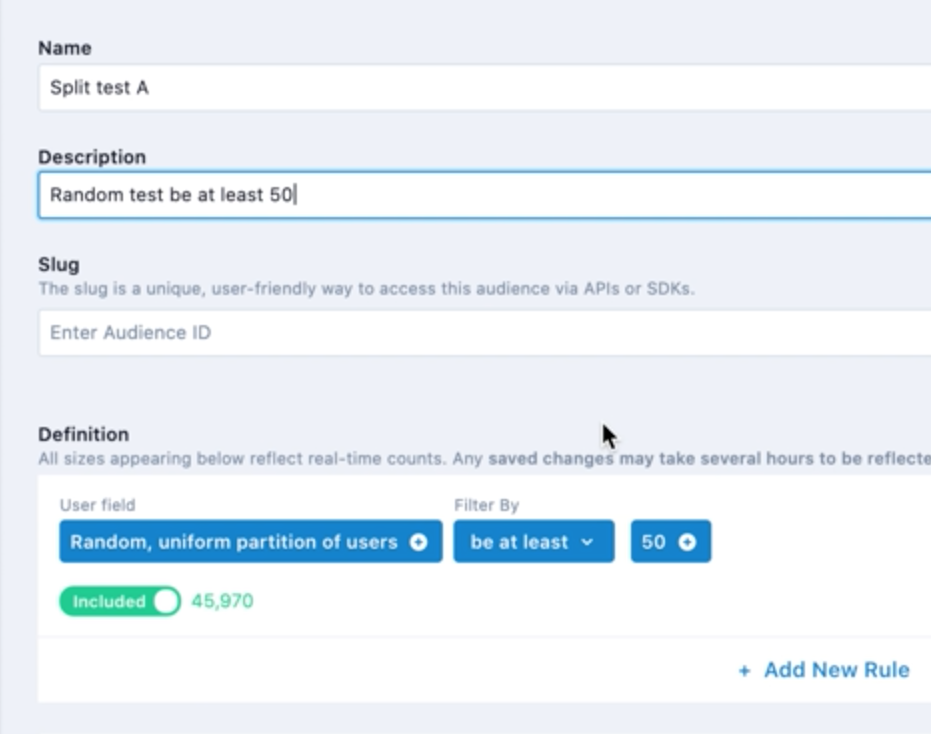
Remember to check the API Accessible configuration option to make your audiences available to the Lytics personalization API and other tools. - Make your second audience with the “random, uniform partition of users” field, using the logic “be at most 49”. Set this: Title - “Split Test B” Description - “Random partition be at most 49”
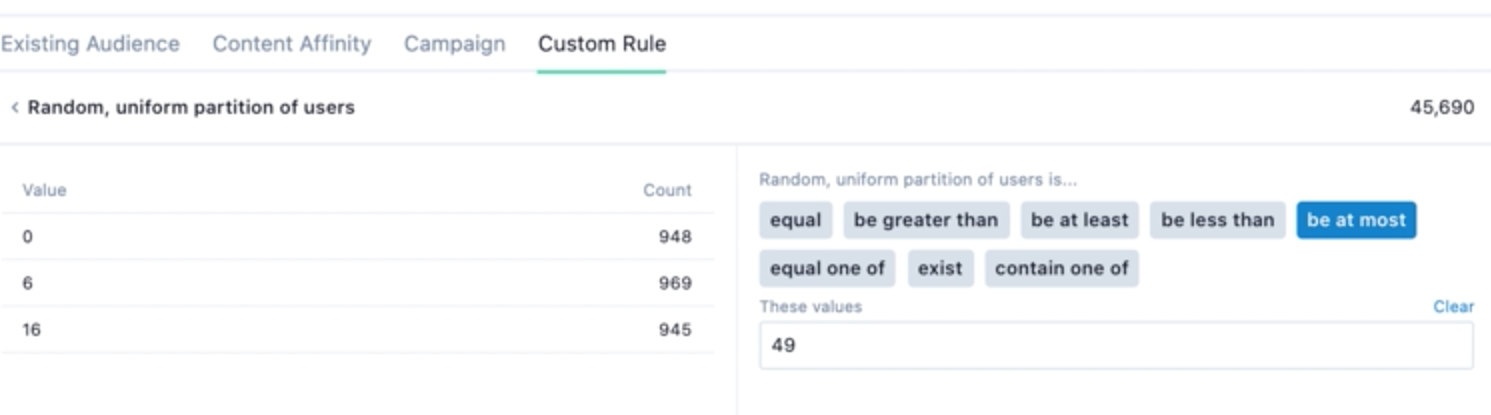
Note: You can add other field rules in the audiences to customize the A/B test. Make sure that what ever supplemental logic you add to one it is mirrored in the other audience. - Now that there are 2 groups we can use this for all sorts of split campaigns. If you need more split tests on the audience, all you would have to do is augment the random partition number further. For example, make 4 audiences called A, B, C and D, and subdivide the random partition into fourths using the audience logic.
Building Holdout Audiences
You can also use the “random, uniform partition of users” of user to create a holdout audience.
For example, if you want to reserve and suppress an arbitrary 10% of your audience from marketing messages, you can do that by creating an audience with the logic of “random, uniform partition of users” be at most 9.
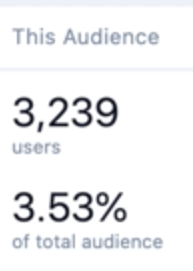
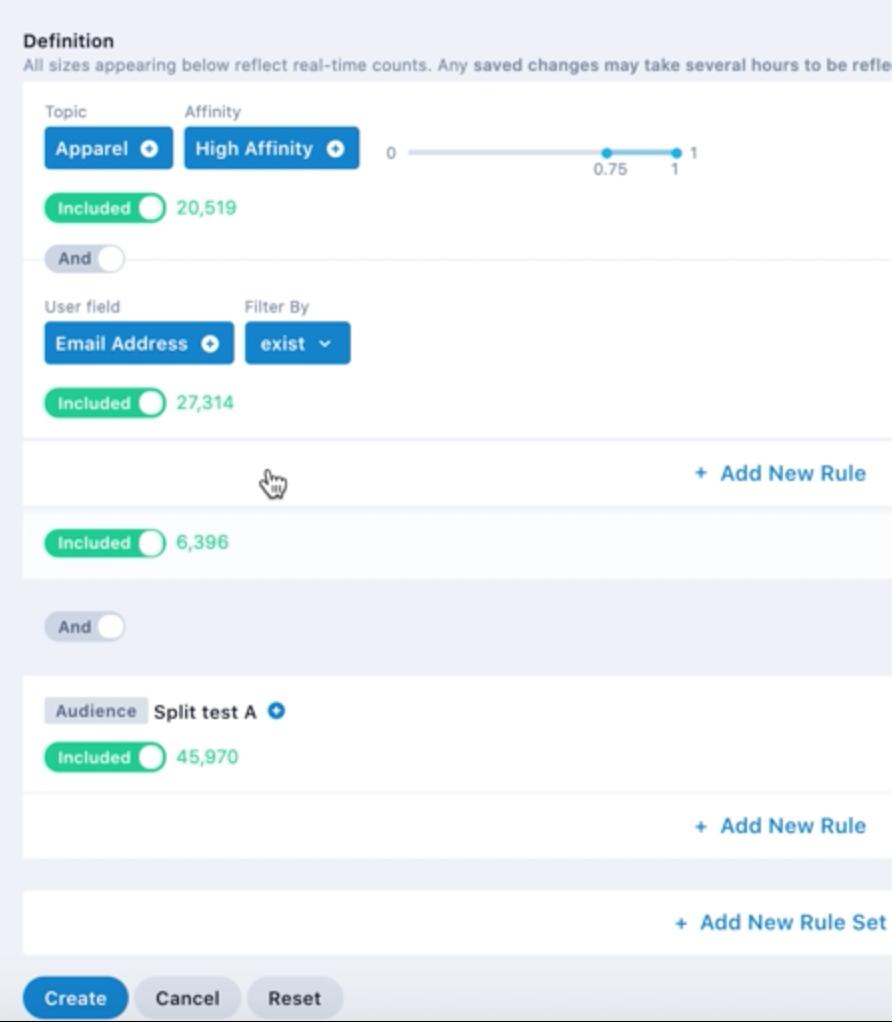
You can use holdout audiences and A/ B audiences as building block audiences to make other, new audiences. This means you can add them to an existing audience, combined with other audience attributes.
Knowledge Check
Before we wrap up, here is a quick quiz to make sure you learned the key points.
Which custom rule will you use to create A/B Audiences in Lytics?
A. custom user attributes
B. random, uniform partition of users
C. origin of user
Answer: B
You can add other user field rules to customize A/B audiences.
A. True
B. False
Answer: A
Which configuration option is required to make an audience available to other tools?
A. Custom Description
B. API Accessible
C. Generate Insights
Answer: B
