

MCP Profile Hub
Build by
 Contentstack
Categories
Who can install
Description
MCP Profile Hub is a profile-driven AI integration layer for Contentstack. It lets teams create small, tightly scoped MCP profiles that expose only the capabilities needed for a specific job, and connect those profiles to any MCP-compatible client: Claude, ChatGPT, VS Code, Cursor, or terminal-based agent frameworks.
Rather than exposing Contentstack's full API surface to an AI client, MCP Hub lets you define exactly what a given user or team should be able to do, contextualizes those tools against your real stack configuration, and enforces permission boundaries automatically.
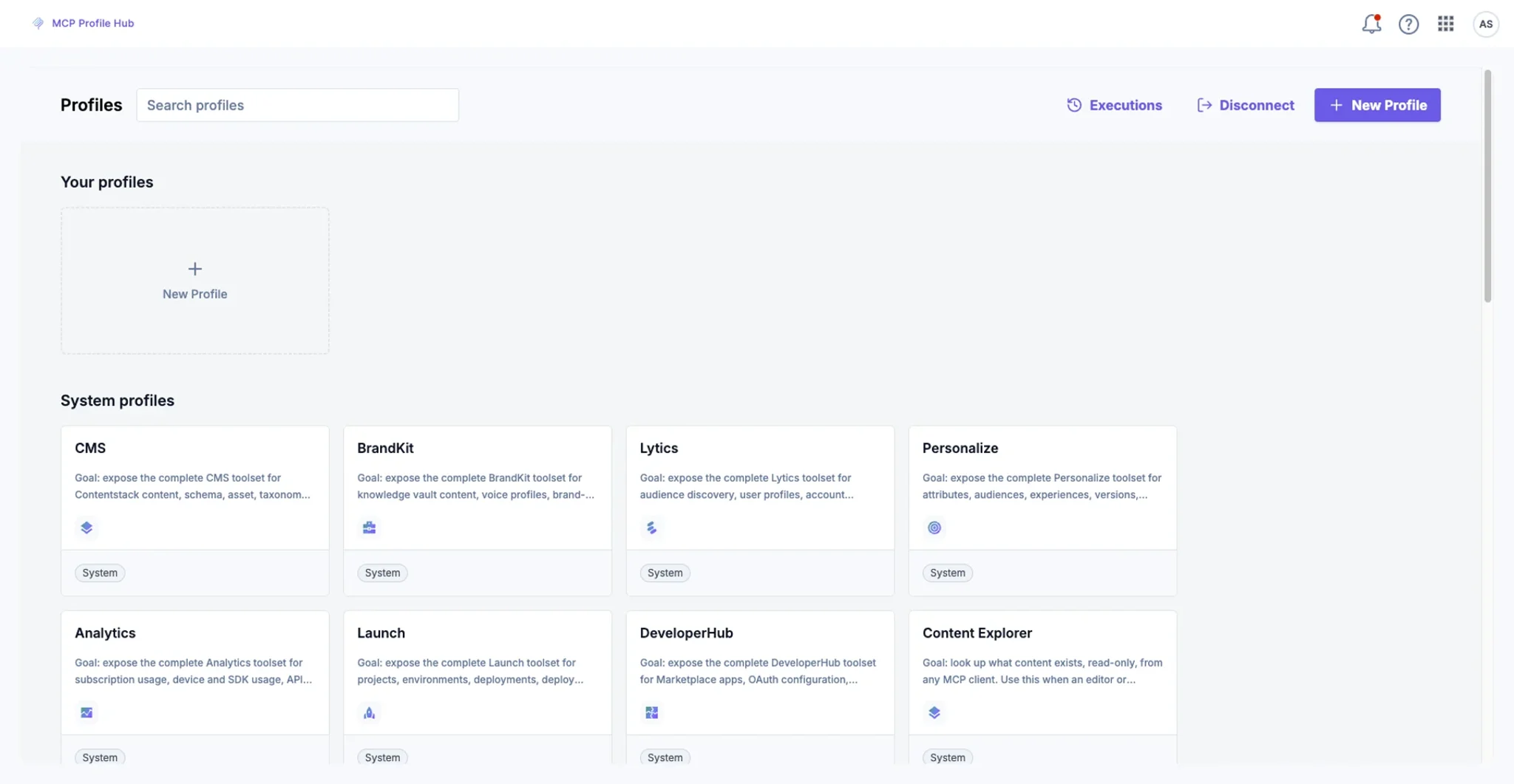
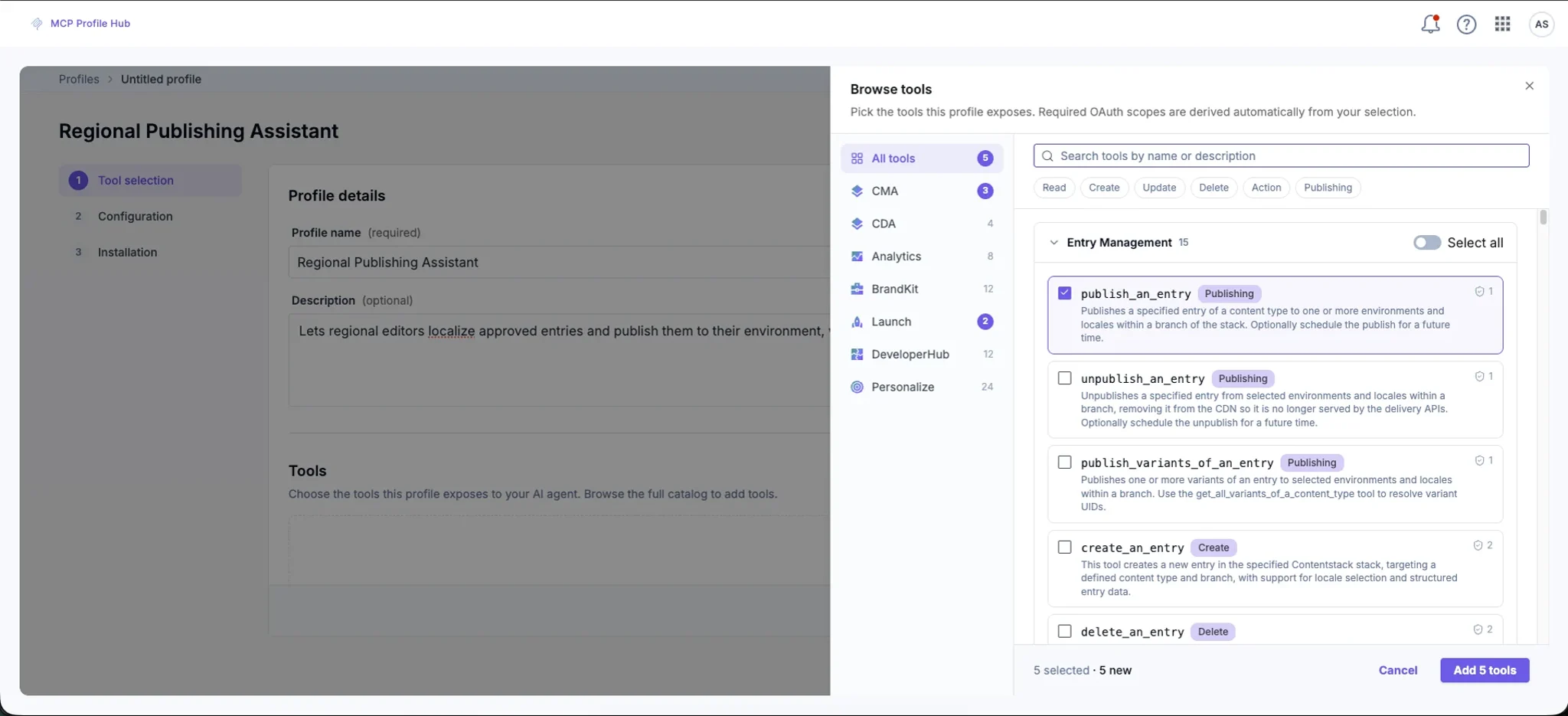
Profile creation and management. Build job-specific MCP profiles in minutes through a guided workflow. Define the job, select the relevant abilities, generate contextualized tool schemas, and publish to a hosted endpoint.
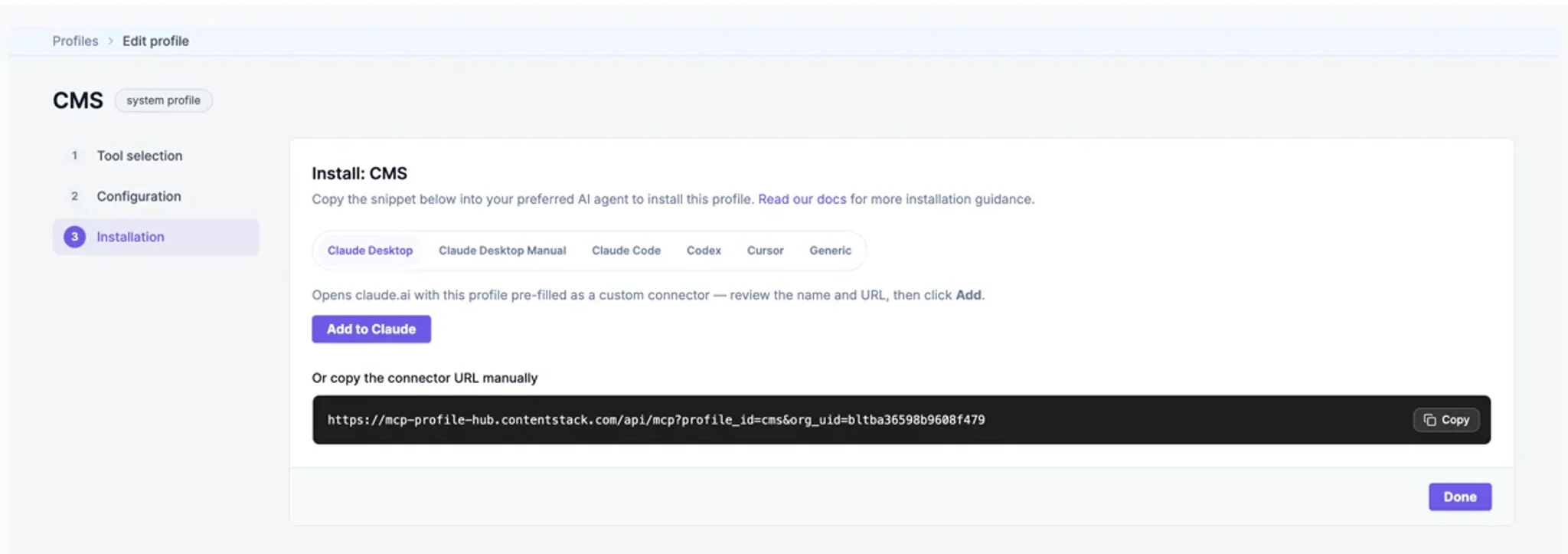
Hosted MCP endpoints. Every profile gets its own hosted endpoint at mcp-profile-hub.contentstack.com. No infrastructure to manage. Connect any MCP-compatible client directly to the profile URL.
Contextual tool generation. Tools are generated against your actual Contentstack setup. Content models, locales, branches, environments, and permissions are factored in automatically, so the tools reflect what you can actually do, not a generic API surface.
Permission-scoped execution. Access is derived from the authenticated user's existing Contentstack roles. Profiles enforce least-privilege by design. Users can only perform operations their account already allows.
OAuth-based authentication. Clients connect via a standard OAuth flow. Short-lived tokens. No shared credentials or manual key management.
Organizational profile sharing. Profiles can be kept private or shared across your organization. Admins can distribute approved profiles to teams without requiring each user to configure their own setup.
Schema and prompt preview. Before publishing, review generated tool schemas and example prompts to validate that the profile behaves as intended.
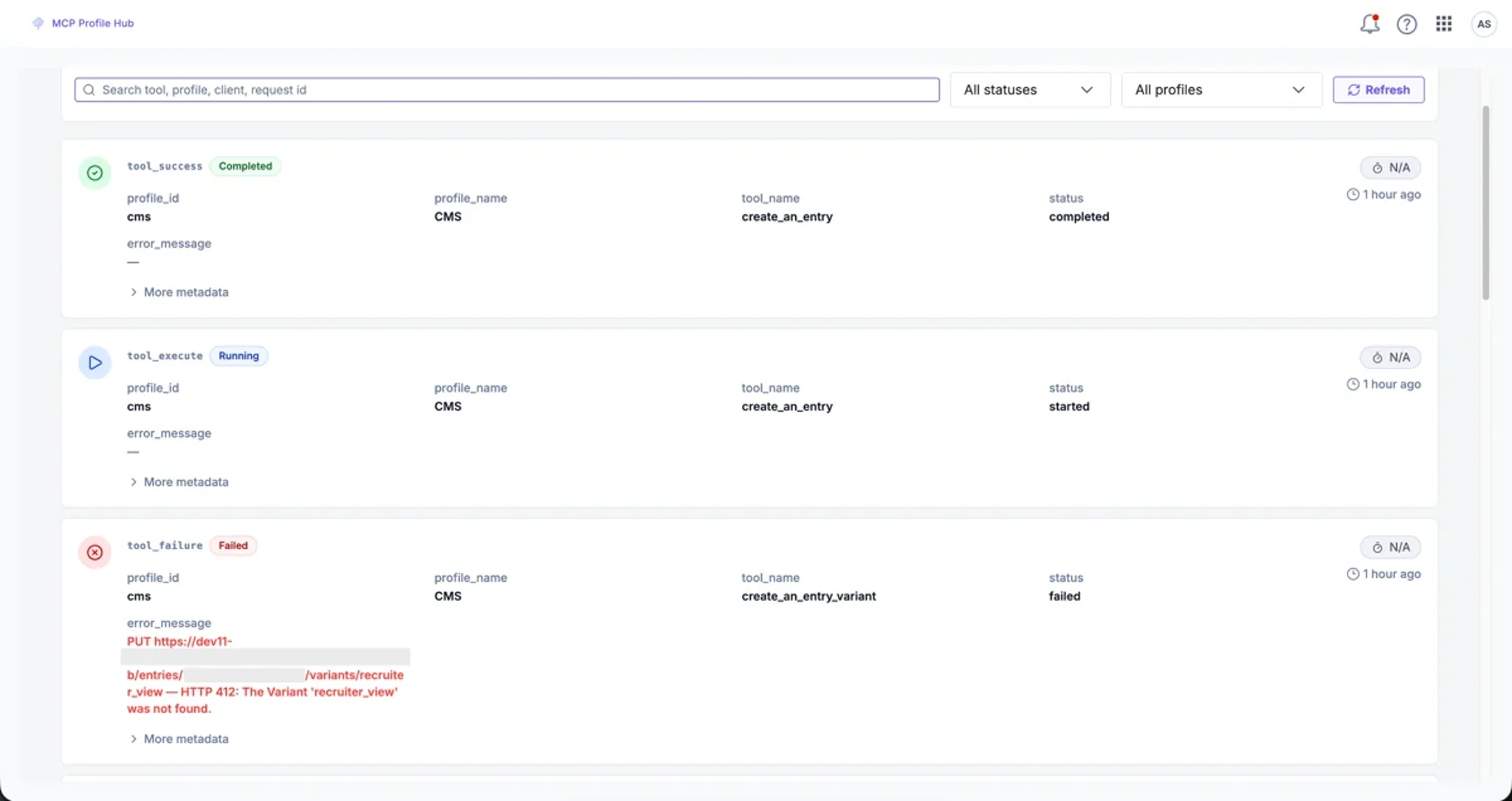
Audit logging. All profile activity is logged: user, tool invoked, execution result, permission outcome, and timestamp. Built for enterprise governance from day one.
Use cases
Content editor working outside the CMS. A content editor needs to look up entry details, check publish status, or pull contextual information from a stack. Instead of logging into the CMS, they ask ChatGPT or Claude directly. MCP Hub surfaces only the capabilities that editor is permitted to use, nothing more.
Developer working in an IDE. A developer building against a Contentstack stack uses an MCP profile in VS Code or Cursor to inspect content models, review field structures, and generate implementation guidance without switching context to the browser.
Technical lead governing team access. A technical lead creates a scoped "regional publishing helper" profile for a specific team. The profile exposes only the operations that team needs. Everyone connects to the same endpoint and works within the same boundaries.
Strategist running approved operations through an AI client. A strategist uses Claude to perform a structured content operation through a profile configured for their role. The operation executes safely because the profile, not the model, defines what's possible.
Admin distributing capabilities across an organization. An admin publishes a profile to the organization so non-technical users can perform a narrow set of Contentstack tasks from their preferred AI client, without needing CMS training or direct platform access.
Features
This MCP Profile Hub app contains:
Global Full Page
The app can be installed at the organization level
Screenshots