Your first Contentstack build: inspect content and make an API call
Your first Contentstack build: inspect content and make an API call
TL;DR
- Open a real stack before Course 1 so the platform stops feeling abstract.
- Identify one content type, one entry, one environment, and one delivery token.
- Make a Content Delivery API request and inspect the JSON response yourself.
- If you have time, repeat the same request with the JavaScript SDK to connect product concepts to code.
Why this matters
Developers stay motivated when they can prove, early, that they understand the product well enough to make something happen. This lesson gives you that first win before the certification asks you to reason about architecture, modeling, preview, and governance in depth.
You will be able to
- locate the minimum stack information needed to read published content
- inspect a content type and entry in the Contentstack UI
- run a first Content Delivery API request successfully
- connect the returned JSON to the frontend work you will do later in the certification
Recommended setup
You will need:
- access to a Contentstack stack
- a published entry in at least one environment
- a delivery token for that environment
- curl available in your terminal
If your stack is mostly empty, create one simple content type with a title field and publish one entry to a development environment before continuing. If you want a richer dataset, use the Veda seed content referenced later in Course 3.
The quickstart path
Use this lesson as a short lab. Do not just read it. Keep the stack open and complete each step.
Step 1: inspect the stack basics
In Contentstack, note these values:
- Your stack API key
- Your stack region
- The name of one published environment such as development
- One delivery token scoped to that environment
You will reuse these four values throughout the certification. Course 3 explains them in depth; for now, the goal is simply to see how they unlock content delivery.
Step 2: inspect one content type and one entry
Open a content type and answer these questions:
- What is the content type UID?
- Which fields are clearly meant for API consumers?
- Which fields exist to help editors work safely?
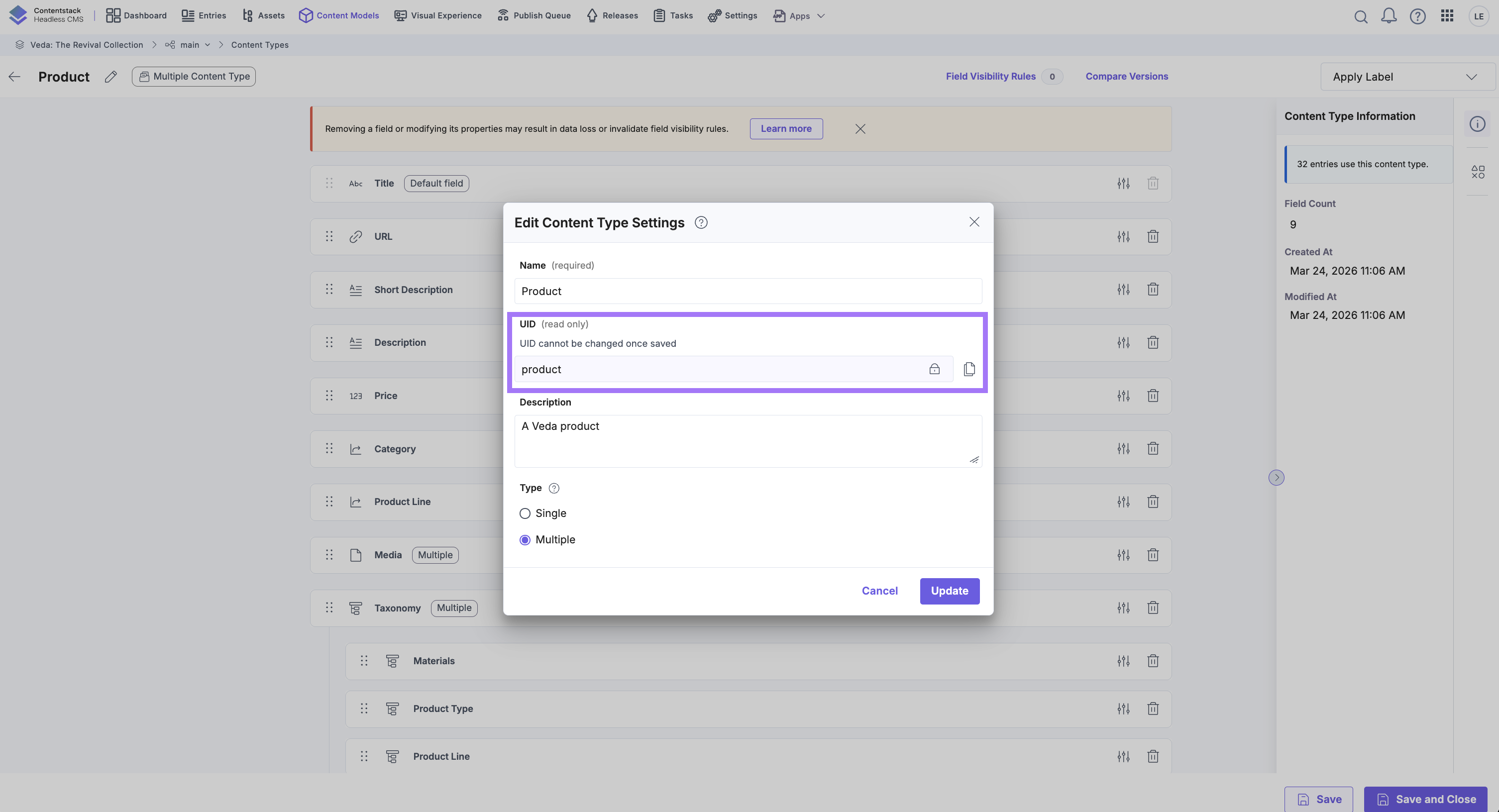
Then open one published entry and note:
- the entry title
- the locale
- whether the entry references other content or assets
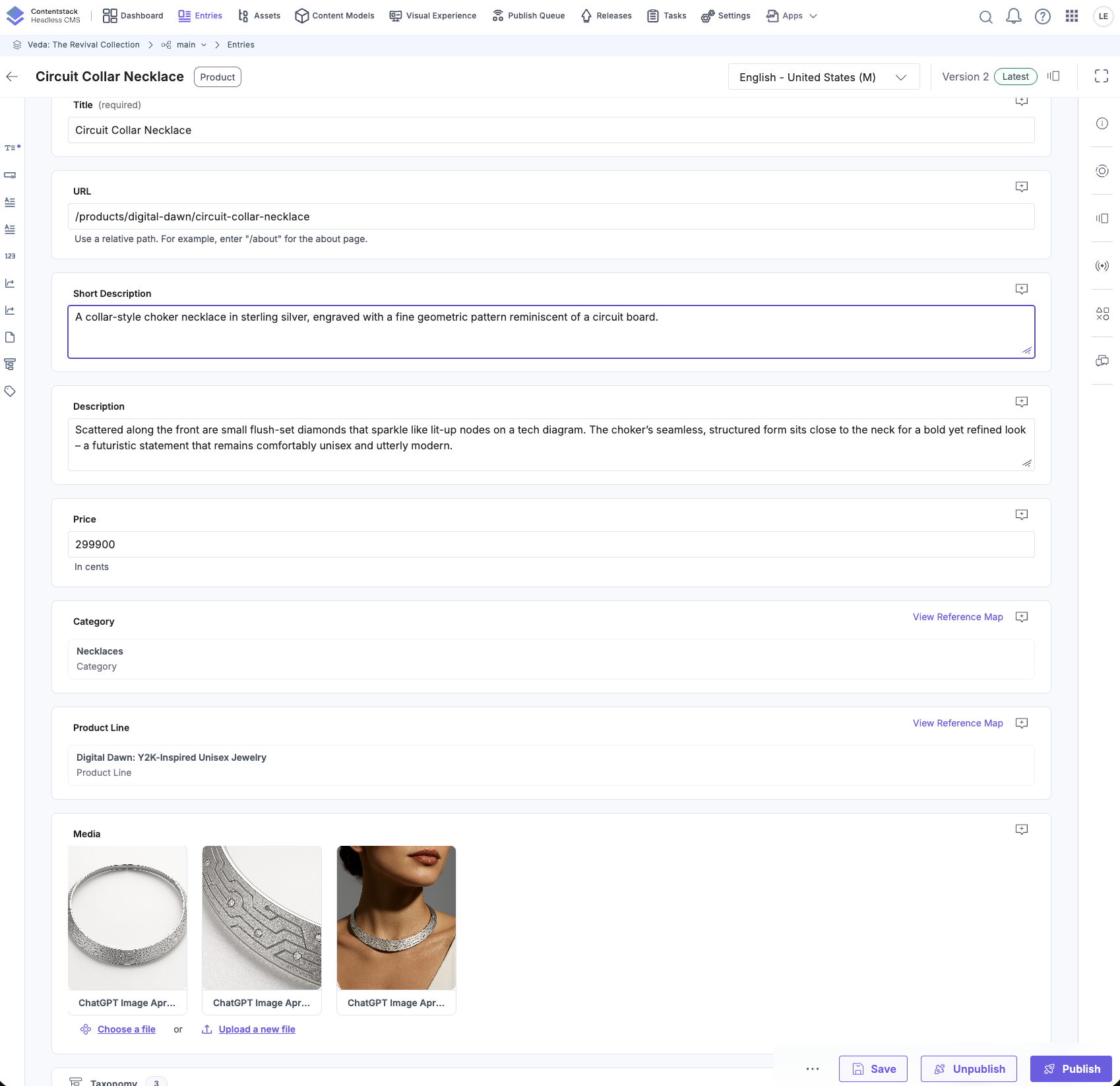
Use the Veda scenario if available. A product, category, or page entry works well because those shapes recur later in the certification.
Step 3: make your first Content Delivery API request
Replace the placeholders below with your own values:
curl -s "https://cdn.contentstack.io/v3/content_types/<CONTENT_TYPE_UID>/entries?environment=<ENVIRONMENT>" \
-H "api_key: <STACK_API_KEY>" \
-H "access_token: <DELIVERY_TOKEN>" \
| jq
If your stack is not hosted in North America, swap the base URL for the correct regional endpoint before running the command.
When the request succeeds, look for:
- the entries array
- field UIDs that match the schema you inspected in the UI
- system fields such as uid, locale, and timestamps
If you get no data back, check the most common causes first:
- wrong region
- wrong environment
- token scoped to a different environment
- entry not published to the environment you requested
Step 4: connect the JSON to real developer work
Look at one entry in the response and answer:
- Which fields would a listing page need?
- Which fields would a detail page need?
- Which fields would likely stay internal to editors?
This is the core shift of the certification: you are not building around pages owned by the CMS. You are consuming structured JSON and deciding how each experience should render it.
Step 5: optional SDK version
If you want one extra confidence-building step, run the same idea through the JavaScript SDK:
import Contentstack from "@contentstack/delivery-sdk"; const stack = Contentstack.stack({ apiKey: process.env.NEXT_PUBLIC_CONTENTSTACK_API_KEY!, deliveryToken: process.env.NEXT_PUBLIC_CONTENTSTACK_DELIVERY_TOKEN!, environment: process.env.NEXT_PUBLIC_CONTENTSTACK_ENVIRONMENT!, region: Contentstack.Region.US, }); const result = await stack.contentType("You do not need to master the SDK yet. The goal is simply to see that the same content can be explored through raw HTTP or through a developer-friendly library.
Practice in Contentstack
Complete this checklist before moving on:
- Identify one content type and one published entry in your stack.
- Run one successful delivery API request.
- Save the response or copy one entry into a scratch file for later reference.
- Write one sentence explaining what your frontend would render from that response.
If you cannot complete all four steps, resolve that now. The rest of the certification becomes much easier once the platform feels concrete.
Common mistakes
Mistake 1: treating the dashboard as the whole product
If you only click around the UI and never inspect the API response, Contentstack still feels like a form builder instead of a structured content platform.
Mistake 2: using the wrong region or environment
Many first-time delivery failures are not authentication failures at all. They are context mismatches: the wrong base URL, the wrong environment, or content that was never published there.
Mistake 3: waiting until Course 3 to touch the APIs
This certification gets easier when you connect concepts to one real response early. A single successful request now pays off for the rest of the path.
Summary
Your first win in Contentstack is small but important: identify a real content type, inspect a real entry, and retrieve published content yourself. Once you have done that, the rest of the certification is no longer about abstract CMS features. It is about understanding, shaping, and extending a platform you have already touched.
